Note
Access to this page requires authorization. You can try signing in or changing directories.
Access to this page requires authorization. You can try changing directories.
Applies to: ✅ Warehouse in Microsoft Fabric
Microsoft Fabric pipelines provide a streamlined way to change warehouse schemas across workspaces such as Dev → Test → Production. Pipelines have built-in dependency handling, schema validation, and declarative deployment intelligence.
Important
This feature is in preview.
This article explains the warehouse deployment process with pipelines.
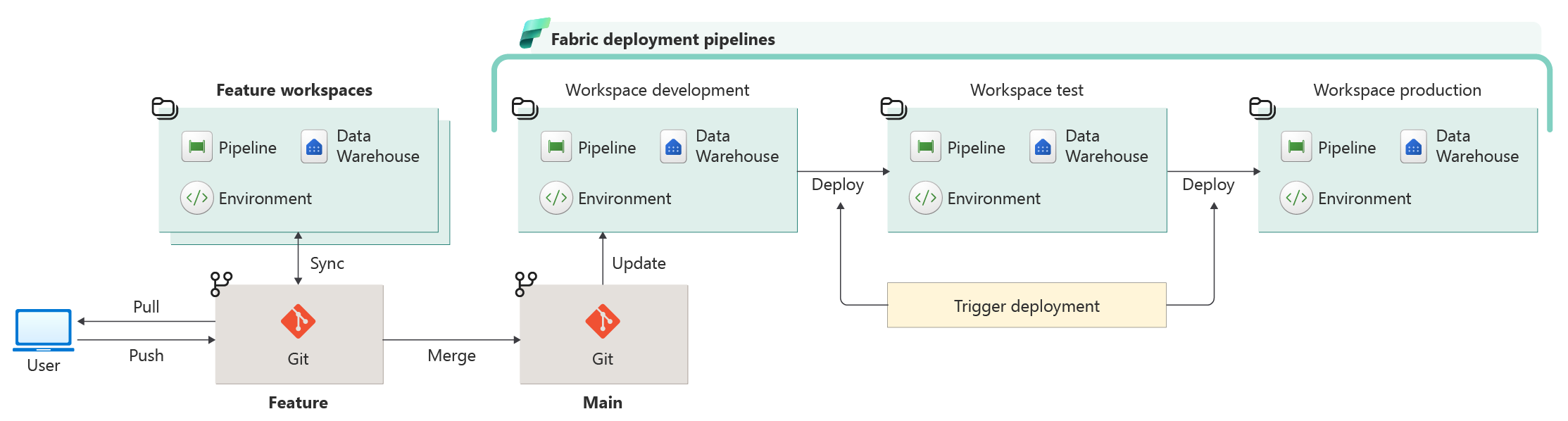
Deployment pipelines provide the lifecycle structure needed to move warehouse changes safely across workspaces. They act as the central orchestration layer for schema promotion, allowing teams to standardize how changes flow through the analytics platform rather than relying on ad hoc deployments. Once created, the pipeline becomes the primary interface for comparing warehouses, reviewing changes, and executing deployments.
Create a pipeline
To create a new pipeline, see get started with deployment pipelines to create and manage a deployment pipeline.
Compare
Always verify and compare the T-SQL changes before deployment. Deployment pipelines offer an easy Compare screen in the Fabric portal to review the affected warehouse objects.
Reviewing the changes allows teams to validate readiness before promoting updates to downstream environments. This process is particularly valuable in enterprise scenarios where multiple teams contribute to warehouse development.
Fabric uses DacFx (Data-tier Application Framework) to perform this comparison. DacFx builds a declarative schema model of both environments and identifies differences such as new tables, modified columns, constraints, or dependency changes. Because this comparison is model-driven, it accurately reflects what happens during deployment.
Important
For schema comparison to work, the warehouse must exist in both the source and target workspaces. If the target workspace doesn't yet contain the warehouse, create or deploy an initial baseline version first.
Note
If a column's COLLATE clause explicitly specifies the same collation as the warehouse's default collation, the comparison doesn't show it as a difference, because it's equivalent to not specifying a collation at all. Only columns whose collation differs from the warehouse's default collation appear in comparisons when their collation changes. For more information and an example, see Troubleshoot Git integration for Fabric warehouse development.
Before deploying any changes, use the deployment pipeline's comparison capability to review differences between the source and target warehouse workspaces.
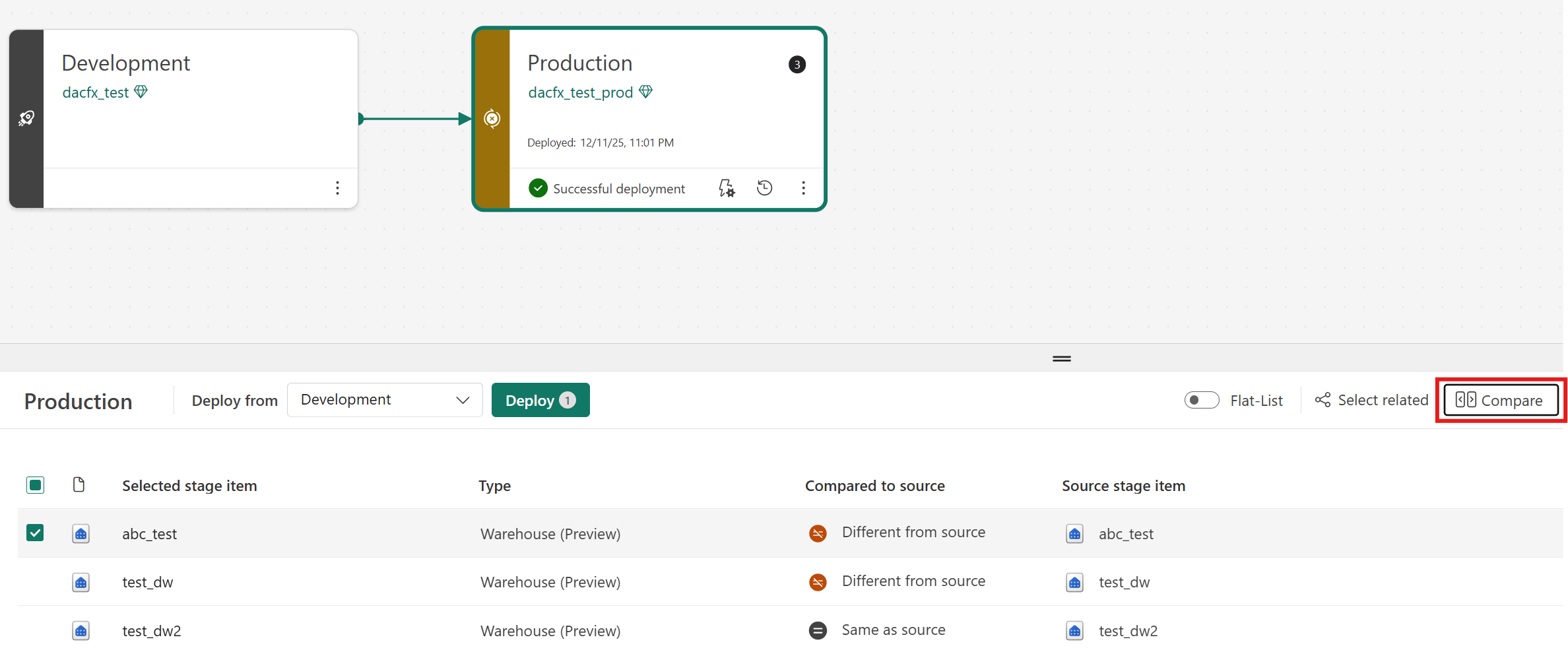
Select Compare and view the changes, such as creating a new view in the warehouse:
Deploy
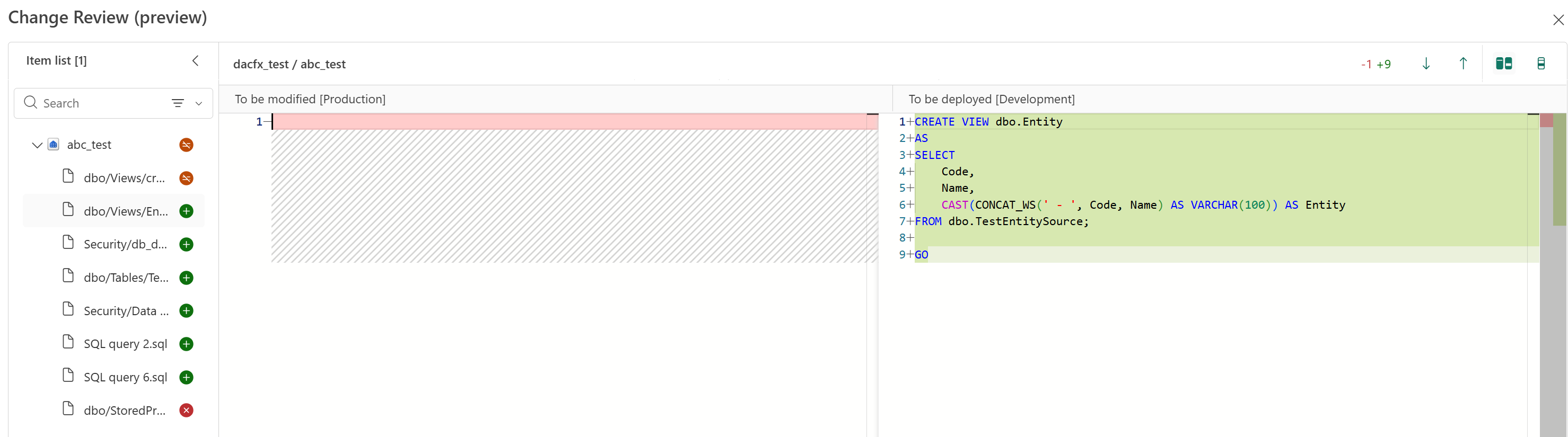
After the comparison finishes and you validate the changes, you can deploy directly from the pipeline interface by selecting the warehouse items to promote.
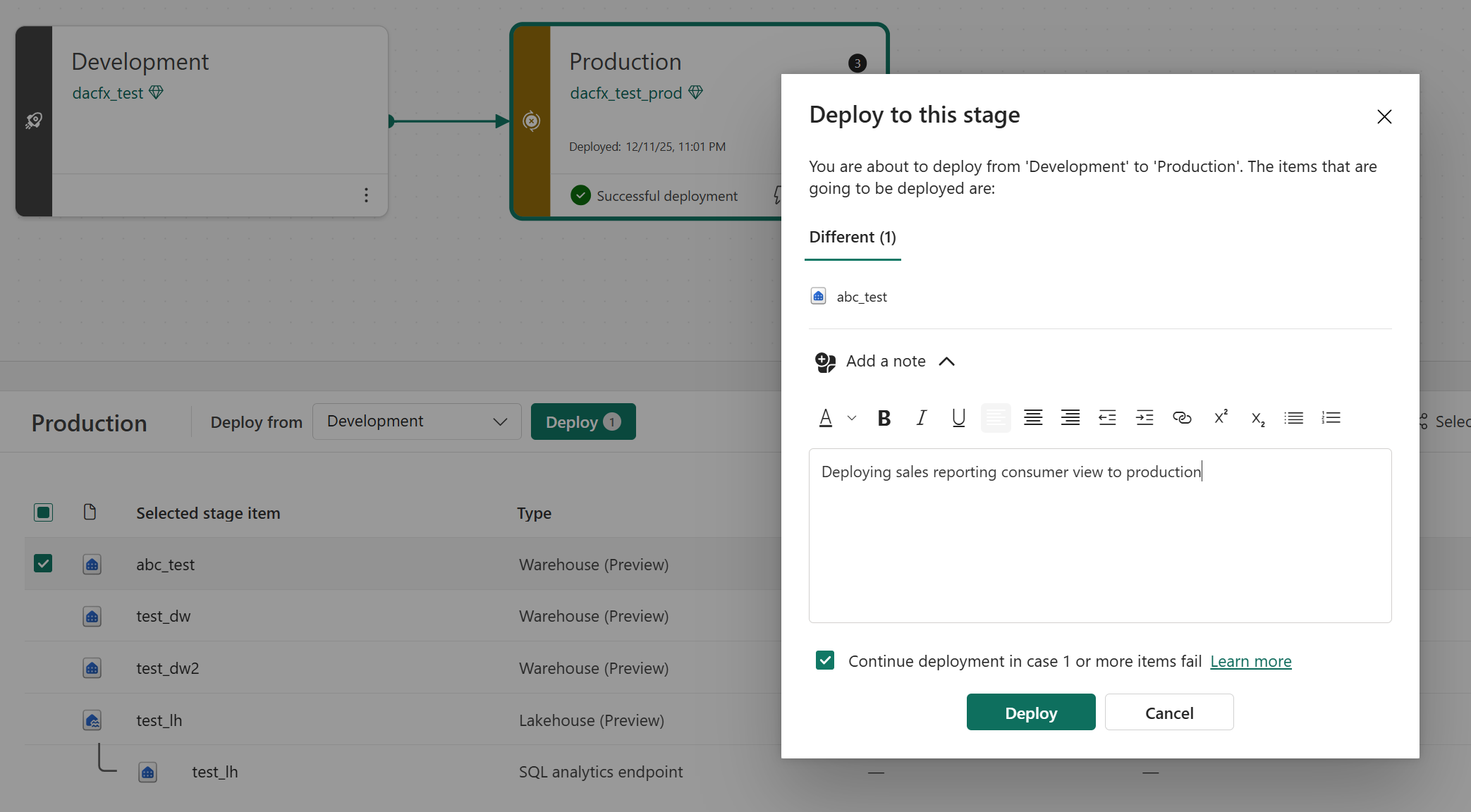
During deployment, deployment pipelines use DacFx to generate an intelligent deployment plan based on schema differences. Fabric applies only the required changes to bring the target workspace in sync with the source.
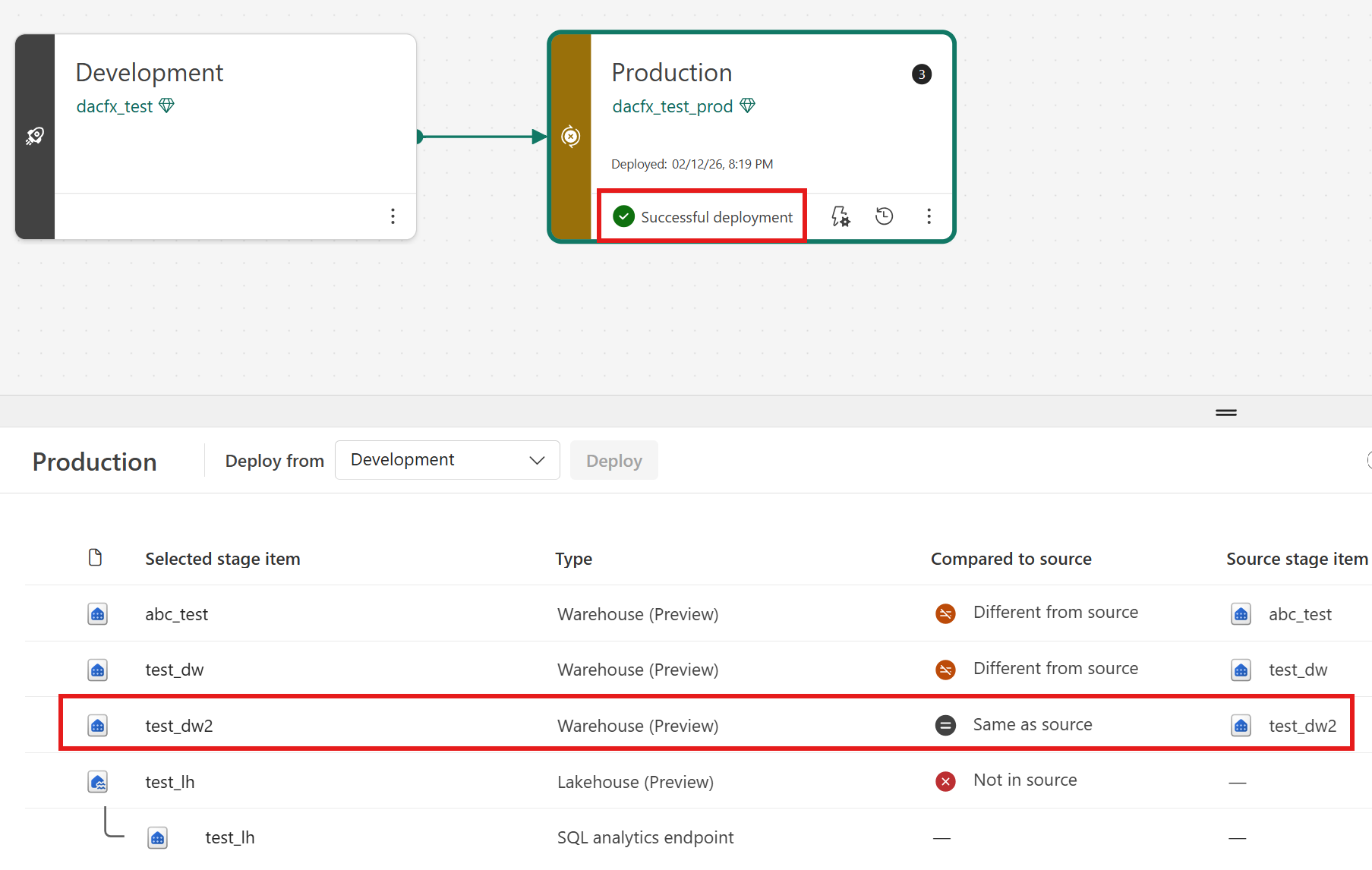
Deployment configurations
Fabric deployment pipelines use DacFx deployment technology with configurations tailored specifically for Fabric Data Warehouse. These configurations ensure deployments succeed reliably while aligning with Fabric platform capabilities and operational practices.
Skipping database-level option scripting (
ScriptDatabaseOptions = false) - Fabric manages many database-level settings at the platform level. Scripting statements such asALTER DATABASE ... SETduring deployment can lead to failures or unintended configuration drift. Deployment pipelines therefore avoid propagating these settings, ensuring schema deployments focus only on supported warehouse objects.Allowing engine enforcement for replicated objects (
DoNotAlterReplicatedObjects = false) - Fabric warehouses often use internal replication mechanisms, for example in linking or synchronization scenarios. Instead of blocking schema changes prematurely, deployment pipelines allow the Fabric engine to determine whether a change is permitted. This approach prevents unnecessary deployment failures while still preserving platform safeguards.Disabling transactional DDL scripting (
IncludeTransactionalScripts = false) - Fabric warehouses currently don't support wrapping DDL scripts inside transactions. Deployment pipelines therefore generate non-transactional scripts to ensure deployments complete successfully.Using intelligent defaults for schema evolution (
GenerateSmartDefaults = true) - When schema changes introduce stricter constraints, such as converting nullable columns to non-nullable or adding new columns with default constraints, deployment pipelines can automatically populate baseline values. This approach helps deployments succeed without requiring manual data preparation and reduces operational friction during schema evolution.Excluding security principals from deployment (
ExcludeObjectTypes = Logins, Users, Permissions) - Security objects are intentionally excluded from warehouse deployments. Promoting logins, users, or permissions across environments can introduce security risks or environment-specific conflicts. Instead, manage access control separately through environment governance or identity management processes.
Limitations
- Fabric Deployment pipelines don't support the SQL analytics endpoint item.
- Cross item dependencies, item sequencing, and synchronization gaps between the SQL analytics endpoint and warehouse impact Fabric Deployment Pipelines workflows.
- Deploy one warehouse at a time. Selecting related items for deployment isn't supported.
Troubleshooting Git integration
For limitations specific to Git integration, see Limitations in Git integration in the Git integration article.
For troubleshooting, workarounds, and fixes to common Git integration issues in Fabric warehouse development, see Troubleshoot Git integration for Fabric warehouse development.