Note
Access to this page requires authorization. You can try signing in or changing directories.
Access to this page requires authorization. You can try changing directories.
Microsoft Advertising provides several types of reports to help you monitor, manage, and improve your campaign's performance. Reports present a deeper look into data such as visibility, click-through rate, and conversion rates.
For Vertical ads, you can access standard reporting—for ads, ad groups, campaigns, and keywords—as well as feed item reports. Learn more about standard reporting. Feed item reports give you visibility into the performance of individual feed items for optimization purposes.
Create a feed item report
From the navigation menu on the left, select Tools > Business data > Dynamic data feeds.
Select the name of the uploaded feed file you want to generate a report for.
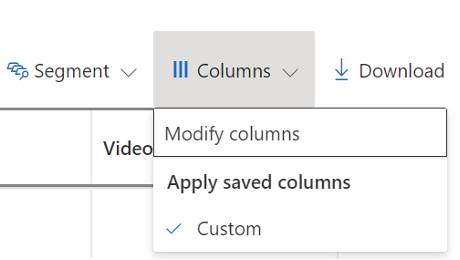
Above the table, select Columns > Modify columns.
Select Add for any performance metrics you'd like to measure.
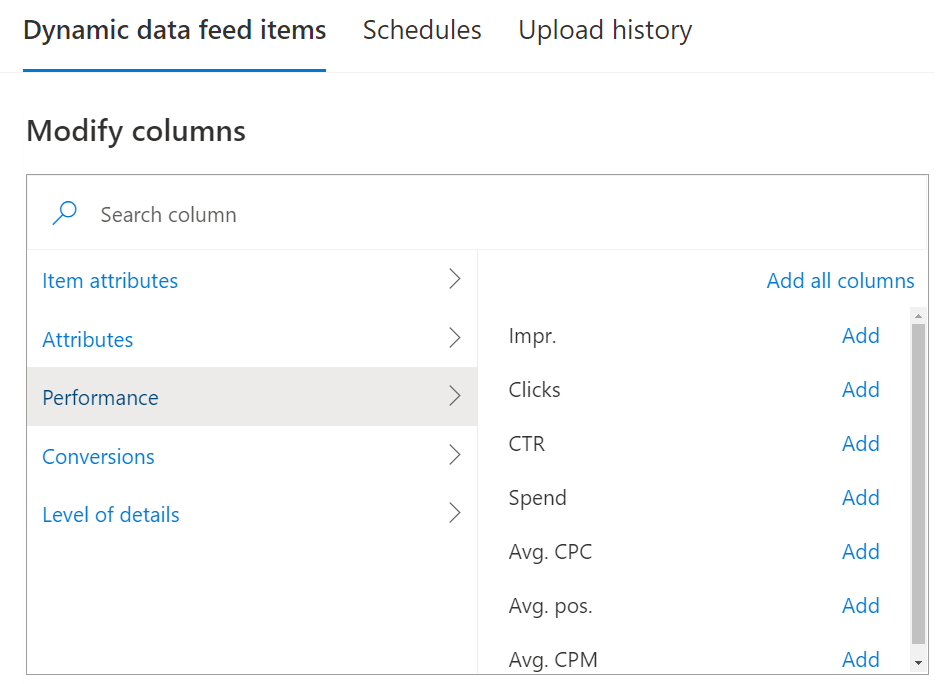
Select Apply to see the performance metrics in the table.