Hi @Phan Dang Lam 202518365,
Welcome to the Microsoft Q&A forum.
Thank you very much for reaching out regarding the issue you encountered: “Cannot edit presentation due to full storage.”
This message usually appears when your storage is full, either on OneDrive (cloud storage) or on your local device. PowerPoint itself does not display storage details directly, but you can check your available space through the following steps:
1/ For OneDrive storage
- Sign in to your Microsoft account on OneDrive.
- At the bottom-left corner, you can view your current storage usage and available space.
-
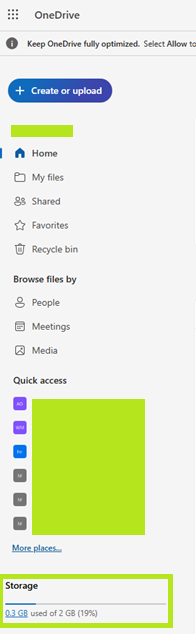
- If your storage is full, you can delete unnecessary files from OneDrive or upgrade your storage plan if needed.
2/ For local device storage
- On Windows: Open Settings > System > Storage to check disk space.
- Free up space by removing temporary files or unused programs.
-
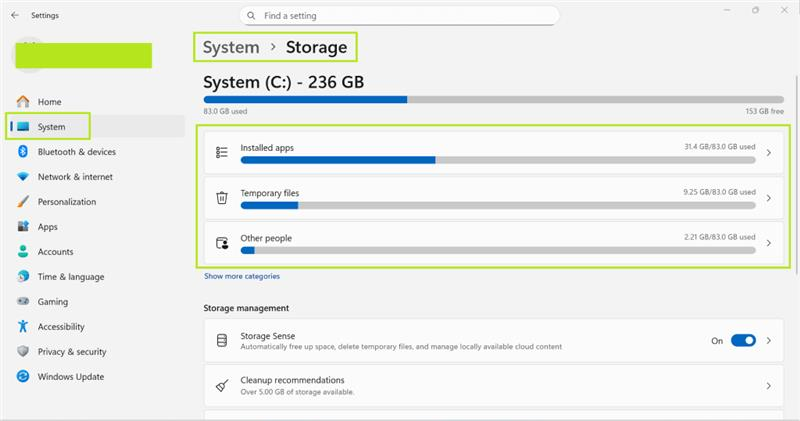
Once you have sufficient storage, you should be able to edit your presentation without issues.
I hope this information is helpful. Should you have any further questions or need additional assistance, feel free to reach out.
I look forward to hearing your thoughts on this.
If the answer is helpful, please click "Accept Answer" and kindly upvote it. If you have any extra questions about this answer, please click "Comment".
Note: Follow the steps in our documentation to enable email notifications if you want to receive email notifications related to this topic.
' cx='32' cy='32' r='32' /%3E%3Ctext x='50%25' y='55%25' dominant-baseline='middle' text-anchor='middle' fill='%23FFF' %3EPD%3C/text%3E%3C/svg%3E)

' cx='32' cy='32' r='32' /%3E%3Ctext x='50%25' y='55%25' dominant-baseline='middle' text-anchor='middle' fill='%23FFF' %3ECD%3C/text%3E%3C/svg%3E)