Dear @Kate McConnell,
Thank you for posting your question in the Microsoft Q&A forum.
I understand your concerns about planning your team’s work as Project Online approaches retirement, and I’m happy to clarify what your licenses include and what to expect.
- Your Planner and Project Plan 3 for GCC licenses give you access to the Project Online desktop client, the Project Online web service (including PWA), and the premium project features that are now part of the new Planner.
- The desktop app you installed is the Project Online desktop client. Even after Project Online is retired on September 30, 2026, this app will still open and save local MPP files. The only change is that it will no longer connect to the Project Online service.
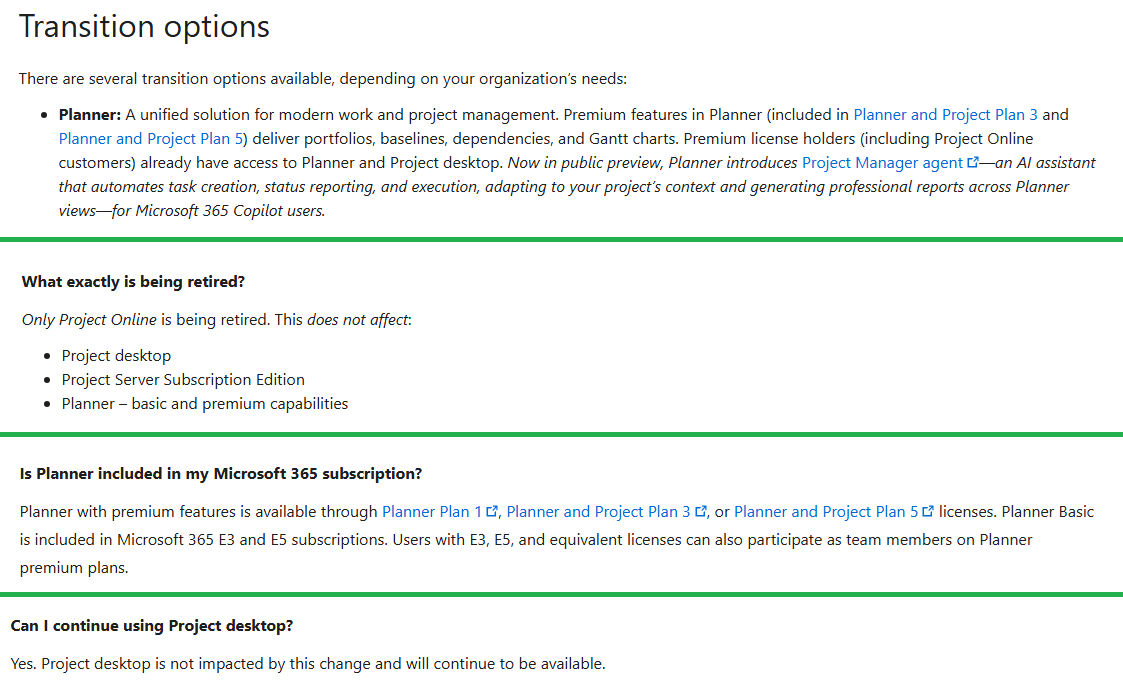
To prepare for the future, it may be helpful to move new project work to Planner, since it now includes advanced scheduling tools such as dependencies with lead and lag, baselines, critical path, and roadmaps. These are already included in your Plan 3 license.
Additional information is available in the following resources:
Project Online - Microsoft Lifecycle | Microsoft Learn
Microsoft Project Online is retiring: What you need to know | Microsoft Community Hub
Transitioning to Microsoft Planner and retiring Microsoft Project for the web | Microsoft Community…
Export user data from Project Online - ProjectOnline | Microsoft Learn
As community moderators, we kindly ask for your understanding that our access to internal development details is limited. Our primary role is to guide users toward the appropriate resources and support channels. While we may not have visibility into performing deeper backend analysis, we’ll continue doing our best to support you within the scope of our responsibilities.
I hope this information is helpful. If you have any questions or need further support, please don’t hesitate to reach out at any time.
Thank you for your patience and understanding.
If the answer is helpful, please click "Accept Answer" and kindly upvote it. If you have any extra questions about this answer, please click "Comment".
Note: Please follow the steps in our documentation to enable e-mail notifications if you want to receive the related email notification for this thread.
' cx='32' cy='32' r='32' /%3E%3Ctext x='50%25' y='55%25' dominant-baseline='middle' text-anchor='middle' fill='%23FFF' %3EKM%3C/text%3E%3C/svg%3E)

' cx='32' cy='32' r='32' /%3E%3Ctext x='50%25' y='55%25' dominant-baseline='middle' text-anchor='middle' fill='%23FFF' %3ERN%3C/text%3E%3C/svg%3E)