Hi i
Thank you for reaching out to the Microsoft Q&A Forum.
Based on your description, I understand that you’re trying to adjust the typing (By letter) animation in PowerPoint on Mac, but the Duration option appears to be locked or isn’t behaving as expected.
To help us better understand your situation, could you please share a bit more detail:
- Your macOS version
- Your PowerPoint version
- Which animation you’re currently using (such as Appear, Fade, etc.)
- A screenshot showing the Duration option being greyed out. If possible, please share the screenshot via private message to avoid exposing any personal or organizational information.
Based on my testing on PowerPoint for Mac, I’ve noticed the following behaviors that might be relevant:
- Some animations, such as Appear, do not support Duration adjustment, so the option may appear greyed out
- When using “Animate text: By letter”, the animation runs character by character with a fixed timing, and PowerPoint for Mac does not include an option such as “seconds delay between letters” to adjust this timing
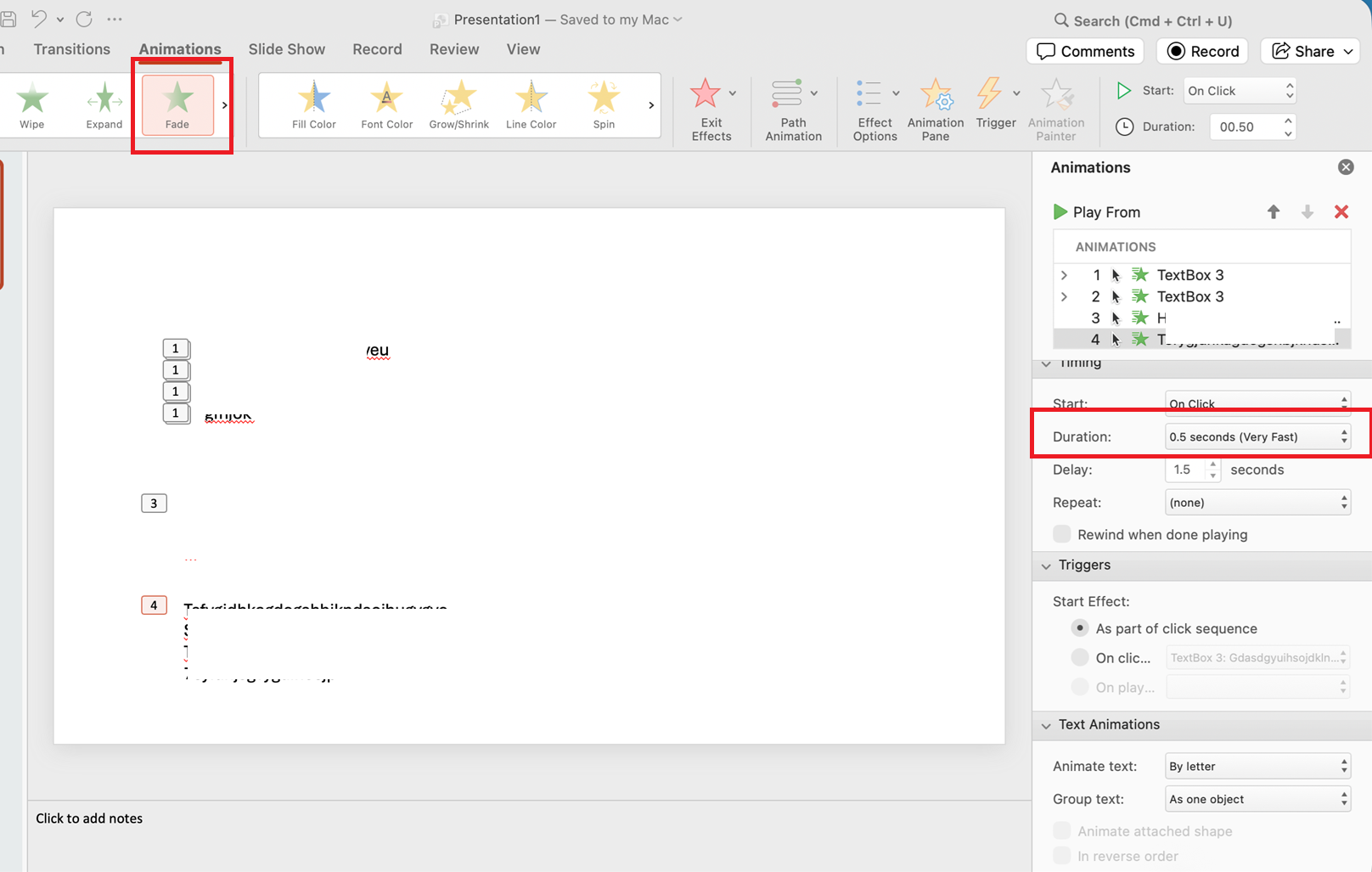
Because of this, what you’re experiencing may be part of how PowerPoint for Mac currently works, especially with this type of animation.
I hope this helps clarify things a bit, and I’m happy to take a closer look once you share more details.
Note: Please follow the steps in our documentation to enable e-mail notifications if you want to receive the related email notification for this thread.
' cx='32' cy='32' r='32' /%3E%3Ctext x='50%25' y='55%25' dominant-baseline='middle' text-anchor='middle' fill='%23FFF' %3EI%3C/text%3E%3C/svg%3E)

' cx='32' cy='32' r='32' /%3E%3Ctext x='50%25' y='55%25' dominant-baseline='middle' text-anchor='middle' fill='%23FFF' %3EDT%3C/text%3E%3C/svg%3E)
