Hello @Santosh Singh,
Thank you for your message.
Based on my testing, I would like to share some observations regarding the behavior you are experiencing.
When creating a Basic plan that is not added to a group, the option “Copy Plan” does not appear or does not work as expected.
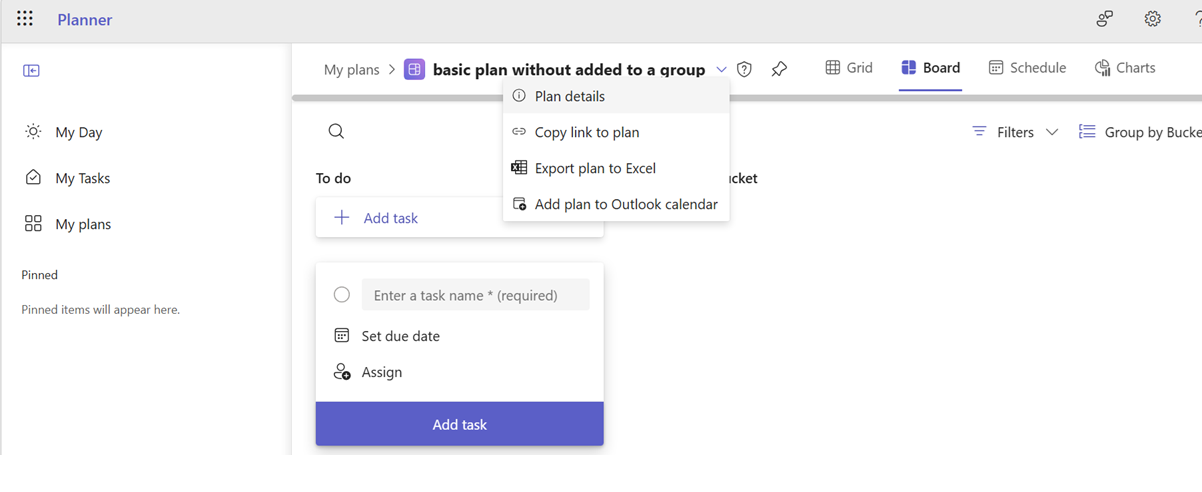
However, when a Basic plan is added to a group, the “Copy Plan” option becomes available and works as expected.
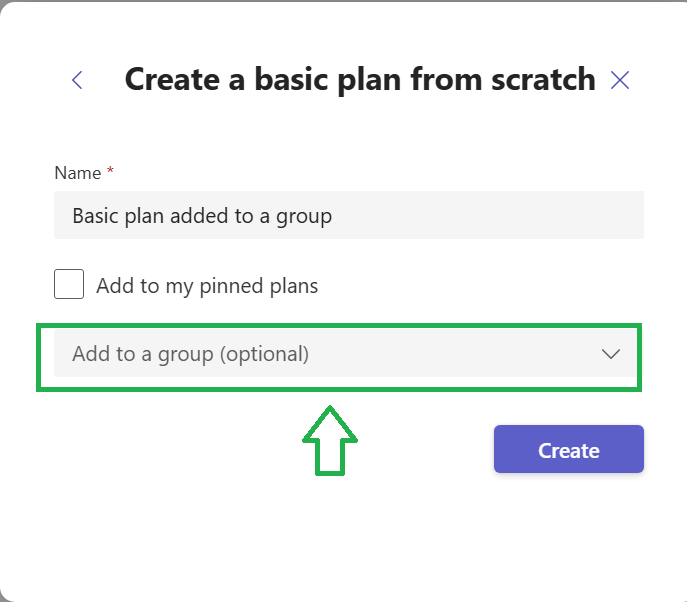
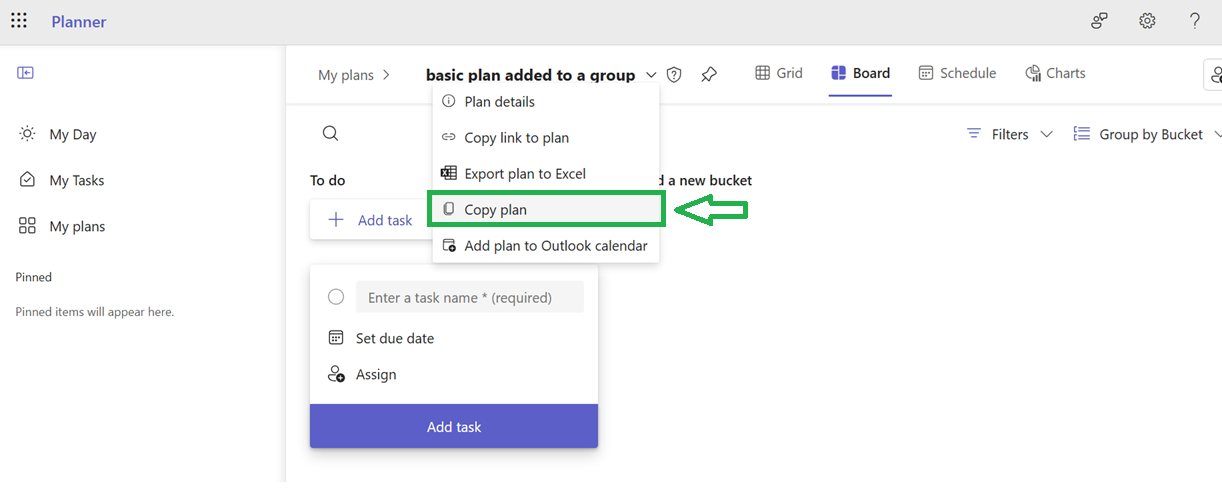
In addition, according to the official Microsoft documentation: “If you aren't able to create groups in Planner, you might not be able to copy plans.”
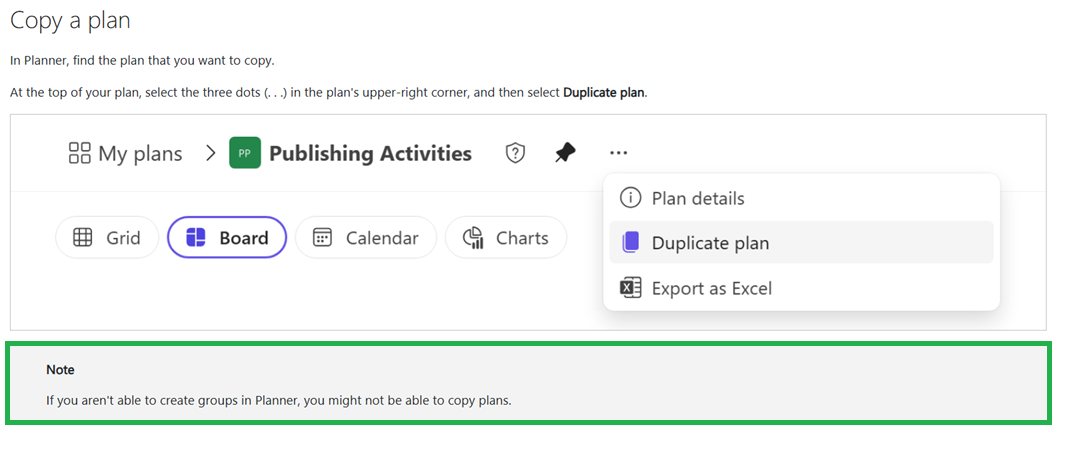 Reference: Copy a plan | Microsoft Support
Based on this, the group association is required for the “Copy Plan” functionality to be available.
Additionally, if you are using a Premium plan, you should not need to "add to a group" in order to copy a plan.
If possible, could you please try again and let me know exactly which plan you are seeing this issue with? That will help me get a clearer picture of the situation.
You might also try creating or using a plan that is associated with a group, and check whether the “Copy Plan” option works in that scenario.
If the issue still persists after trying this, please feel free to share any additional details or screenshots. This will help me investigate further and support you more effectively.
Kind regards,
Note: Please follow the steps in our documentation to enable e-mail notifications if you want to receive the related email notification for this thread.
' cx='32' cy='32' r='32' /%3E%3Ctext x='50%25' y='55%25' dominant-baseline='middle' text-anchor='middle' fill='%23FFF' %3ESS%3C/text%3E%3C/svg%3E)

' cx='32' cy='32' r='32' /%3E%3Ctext x='50%25' y='55%25' dominant-baseline='middle' text-anchor='middle' fill='%23FFF' %3EDN%3C/text%3E%3C/svg%3E)