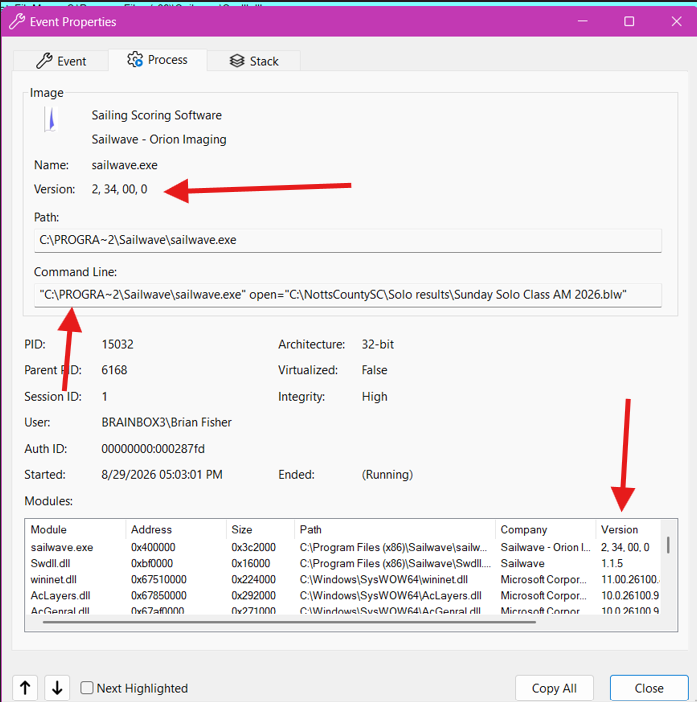
You are not running the most current version of the software. The trace shows that you are running version 2.34.
I also see that the link that you used to launch the program uses the short 8.3 name, C:\PROGRA~2 and not the full C:\Program Files (x86). That shouldn't cause a problem but it is "different".
Run the uninstall again. Verify that the C:\Program Files (x86)\Sailwave folder was deleted.
Then install the current version.
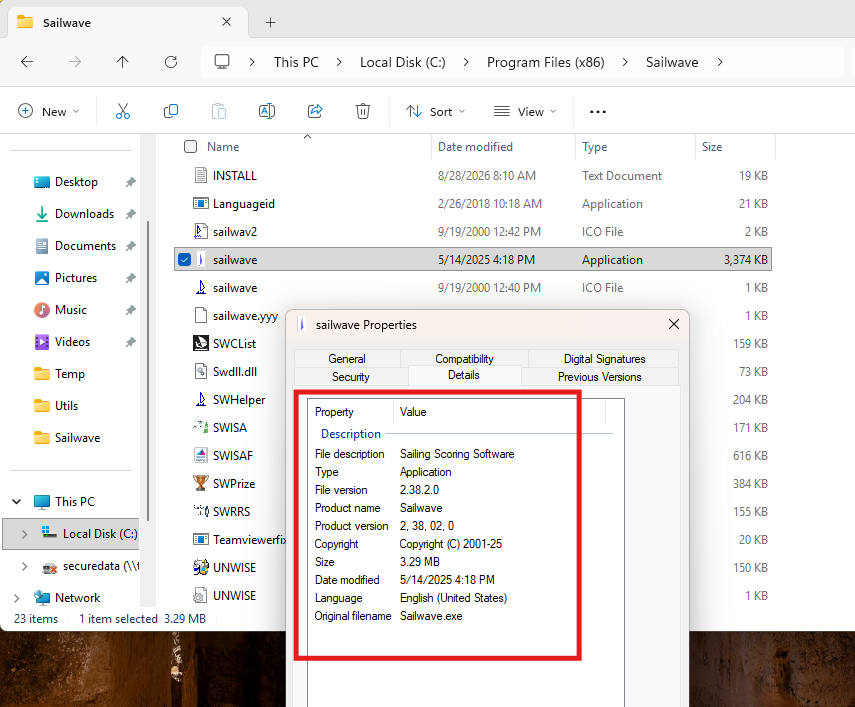
Verify that Sailwave.exe is version 2.38.2.0.
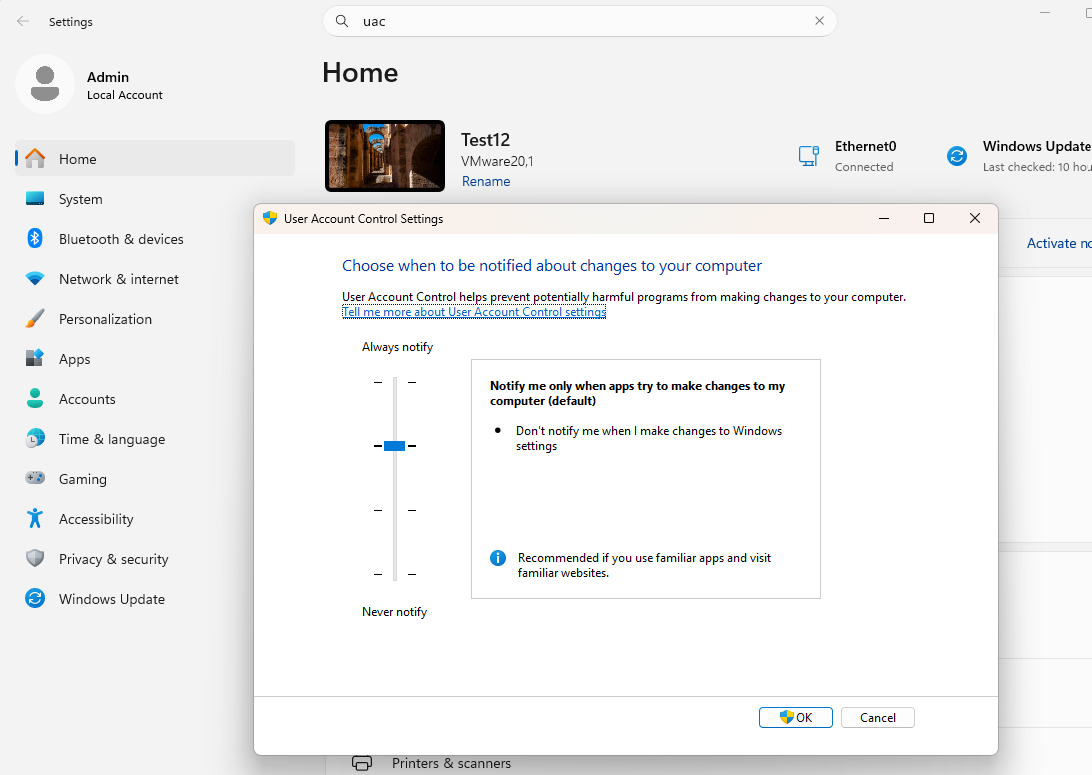
In the trace I see that consent.exe was launched. That is the UAC prompt. I do not get that on my test VM. Open Settings and search for UAC.
Here is what mine is set at. Check yours.
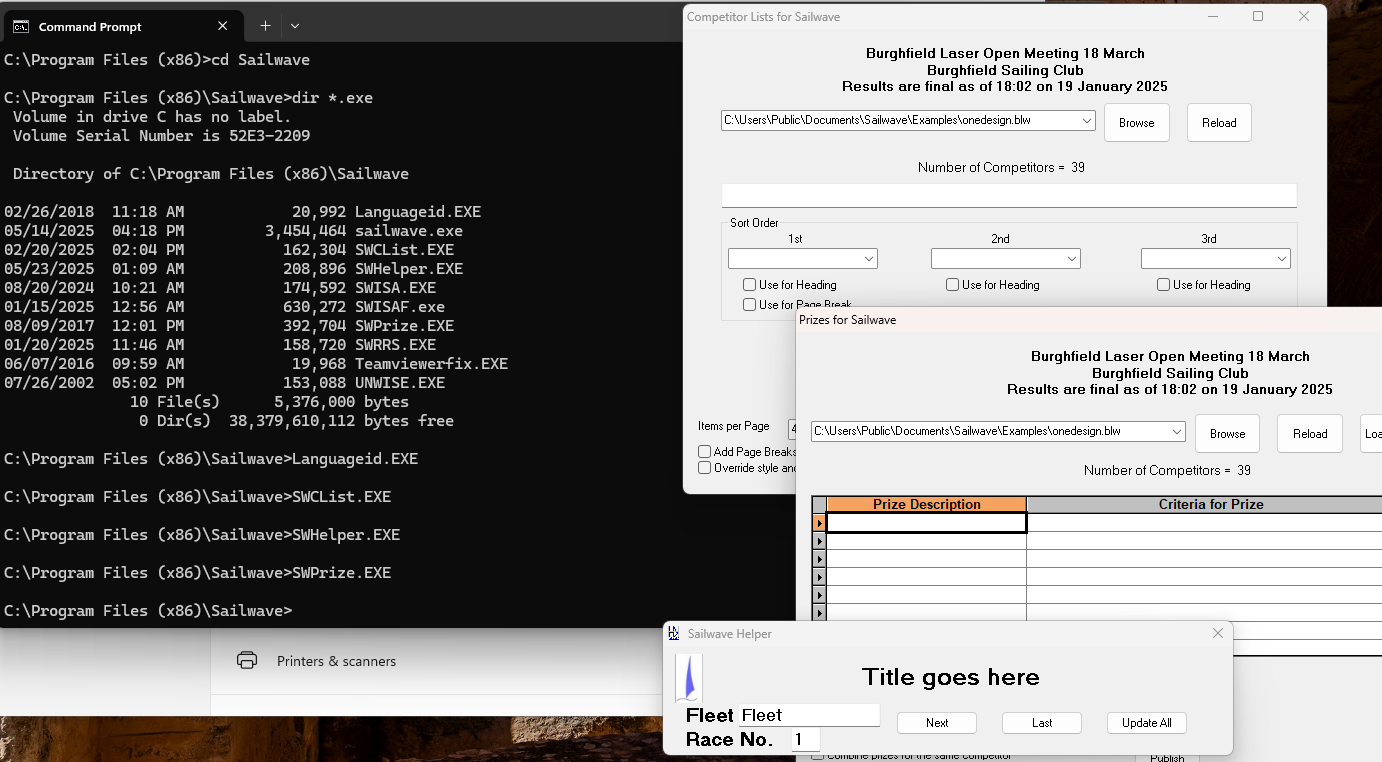
In your first question, I asked if the other programs worked. After you get the current version installed, try other programs. Do you get the 142 error? Do you get a UAC prompt?
Open a command prompt (non-admin) and CD to that folder. Try running those programs. Languageid.exe did not do anything.
Also try running sailwave.exe from the prompt, without the "open=c:\NottsCountySC...." argument. Were you changing the NTFS security permissions on that c:\NottsCountySC folder perhaps? Maybe run the current 2.34 Sailwave.exe program from a command prompt and see if launches without the open= argument.
Maybe the problem is with the shortcut and not the program itself.
' cx='32' cy='32' r='32' /%3E%3Ctext x='50%25' y='55%25' dominant-baseline='middle' text-anchor='middle' fill='%23FFF' %3EBF%3C/text%3E%3C/svg%3E)


