
@Terry Seagert
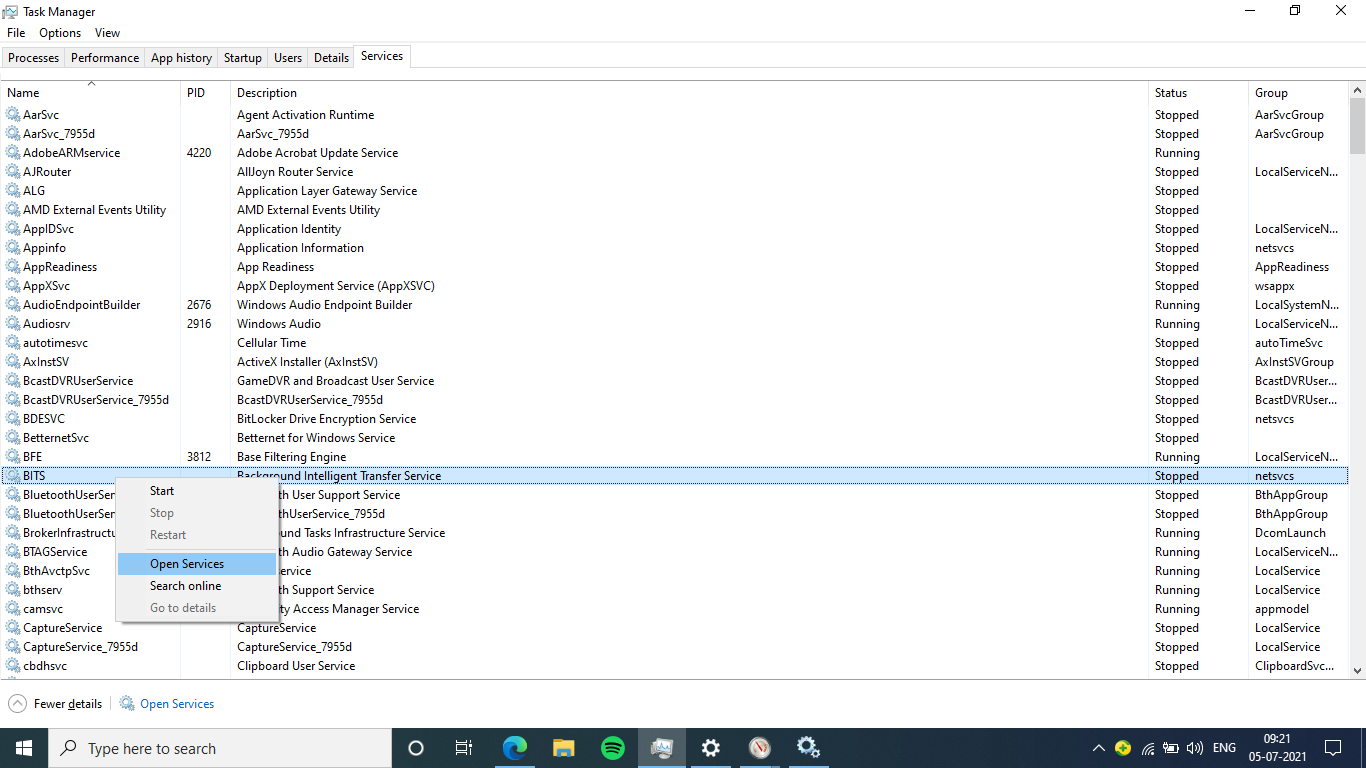
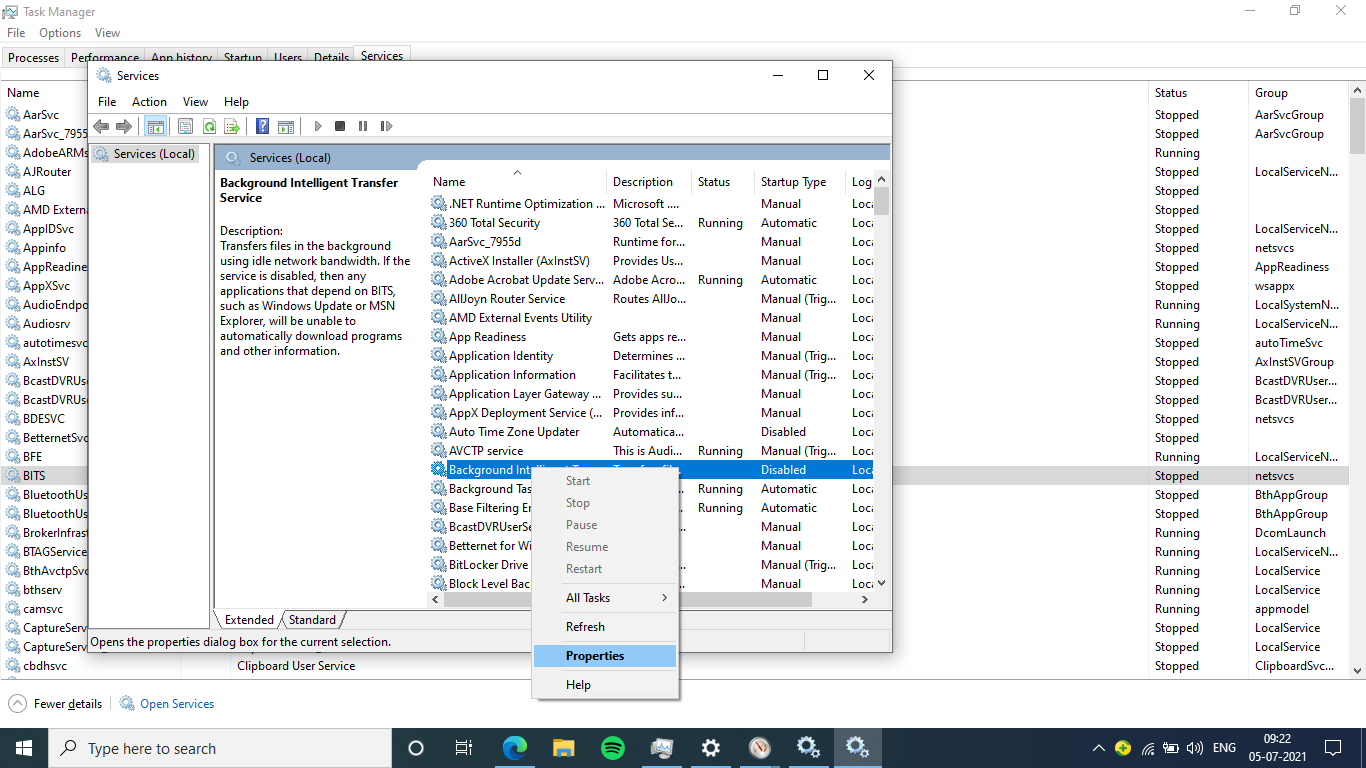
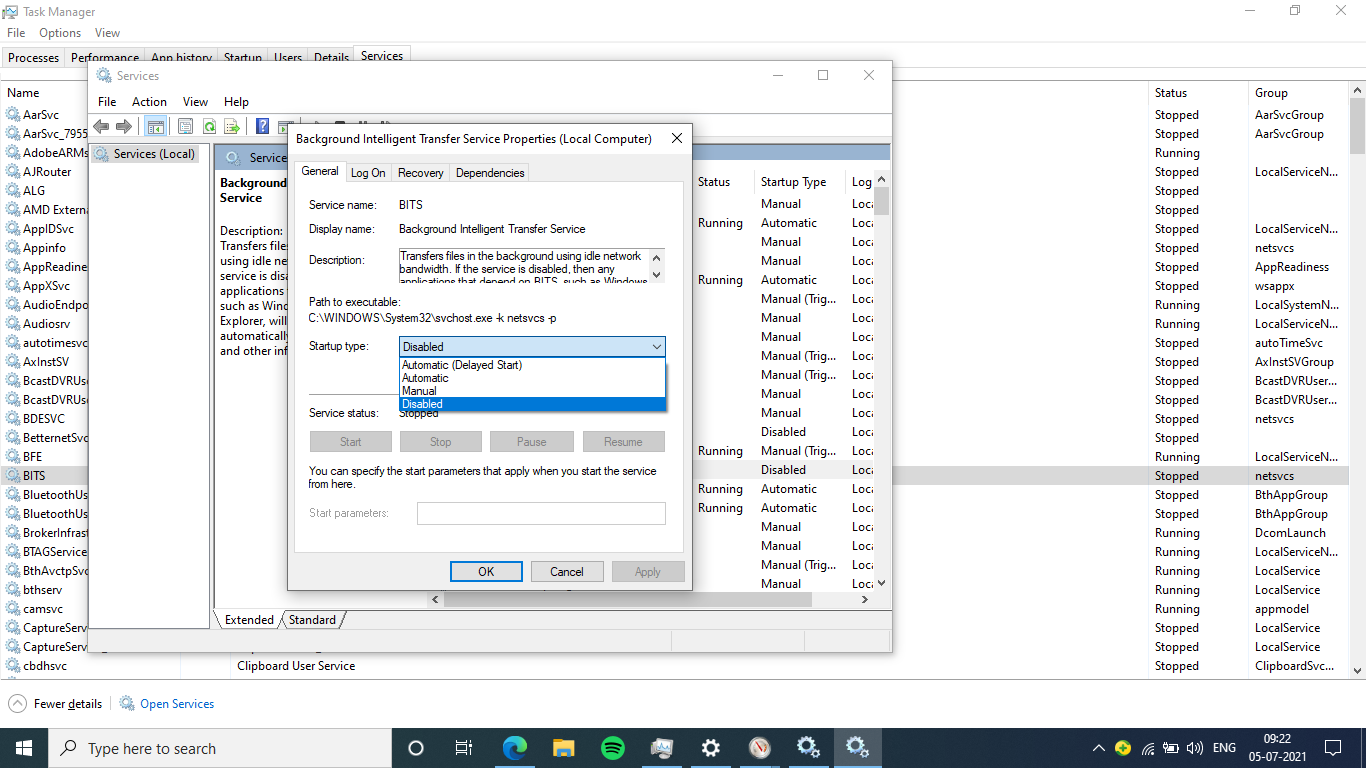
under task manager services disable the BITS services, It worked for me.
else under resource monitor u can track the service with most data usage speed and disable it to reduce.
This browser is no longer supported.
Upgrade to Microsoft Edge to take advantage of the latest features, security updates, and technical support.
' cx='32' cy='32' r='32' /%3E%3Ctext x='50%25' y='55%25' dominant-baseline='middle' text-anchor='middle' fill='%23FFF' %3ETS%3C/text%3E%3C/svg%3E)
I have a client who's Data limit usage runs 4728.36 GB we can scale back but meanwhile why is this so high? Scanned for Malware found no issues. It is not a Windows Update.
' cx='32' cy='32' r='32' /%3E%3Ctext x='50%25' y='55%25' dominant-baseline='middle' text-anchor='middle' fill='%23FFF' %3ED%3C/text%3E%3C/svg%3E)
Having the same issue with several users with a Probook 450 G7 Windows 10 machine. Any solutions? System shows excessively high and no malware found on full system or root kit scan. Users log off everyday...
' cx='32' cy='32' r='32' /%3E%3Ctext x='50%25' y='55%25' dominant-baseline='middle' text-anchor='middle' fill='%23FFF' %3ER%3C/text%3E%3C/svg%3E)
Hey Terry, I have the same problem, Were you able to solve it?
' cx='32' cy='32' r='32' /%3E%3Ctext x='50%25' y='55%25' dominant-baseline='middle' text-anchor='middle' fill='%23FFF' %3EG3%3C/text%3E%3C/svg%3E)
I Have had a simmilar issure, where the Windows System Task was constantly using ~5 Mbit/s despite apparently not doing anything useful (like downloading updated). In one month system has used more than 400 GB.
The Resource Monitor showed that the system task apparently had like 20 TCP-connections to my HP printer (and nothing else). The printer was in sleep mode.
Shutting down the printer solved the issure for me, allthough I'm still unsure what was going on. I get that HP printers are like the epiphany of software trash, but still?? There was almost no data upload going on (like 5 B/s down vs 400 kB/s down)...
Also I'm pretty sure all the traffic was only on the local network and not actually through the ISP.
What really helped was checking what online connections the system task had in the resource monitor under the tab "TCP-Connections".
Sorry, I never got a good answer. The person using the computer with that issue left. Then they got new Windows 11 computers. No more problem.
' cx='32' cy='32' r='32' /%3E%3Ctext x='50%25' y='55%25' dominant-baseline='middle' text-anchor='middle' fill='%23FFF' %3EBG%3C/text%3E%3C/svg%3E)
@Terry Seagert
under task manager services disable the BITS services, It worked for me.
else under resource monitor u can track the service with most data usage speed and disable it to reduce.

Hi,
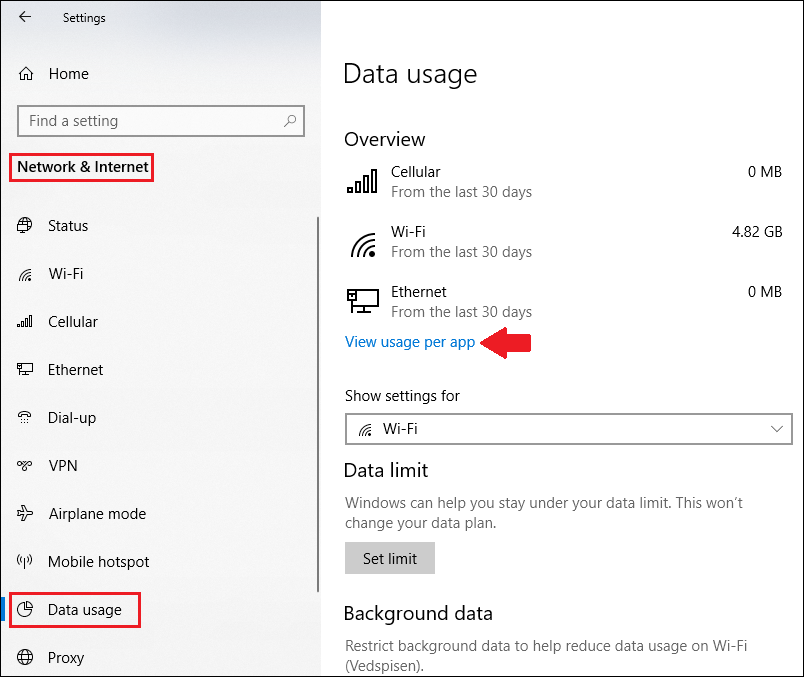
You can check the data usage in Windows 10 by following the following steps:
1. Use the Windows key + I keyboard shortcut to open the Settings app.
2. Click Network & Internet.
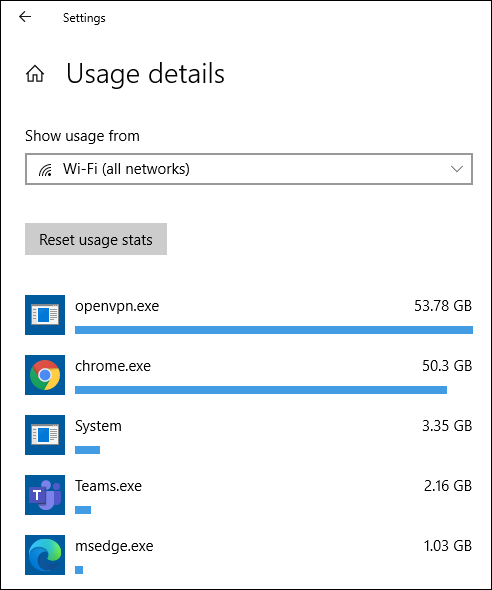
3. Click Data usage. Under Overview, you'll see the total data usage from the last 30 days for Wi-Fi and Ethernet connections.
4. Click the Usage details link to view network data usage for all your applications installed on your computer.
Example:
Best regards,
Leon
' cx='32' cy='32' r='32' /%3E%3Ctext x='50%25' y='55%25' dominant-baseline='middle' text-anchor='middle' fill='%23FFF' %3EMA%3C/text%3E%3C/svg%3E)
By visiting date usage details page in settings will reduce the data consumption ?
I will have them check this and post back ASAP
Thank you
' cx='32' cy='32' r='32' /%3E%3Ctext x='50%25' y='55%25' dominant-baseline='middle' text-anchor='middle' fill='%23FFF' %3ECZ%3C/text%3E%3C/svg%3E)
Hi,
Windows Update runs on a Peer to Peer network, you download updates form hundreds of PC's around the world and at the same time, hundreds of PC's are taking those updates form your PC, this can result in very large data usage by Windows Updates.
Open the Settings App
Go to Update and Security - Windows Updates - Advanced Options
Click Delivery Optimization
Turn off all options you find there.
If you are running version 1803 of Windows 10, click 'Advanced Options' on that Delivery Optimization page
Pull all sliders to the left.
Hope it helps.
Best regards
Cherry
Thanks but I have done that.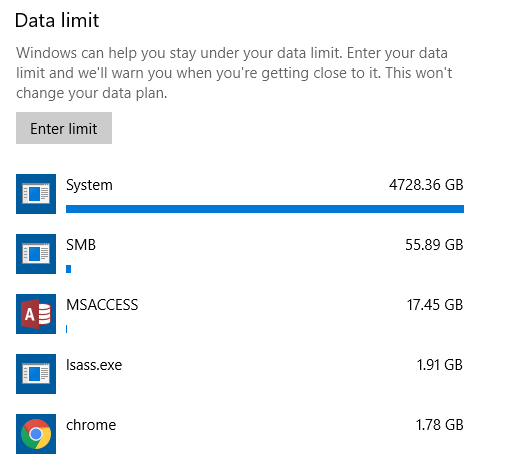
' cx='32' cy='32' r='32' /%3E%3Ctext x='50%25' y='55%25' dominant-baseline='middle' text-anchor='middle' fill='%23FFF' %3ERS%3C/text%3E%3C/svg%3E)
How to stop consuming the data ? Plz give me the solution... I did all the process for preventing the high consumption. But still it hits hard...🥺