Share via

Can you access msconfig via command prompt?

Anonymous
2020-03-21T12:59:44+00:00

Hi,

Is there a command to issue in command prompt that opens msconfig or is there a command that changes msconfig start up to "selective" or "normal"?

My laptop is win 10 ver 1909.

It's stopped booting into windows after I changed the start up in msconfig from "selective" to "normal".

I'm having to use command prompt from the win 10 recovery usb.

Windows for home | Windows 10 | Windows update

Locked Question. This question was migrated from the Microsoft Support Community. You can vote on whether it's helpful, but you can't add comments or replies or follow the question.

0 comments No comments

20 answers

Sort by: Most helpful
  1. Anonymous
    2020-03-25T01:27:30+00:00

    Hi,

    Is there a command to issue in command prompt that opens msconfig or is there a command that changes msconfig start up to "selective" or "normal"?

    My laptop is win 10 ver 1909.

    It's stopped booting into windows after I changed the start up in msconfig from "selective" to "normal".

    I'm having to use command prompt from the win 10 recovery usb.

    Use "Start msconfig" in command prompt

    3 people found this answer helpful.
    0 comments No comments
  2. Anonymous
    2020-03-22T11:32:46+00:00

    We're looking for an option for "Startup Settings". Kindly check if there are other pages on the screen.

    3 people found this answer helpful.
    0 comments No comments
  3. Anonymous
    2020-03-25T00:19:03+00:00

    The only way I could access was from a win 10 recovery media usb.

    I've managed to fix the issue now by rebuilding my BOOT BCD File via command prompt.

    2 people found this answer helpful.
    0 comments No comments
  4. Anonymous
    2020-03-22T09:55:44+00:00

    Hi,

    If you have not yet resolved this, here are some commands to enter various types of Safe Mode..

    There are also commands to exit Safe Mode..

    Lately people have been having entering Safe Mode if they use a password of any kind as It is being rejected..

    Safe Mode:

    bcdedit /set {default} safeboot minimal

    Safe Mode with Networking:

    bcdedit /set {default} safeboot network

    Safe Mode with Command Prompt:

    bcdedit /set {default} safeboot minimal

    bcdedit /set {default} safebootalternateshell yes

    To turn off Safe Boot use... bcdedit /deletevalue {default} safeboot

    If that gives an error, use... bcdedit /deletevalue {current} safeboot

    If you run into the password problem, enter this command and see if that helps..

    net user Administrator /active:yes

    Hi,

    Thanks for the commands to run.

    When I enter them I get this error:-
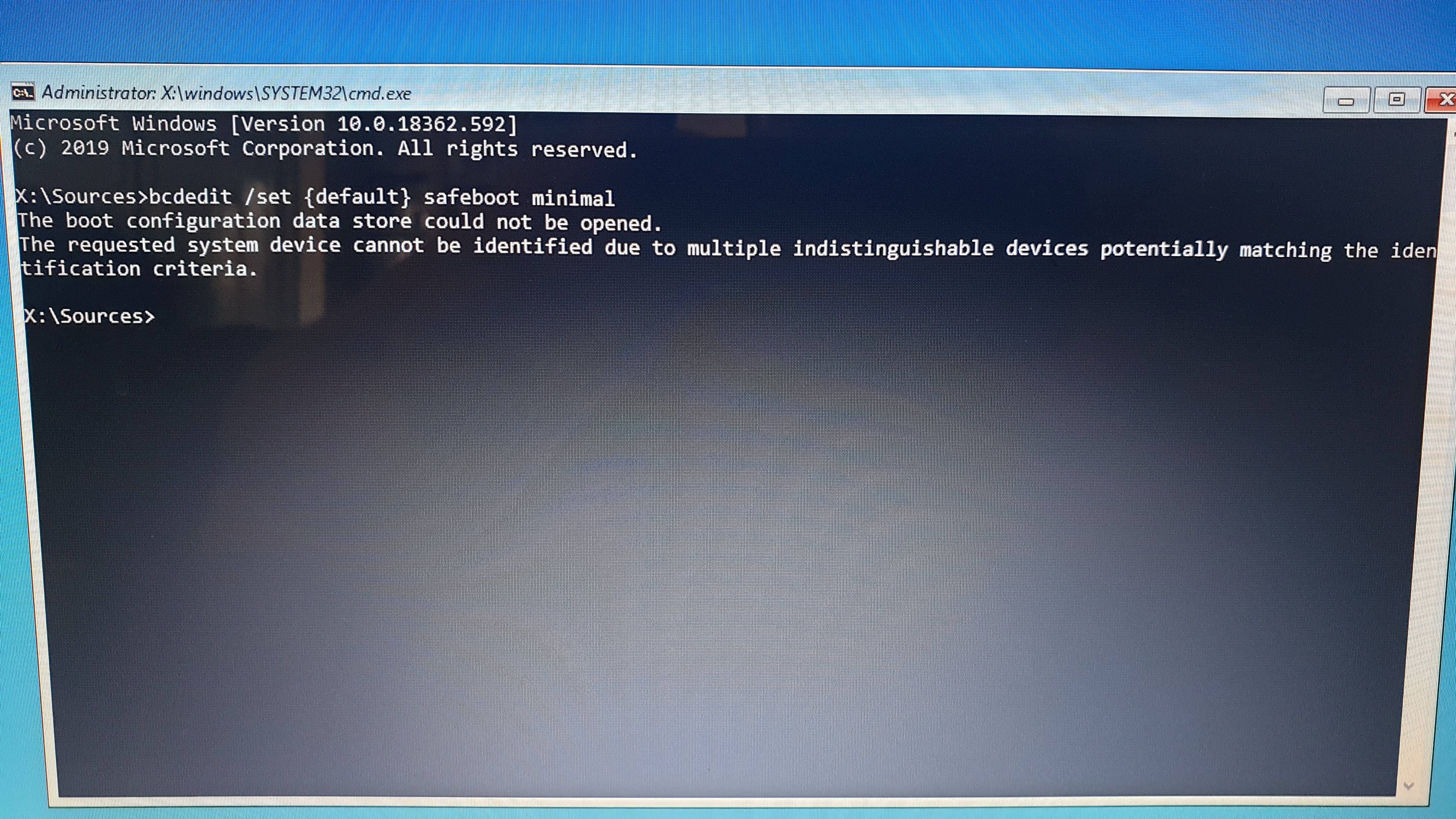
    2 people found this answer helpful.
    0 comments No comments
  5. Anonymous
    2020-03-21T13:06:22+00:00

    Hello!

    I'm your Independent Advisor for today. Let's figure this out and come up with a solution.

    May I know what happened when you type in "msconfig" in safe mode with command prompt?

    You can try system restore to undo the changes you made to system configuration from the Windows 10 recovery USB drive.

    Hope this helps.

    2 people found this answer helpful.
    0 comments No comments
