Share via

My perfect ASUS laptop became unusable after auto update 24H2. Is there a bug fix yet?

Anonymous
2024-12-10T16:09:45+00:00

The screen on my VivoBook is badly corrupted, only the top 1/3 displays normally, the middle 3rd shows wavering gray horizontal lines, and the bottom 1/3 is black when I'm able to access at all. I've spent HOURS Chating online with Microsoft technical experts without resolve. One suggested updating BIOS drivers but with a faulty screen that is impossible, another said to view the screen on a working TV via HDMI cable and that too wasn't helpful and one observed there were too many accounts that are responsible for the debacle. I've tried removing unused accounts associated with previous computers with no luck. I hoped I'd be able to make corrections by using safe mode but that didn't work either. I've finally accessed Aptio set up utility that looks promising but I'm not tech sufficient too use that powerful tool without guidance. There are case numbers aplenty going back to 11/27/24 that provide clarity as to trail and error attempts that failed. My plan is to delete everything and reinstall a fresh copy of Windows 11 up to update 22H2 or 23H2 but no further.

I'm at wits end and imploring the expertise of the community to offer a workable solution.

Thank you for your consideration and imput.

Windows for home | Windows 11 | Performance and system failures

Locked Question. This question was migrated from the Microsoft Support Community. You can vote on whether it's helpful, but you can't add comments or replies or follow the question.

0 comments No comments

4 answers

Sort by: Most helpful
  1. Anonymous
    2025-02-12T04:10:19+00:00

    As of 02/12/2025, I was forced to update my Asus Nitro laptop to 24H2. It is still hell, every time I power my laptop up, gray screen, persisting BS since the update was launched. This was the second update that messed with my system. The first time it happened last month, I had to take my laptop to warranty since I couldn't retrieve my Windows license key to do a fresh install. It update is still a nightmare.

    IF ANY OF YOU PLANS ON GETTING THIS UPDATE, THINK HARD... REALLY HARD...

    2 people found this answer helpful.
    0 comments No comments
  2. Anonymous
    2025-02-10T15:26:28+00:00

    I have the same issue after the 24H update, and I also have an Asus , I uninstalled the updates, and still had an issue, I even went to restore with a prior date and same issue, blue screen, when I used a boot usb flash drive I was able to go to the windows install screen, entered language etc, however than its asks for the digital key, however I cannot get my digital key because I cannot get into the computer to get it from a saved file, I paid Microsoft for a windows 10/11 home, which I cannot access. I have a computer system that costs over $3000.00 plus all my data, and because of a Microsoft update, (24H) I will loose all my data, photos, computer, etc. This is totally unacceptable, I have been using Microsoft since 1981 with no issues, and now this happens! The blue screen says: Recovery, Your PC/Devise needs to be repaired. The application or operating system couldn't be loaded because a required file is missing or contains errors.

    File: \windows\system32\winload.efi

    Error Code: 0xc0000098

    0 comments No comments
  3. Anonymous
    2025-02-04T14:44:02+00:00

    Definitely a MS Update issue with Asus. When my Asus Vivobook first installed 24h2 about 2 months ago, after reboot, all I got was a black screen, and I do have a 2nd monitor hooked up, which was all black as well. I could click on my mouse, and I would see the point with a spinning circle, that never went away. I booted into Windows Recovery Mode and uninstalled 24h2, and my laptop was back to as good as new. Fast forward to this morning. Even though I have Updates disabled, MS forced the update to my laptop, and when it came up this morning, same issue, nothing but a black screen after trying to login. At the login screen, get to the Power off icon in bottom right and hold down Shift key and click on restart. Keep holding Shift key until Windows comes up in Recovery mode.

    You can get one of two screens. If you have the option to Uninstall Updates, select that, then uninstall last Feature update.

    If you don't have that option, click on Troubleshoot - Reset your pc, then click on the Updates or Uninstall Updates and remove last feature update.

    Hopefully this helps.

    0 comments No comments
  4. Anonymous
    2024-12-11T03:14:06+00:00

    Hi LexingtonAssoc,   Welcome to Microsoft Community. I'm sorry to hear that your device is experiencing performance issues after installing Windows 11 24H2.

    Windows 11 24H2 does document some compatibility conflict issues and it has caused problems for some users.

    Windows 11, version 24H2 known issues and notifications | Microsoft Learn

    If you plan to reinstall as Windows 11 22H2 or Windows 11 23H2 while no longer receiving updates regarding Windows 11 24H2.

    You may need to refer to some external sources for earlier versions of the system image files.

    Discussion messages from community members in this thread mentioned channel to obtain some of the specific versions of Windows. 

    The channel is not provided directly by Microsoft and you can refer to the information from Volunteer Moderator or Independent Advisor. Some of the links may be invalid and you may experience multiple redirects. 

    Disclaimer*:  Microsoft provides no assurances and/or warranties, implied or otherwise, and is not responsible for the information you receive from the third-party  linked sites or any support related to technology.*

    After preparing an earlier version of Windows system image file on another device, you can try to make it into a bootable Windows installation media, and then you can boot that USB media on your Asus device to perform a clean installation of Windows.

    Disclaimer*:  Please back up all your important data before performing it.*
    • Custom or clean install At this point, we have exhausted all troubleshooting and I recommend that we try to perform a clean install to get your computer back into a working condition. Please ensure that you backup any important data, including Documents, Pictures, Videos, and more. After that, you can find instructions on how to install Windows 10/11 in the following article by MVP Andre:   How to: Perform a Custom Installation of Windows 11 and Windows 10 - Microsoft Community
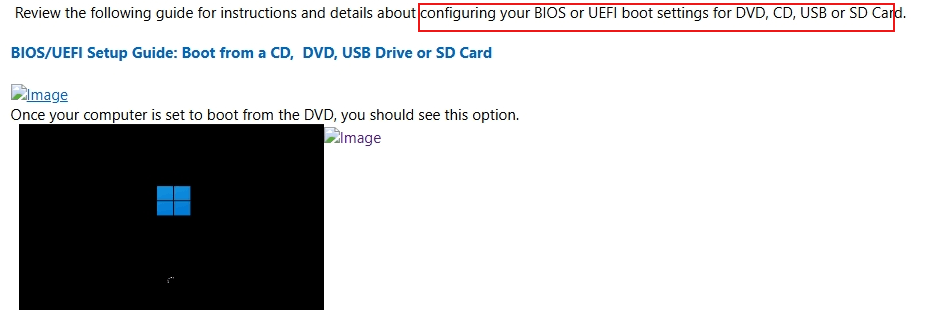
    Disclaimer*:  Microsoft provides no assurances and/or warranties, implied or otherwise, and is not responsible for the information you receive from the third-party  linked sites or any support related to technology.*<br><br>If you are going to modify BIOS Settings, please back up all your personal files first to ensure you do not lose data.

    After completing a clean installation of Windows, you can try to use specific registry entries to delay the update behavior of Windows.

    Disclaimer*:  Generally, modifying registry subkeys or work group is intended for advanced users, administrators, and IT Professionals. It can help fix some problems, however, serious problems might occur if you modify the registry incorrectly. Therefore, make sure that you follow these steps carefully. For further protection, back up the registry before you modify it. Then, you can restore the registry if a problem occurs. For more information about how to back up and restore the registry, click*How to back up and restore the registry in Windows - Microsoft Supportto view the article.

    Thanks for your patience and understanding. Best Regards,Kyo.Y - MSFT | Microsoft Community Technical Support

    0 comments No comments
