Exchange | Exchange Server | Management
The administration and maintenance of Microsoft Exchange Server to ensure secure, reliable, and efficient email and collaboration services across an organization.
This browser is no longer supported.
Upgrade to Microsoft Edge to take advantage of the latest features, security updates, and technical support.
' cx='32' cy='32' r='32' /%3E%3Ctext x='50%25' y='55%25' dominant-baseline='middle' text-anchor='middle' fill='%23FFF' %3EDD%3C/text%3E%3C/svg%3E)
We are running Exchange 2013 and wanting to migrate to exchange 2016
However, I think the first step is connect to domain and install prerequists for 2016. then install exchange 2016 yes?
I see articles talk about configuring SCP (connection point), but this cannot be done, on the same AD, same domain Its an upgrade only as I found out, Afterwards I could only log into 2016 because 2013 was removed from AD and completely removed from Programs & Features..
. Basically the act of installing Exchange 2016 removes 2013 on same domain/same AD,, so if something must be tweaked, it would need to done BEFORE installing exchange 2016, not after.
so does it work ? Can it even be done this setup?
The administration and maintenance of Microsoft Exchange Server to ensure secure, reliable, and efficient email and collaboration services across an organization.
' cx='32' cy='32' r='32' /%3E%3Ctext x='50%25' y='55%25' dominant-baseline='middle' text-anchor='middle' fill='%23FFF' %3EKY%3C/text%3E%3C/svg%3E)
Hi @dss ds
Installing Exchange 2016 won't remove Exchange 2013.
For the detailed steps about how to migrate from Exchange 2013 to Exchange 2016, please follow the guide from Exchange Deployment Assistant.
In general, you need to first install Exchange 2016, have it co-existing with Exchange 2013, then configure settings like SCP, DNS records, virtual directory urls to point to Exchange 2016 and migrate mailboxes.
If everything works fine after the migration, you may consider removing the Exchange 2013 server.
Answer accepted by question author
Hi,
because after installing exchange 2016 on new box, I could no longer access 2013 on old one and its missing from "Programs & Features"
It seems that somehow Exchange 2013 get uninstalled.
The supported way to uninstall Exchange should be using Control Panel to uninstall or unattended mode.
Not sure why it is removed, but installing Exchange 2016 on a new hardware in the environment should not be the cause.
"This assistant was designed to provide guidance with migrating your on-premises Exchange mailboxes to Microsoft 365 based on your org's needed."
This assumes 365 deployment, so why would this work for on premises only?
This guide applies to on-premises.
To migrate mailboxes from on-premises to Microsoft 365, you may need to create a hybrid deployment with the Hybrid Configuration wizard.
(A. I've already done because I have exchange 2013 installed anyway a the first exchange. and
Since you are going to deploy Exchange 2016, there are some changes in schema and Active Directory from Exchange 2013.
Thus it is required to rerun prepareSchema/AD/Domain with the Exchange 2016 iso to update the schema/AD.
For DNS settings, you may need to update the DNS records (for example mail.contoso.com, autodiscover.contoso.com) to point to the new Exchange 2016 server once it is deployed.
(B. the unattended setup command/switches combinations are not unique to a 2nd instal of exchange 2016 on joined domain at all.. They would be the same switches you'd use for any setup. That is "using unattended setup to prepare for install"
Sorry I get confused here.
Did you mean you can use the same command (Setup.exe /IAcceptExchangeServerLicenseTerms /Mode:Install /Roles:Mailbox) as Exchange 2013 to install Exchange 2016 on any of the domain-joined servers?
If yes, the difference here is that on which server are you running the command, and which Exchange ios are you using.
If the answer is helpful, please click "Accept Answer" and kindly upvote it. If you have extra questions about this answer, please click "Comment".
Note: Please follow the steps in our documentation to enable e-mail notifications if you want to receive the related email notification for this thread.

Installing 2016 does not remove 2013 or really affect it at all if you follow the correct steps:
Follow the steps here:
https://learn.microsoft.com/en-us/exchange/exchange-deployment-assistant?view=exchserver-2019
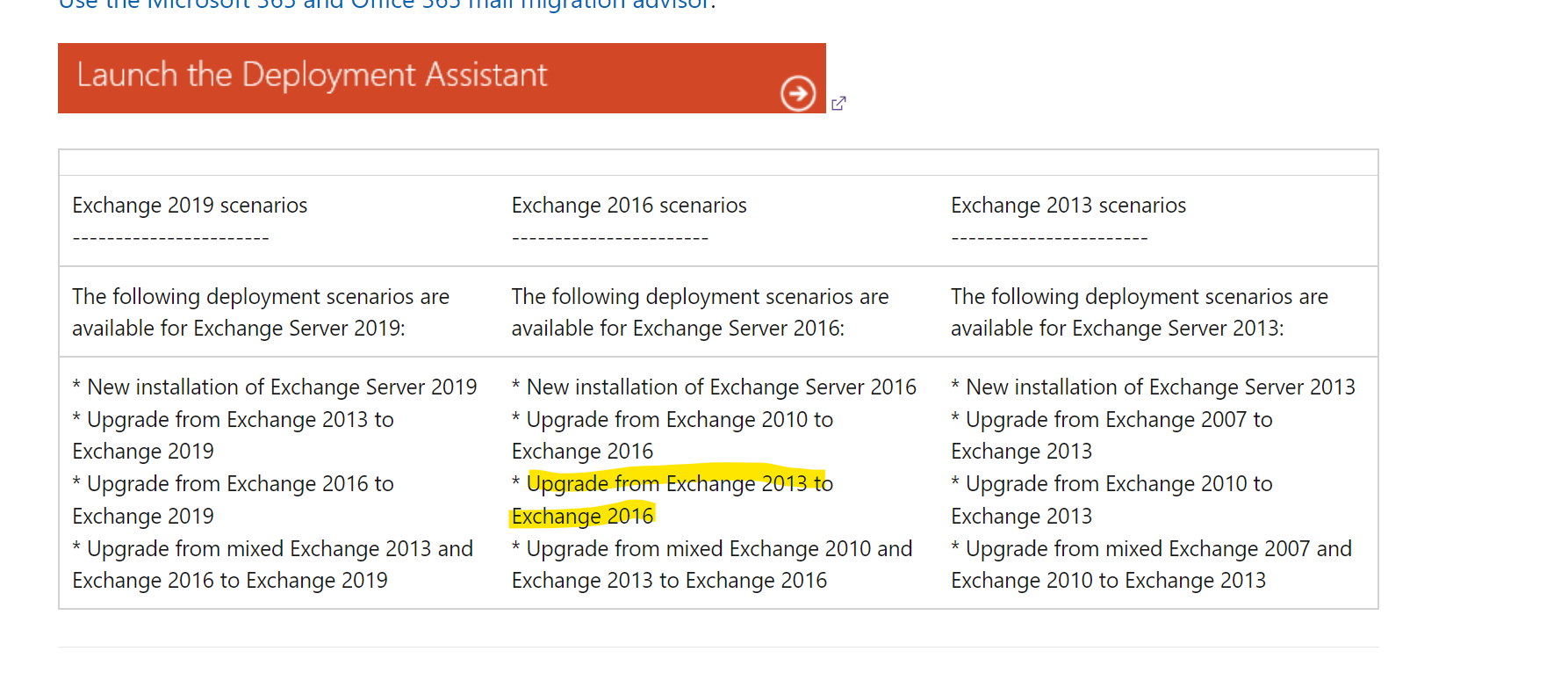
Sorry, i think i need more help .
The Microsoft link kinda looks i should be looking somewhere but i do not know where this "tocken" is... can you privide details?
User (domain user) is also a member of the above groups,
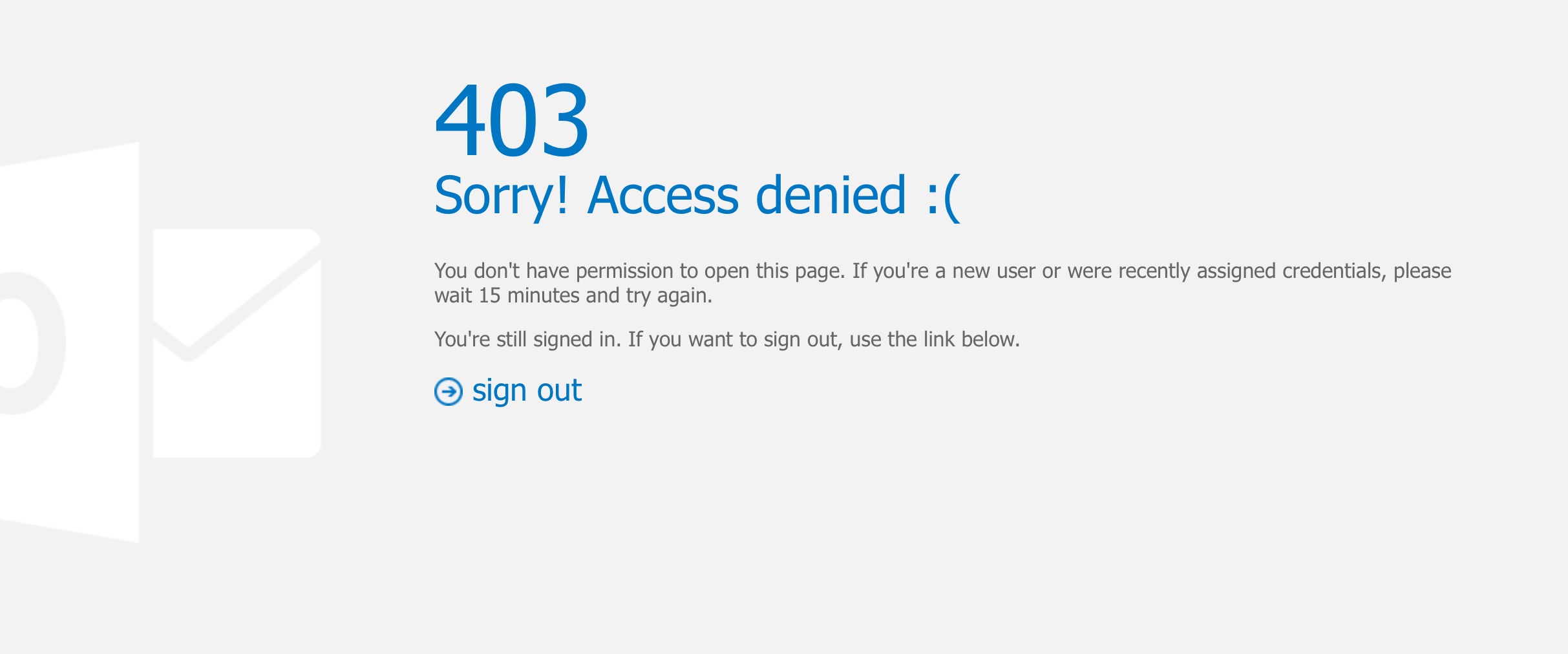
This error doesn't happen with Exchange 2013 box,, only 2016, so something must be done in AD. Exchange 2016 is also running CU21, but if that too could be related in any way to the reason of getting this 403 access denied error, then i'll update to CU23.
I also assume after i he exports Godaddy cert (which only relates to IIS, he will still need to export Exchange one too to new box too right?) in general i mean.......
Hi,
Did you mean the token in this link: Error occurs in EMS, EAC, ECP, OWA, or Outlook on the web in Exchange Server 2013 or Exchange Server 2016
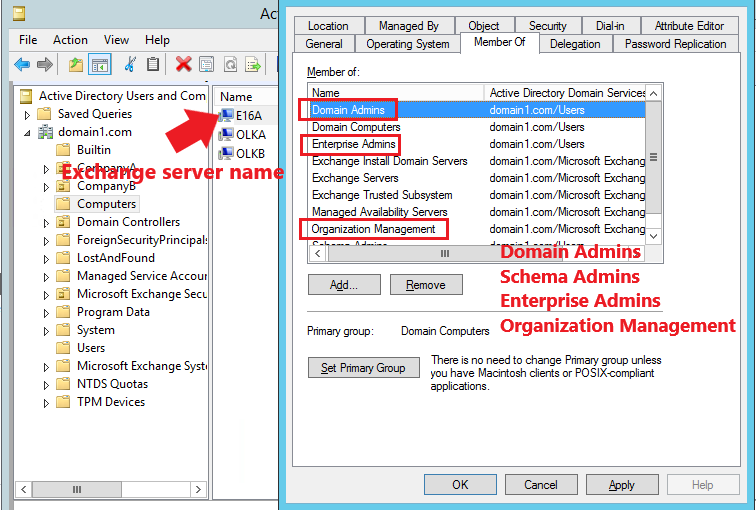
Here is an example:
Wrong setting:
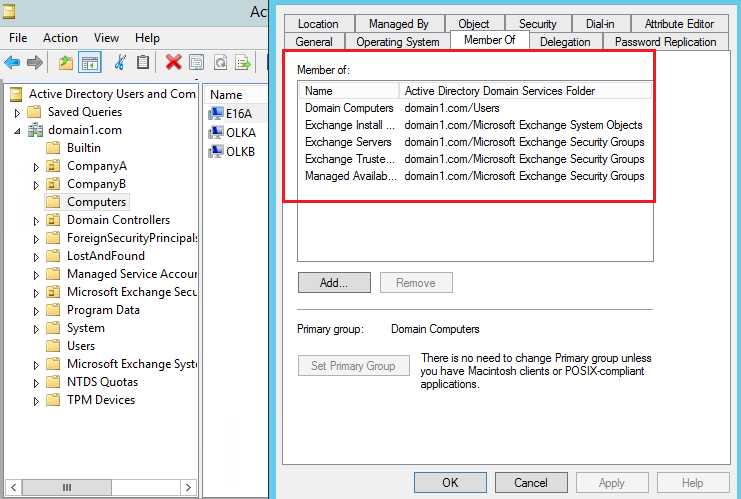
This is the default setting (correct setting):
This is what i have after installing Exchange 2016:
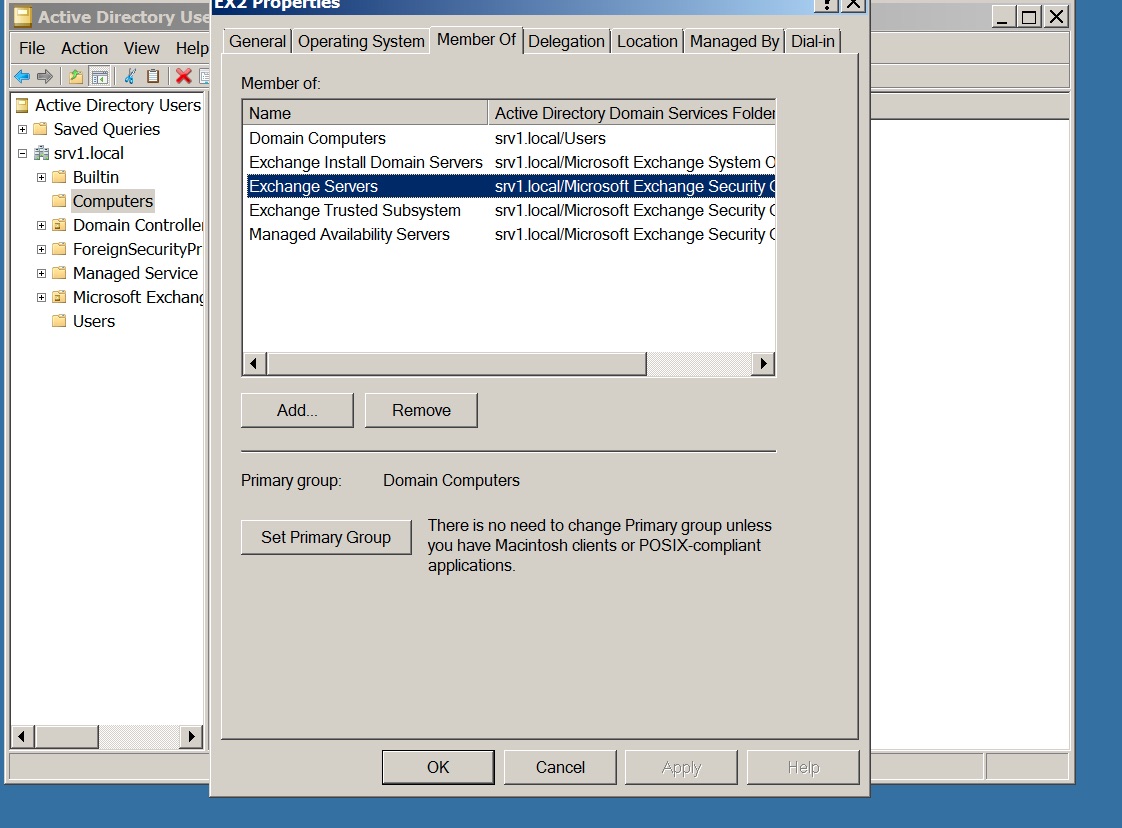
Your settings should be right.
Thus the cause may not be the same as in the link.
Are you logging with the same administrator account as Exchange 2013?
If you login OWA instead, what error message would you see?
I'm logging into my domain account, but i have also tried Administrator account as well
Made no difference..
Mailboxes are not yet moved as of yet, anyway so can't login to owa on exchange 2016. Before moving mailboxes, i just wanted to see first if i could directly access EAC on new exchange
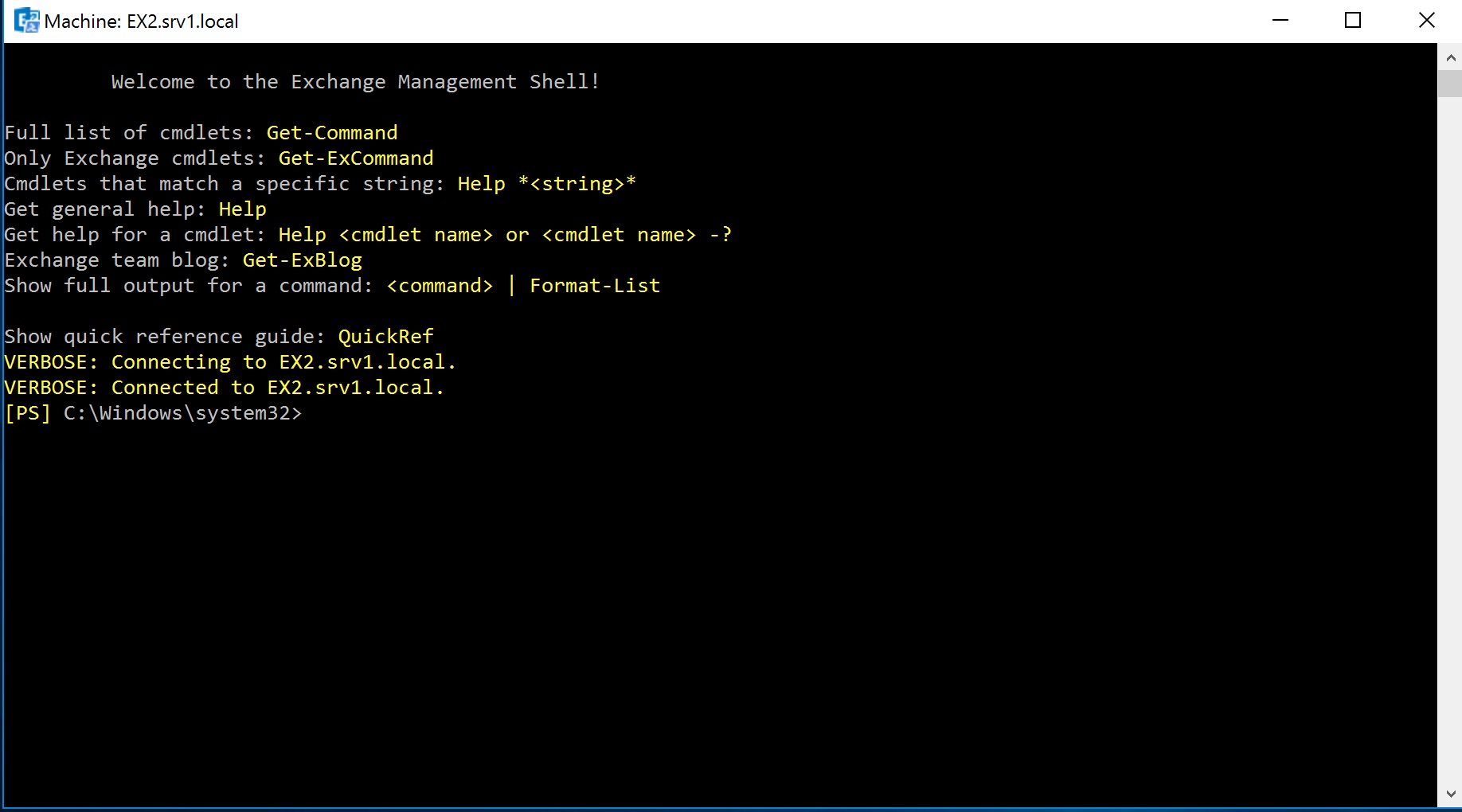
If anything though, i CAN access Exchange Management shell (EMS). It connects. and i do see command line.
If i login to OWA using Administrator credentials i see:
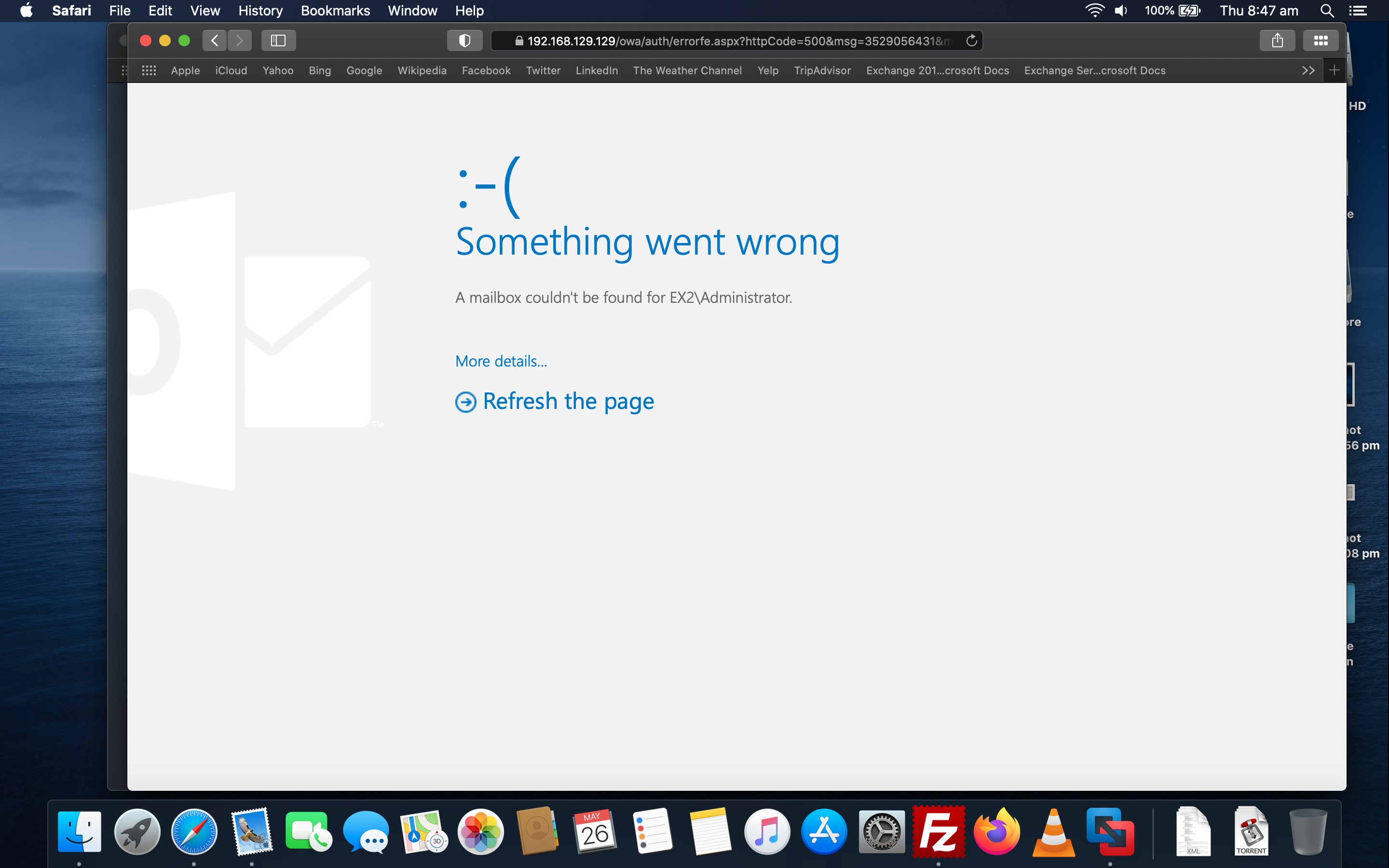
Even tried on server itself. Same errors. EAC and OWA
Exchange Management Shell:
From the screenshot of OWA, you seems to use the credentials of the local administrator.
Please use domain\administrator instead.
Is this correct?
Domain is srv1.local ,so
srv1.local\Administrator
If this is correct??,
If true, then everything is the same.. old exchange and new... the "move" then would be between mailboxes yes?
Also, when I log into Exchange 2019 and Exchange 2013 via domain\User ECP and OWA, BOTH are the same..
I had to actually check the CN name on the certificate just to make sure I was viewing the right one...
EX1 CN on Exchange 2013
EX2 CN on Exchange 2016
apart from that and the IP on the box, everything looks identical ... mailboxes - I never added on exchange 2016 specifically but they just appeared.
All virtual directors on new server still.. I guess this is correct yes? This is from Exchange server 2016, but 2013 server is exactly the same..
I am connected to same AD, so that must be why?
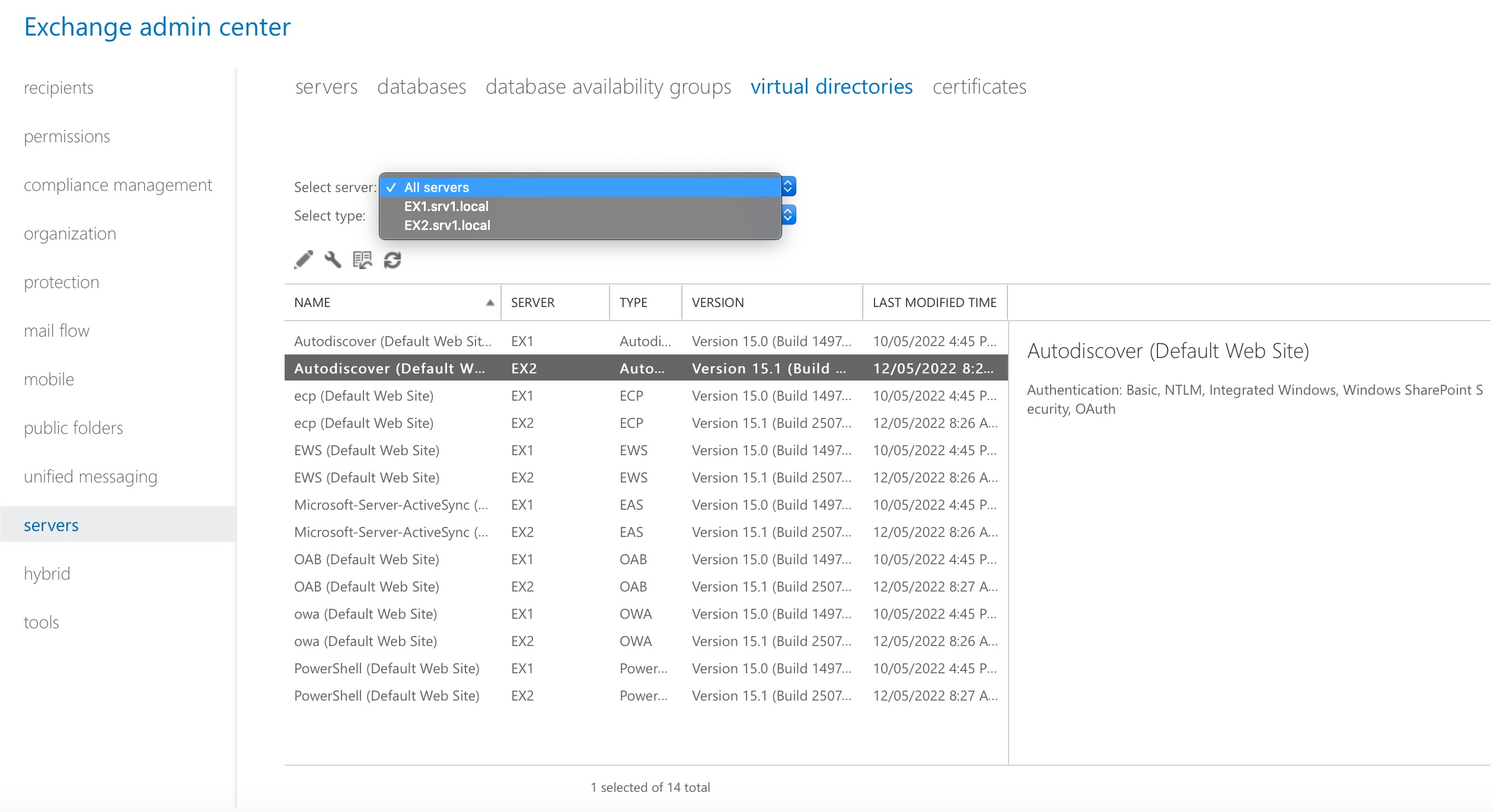
Yes the EAC GUI of Exchange 2013/2016 is the same. So it is correct.
To migrate to Exchange 2013, you may move all the user mailboxes and system mailboxes from Exchange 2013 database to Exchange 2016 database.
Please follow the steps in the guide.
All virtual directors on new server still.. I guess this is correct yes? This is from Exchange server 2016, but 2013 server is exactly the same..
I am connected to same AD, so that must be why?
The two servers both store their configuration in AD, so you may see the Exchange 2013 server's setting in Exchange 2016 EAC.
It is the expected behavior.
ok, i think i almost have it:
Exchange 2013 still works no problem, and both are connected to same AD. SInec this is the only way i can check, everyting looks fine otherwise, databases are there for both servers, virtual directories etc so all looks good. apart from accessing directly.
Does this link still apply in my case?
https://learn.microsoft.com/en-us/exchange/troubleshoot/client-connectivity/error-occur-ems-eac-owa
What do i need to modify on AD to be able to login on exchange 2016?
After this, the next is (and hopefully final) is moving certificates... Since this is a test environment doing all this currently, I could just create a new self signed one on Windows server 2016, but i'm doing this test before my mate goes live in a production environment.. I could do the new create cert. but my mate cannot, as he as a cert. from GoDady.. (and plus i tries exporting exchange cert, but its mark as not exportable.. I can understand from a trusted CA perspective as its a security concern.., Less so, for a self signed YOU generated yourself, (or installer did) ..
In any case, the result is the same... I'd want to move self signed but i fear the way for HIM to move vcert will be slightly different due to the fact it's tied to CA in production environment.
What would be the process for moving between servers ? can it even be done as both servers must be up for exchange migration, and moving thus moving certificates cannot be the same FQDN right ?
Domain on cert. for him is mail.<domain.com>
This must be kept since external user connect to this domain, otherwise it will be invalid. What are the options?
Hi,
Can you find the computer object in the groups:
If yes, the link should apply.
Did you follow this link from Godaddy to export the private key?
(Please Note: Since the web site is not hosted by Microsoft, the link may change without notice. Microsoft does not guarantee the accuracy of this information.)
Well, obviously I'm doing something wrong with 2016 then
because after installing exchange 2016 on new box, I could no longer access 2013 on old one and its missing from "Programs & Features"
My conclusion is since I'm on the same AD, and DNS, one would have to modify AD (unique) to a 2nd install.
in any case, After I run deployment wizard I get this though:
"This assistant was designed to provide guidance with migrating your on-premises Exchange mailboxes to Microsoft 365 based on your org's needed."
This assumes 365 deployment, so why would this work for on premises only?
Also under "Things to consider" next pages. it mentions a few links to "prepare AD and DNS"
which :
I know networks can all be different, and same migration/configurations can't be used for everything, but in general, most of the actual connection between would. exchanges in all networks be the same (in part)... Then I can fill in the blanks from there unique to mine.
(doing a windows server migration was so much easier at least all you did was join domain/connect to ad, upgrade schema, and away you go as long as DNS point to each other..
But with exchange, I thought it would be roughly the same....