Azure Data Factory
An Azure service for ingesting, preparing, and transforming data at scale.
This browser is no longer supported.
Upgrade to Microsoft Edge to take advantage of the latest features, security updates, and technical support.

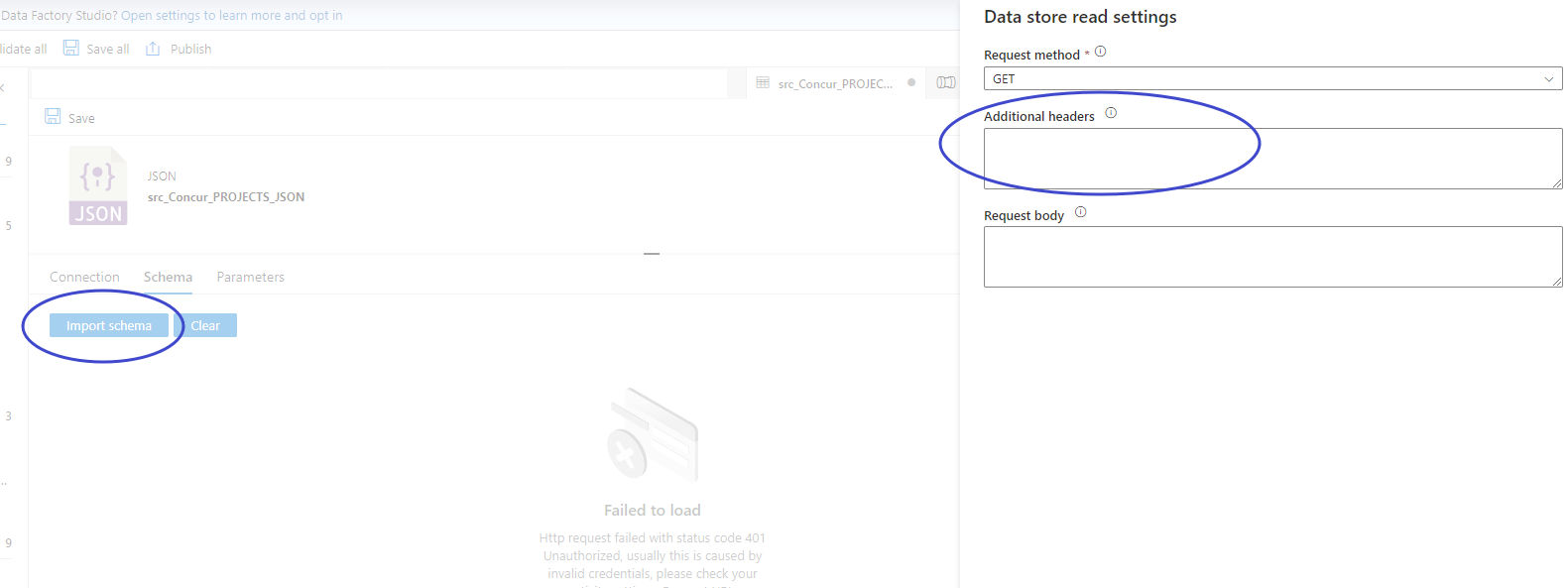
I am trying to import a schema based on a REST API call. In order to call this API, I need to send additional headers.
The syntax that I have tried so far is
"Authorization":"Bearer sometoken"
and
'Authorization':'Bearer sometoken'
Is there some other syntax that the data store read settings is expecting?
Nvm, I found the answer.

Hi @Abhijit Shrikhande ,
Apologies for the inconvenience you had to face.
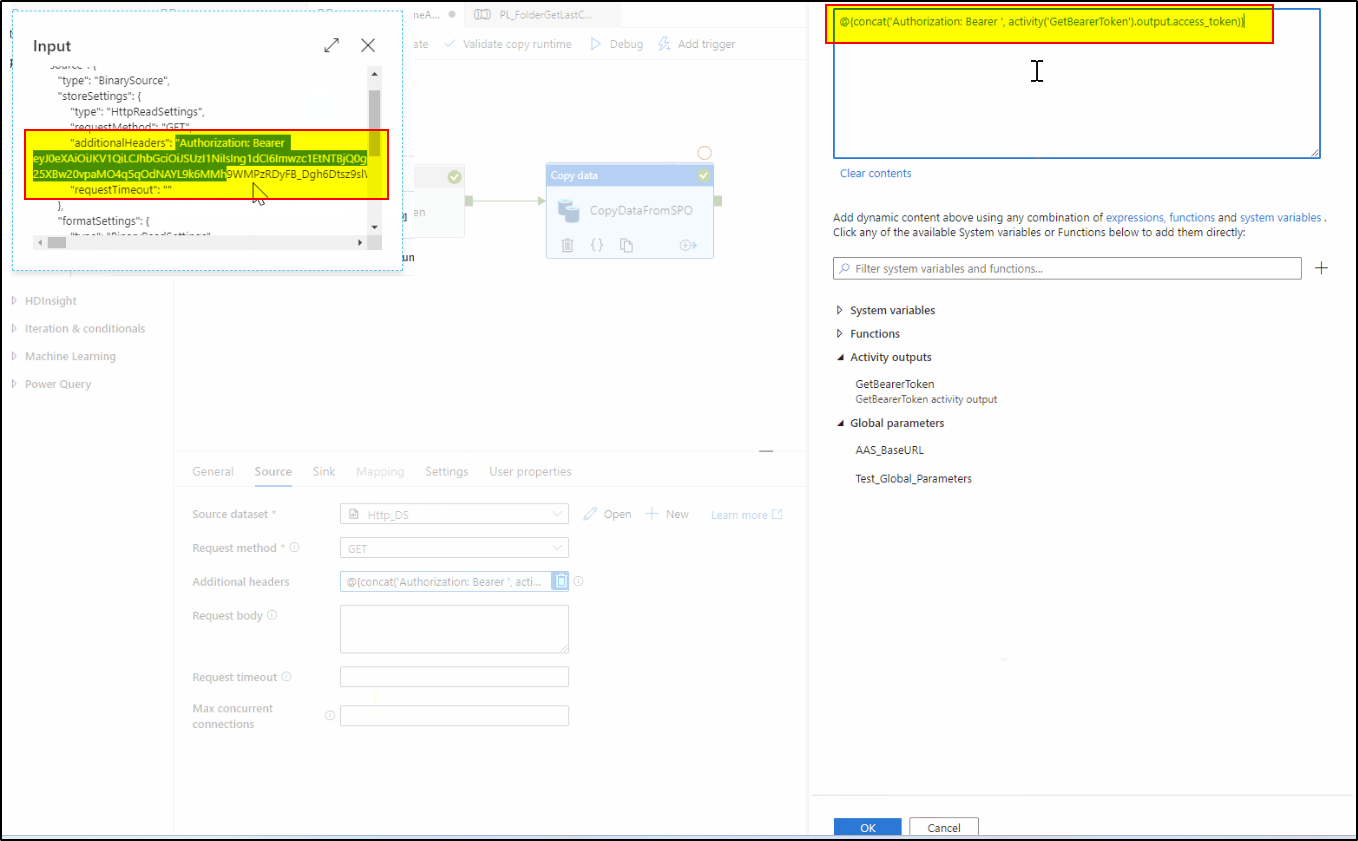
Kindly check the below syntax to add the additional header :
@{concat('Authorization: Bearer ', activity('GetBearerToken').output.access_token)}. This would convert the input string as :"Authorization: Bearer <AccessToken>"
Hope it helps. If this is not the solution you implemented, I would request you to share the solution with the community so that it would be helpful for the community members facing similar issues .
If the suggested response helped you, please do consider clicking Accept Answer and Up-Vote for the same as accepted answers help community as well.
Looking forward to your response. Thankyou.
Your answer is perfectly valid for the scenario where I have to send variables. In my situation, I wanted to know the syntax of a hardcoded token to get a preview. So the syntax I finally used was Authorization:Bearer sometoken
Hi @Abhijit Shrikhande ,
Thankyou for using Microsoft Q&A platform and thanks for posting your question here.
Since you have already resolved the issue you were facing while trying to make a REST API call using azure data factory pipeline , I understand while trying to import schema you are getting error to provide headers.
You could consider using REST API dataset to point to a REST API URL and make the API call using Copy data activity. Or, you can directly provide the REST API URL inside Web activity to make the API call. Inside the web activity or copy activity , we have the option to provide additional headers.
For more details , kindly check :
Web activity in ADF
Copy and transform data from and to a REST endpoint by using Azure Data Factory
If this is not how you resolved your issue, I would encourage you to kindly share your workaround so that it would be helpful for the community members facing similar issues . Thankyou in advance for your efforts in doing so. Looking forward to your response.
Hope this will help. Please let us know if any further queries.
------------------------------
 or upvote
  button whenever the information provided helps you.
Hi @Abhijit Shrikhande ,
Apologies for the inconvenience you had to face.
Kindly check the below syntax to add the additional header :
@{concat('Authorization: Bearer ', activity('GetBearerToken').output.access_token)}. This would convert the input string as :"Authorization: Bearer <AccessToken>"

Hope it helps. If this is not the solution you implemented, I would request you to share the solution with the community so that it would be helpful for the community members facing similar issues .
If the suggested response helped you, please do consider clicking Accept Answer and Up-Vote for the same as accepted answers help community as well.
Looking forward to your response. Thankyou.