Microsoft 365 and Office | SharePoint Server | For business
A family of Microsoft on-premises document management and storage systems.

This browser is no longer supported.
Upgrade to Microsoft Edge to take advantage of the latest features, security updates, and technical support.
' cx='32' cy='32' r='32' /%3E%3Ctext x='50%25' y='55%25' dominant-baseline='middle' text-anchor='middle' fill='%23FFF' %3ECM%3C/text%3E%3C/svg%3E)
Hello !
I'm just starting a fresh install of SharePoint 2019 Standard (on premise) on a Windows Server 2022 Standard.
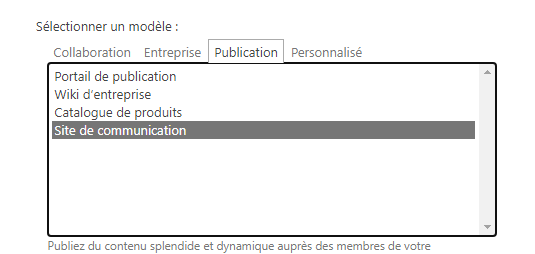
I have created a collection site called "Communication Site" as you can see below :
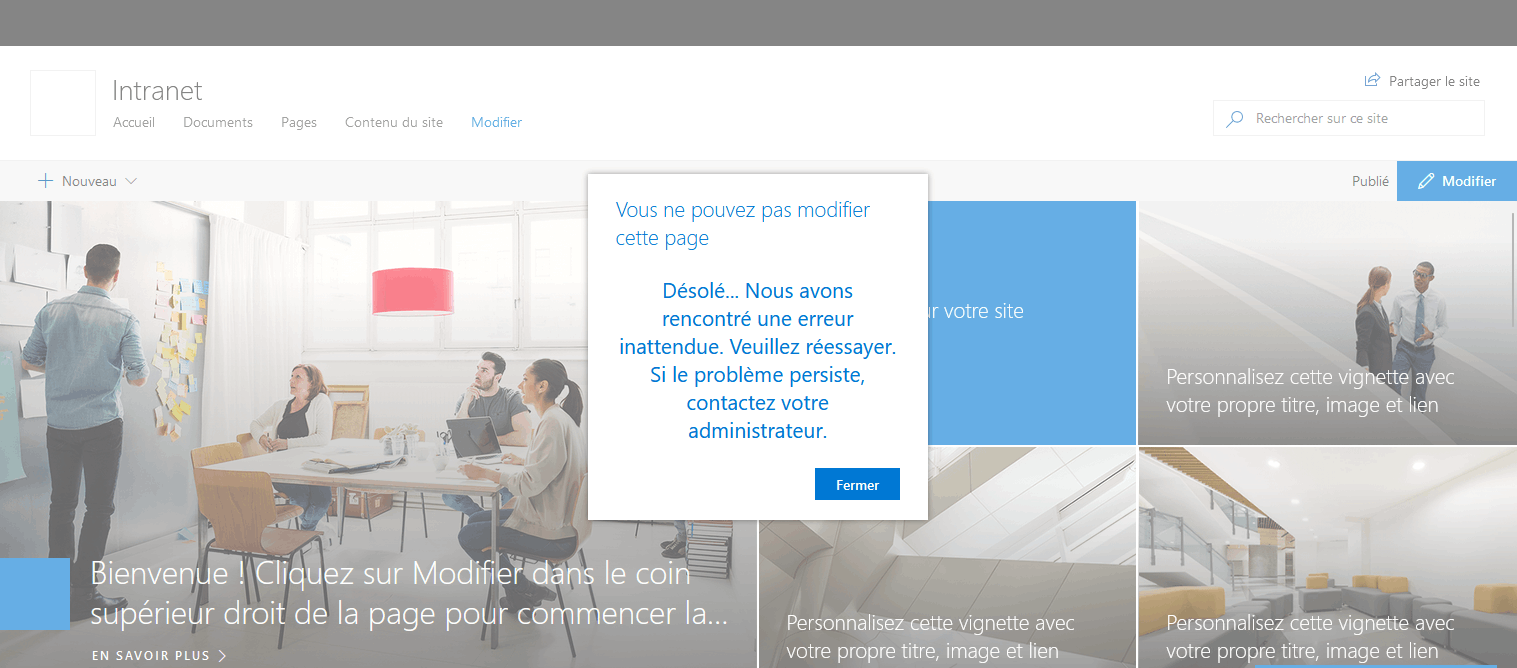
And this is the error message when I visite this new site :

I have no toolbar, even if I am admin.
I cannot create or edit anything.
If I click on "Modify", I get this error message : "Could not modify this page. We're sorry, we encountered an unexpected error. Please try again, if the problem persists please contact your Administrator”
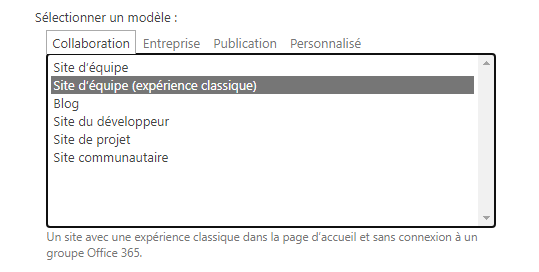
However, If a create a new Collection Site with a "classic experience" like "Team Site" like below, I don't have problem anymore
Any idea of what's happen ?
A family of Microsoft on-premises document management and storage systems.
' cx='32' cy='32' r='32' /%3E%3Ctext x='50%25' y='55%25' dominant-baseline='middle' text-anchor='middle' fill='%23FFF' %3EED%3C/text%3E%3C/svg%3E)
I'm glad to hear you solve the problem ,if you have any issue about SharePoint, you are welcome to raise a ticket in this forum.
By the way, since the Microsoft Q&A community has a policy that "The question author cannot accept their own answer. They can only accept answers by others.". and according to the scenario introduced here: Answering your own questions on Microsoft Q&A, I would make a brief summary of this thread:
[Bug on SharePoint 2019: cannot modify, create and no toolbar on modern page]
Issue Symptom:
I'm just starting a fresh install of SharePoint 2019 Standard (on premise) on a Windows Server 2022 Standard.
I have created a collection site called "Communication Site".
I have no toolbar, even if I am admin.
I cannot create or edit anything.
If I click on "Modify", I get this error message : "Could not modify this page. We're sorry, we encountered an unexpected error. Please try again, if the problem persists please contact your Administrator”
However, If a create a new Collection Site with a "classic experience" like "Team Site" like below, I don't have problem anymore
Current status:
My issue has been solved.
I found the cause.
My SP server hostname is : intranet.mydomain.local
My web app name is : intranet
For SSL Certificate reason, I have to access my site by the URL https://intranet.mydomain.local/sites/portal
I solve my issue by recreating my web app with the name and URL "intranet.mydomain.local" instead of just "intranet".
You could click the "Accept Answer" button for this summary to close this thread, and this can make it easier for other community member's to see the useful information when reading this thread. Thanks for your understanding!
If the answer is helpful, please click "Accept Answer" and kindly upvote it. If you have extra questions about this answer, please click "Comment".
Note: Please follow the steps in our documentation to enable e-mail notifications if you want to receive the related email notification for this thread.
My issue has been solved.
I found the cause.
My SP server hostname is : intranet.mydomain.local
My web app name is : intranet
For SSL Certificate reason, I have to access ti my site by the URL https://intranet.mydomain.local/sites/portal
I solve my issue by recreating my web app with the name and URL "intranet.mydomain.local" instead of just "intranet".
Hope it will help someone !

You must verify that the page is not being modified in another tab or browser. Or Being edited by someone else.
I am the only one who is using SharePoint, because it's a new installation.
if you have closed all tabs and tried with a private browser and it does not work, restart the Sharepoint servers
I tried with a lots of web browser, even in private mode, or with differents accounts, restart a lots of time, installed all Windows Update, turn off antivirus/firewall.
I have no more idea....
rerun SharePoint Products Configuration Wizard
Whether all communication site collection occur this issue?
Please install the latest CU then have a test.
If the answer is helpful, please click "Accept Answer" and kindly upvote it. If you have extra questions about this answer, please click "Comment".
Note: Please follow the steps in our documentation to enable e-mail notifications if you want to receive the related email notification for this thread.
It happens with every modern collection site.
No bugs with classic/old view.
KB 5002257 and KB 5002258 are already installed