Microsoft Security | Microsoft Entra | Microsoft Entra ID
A cloud-based identity and access management service for securing user authentication and resource access

This browser is no longer supported.
Upgrade to Microsoft Edge to take advantage of the latest features, security updates, and technical support.
' cx='32' cy='32' r='32' /%3E%3Ctext x='50%25' y='55%25' dominant-baseline='middle' text-anchor='middle' fill='%23FFF' %3EAS%3C/text%3E%3C/svg%3E)
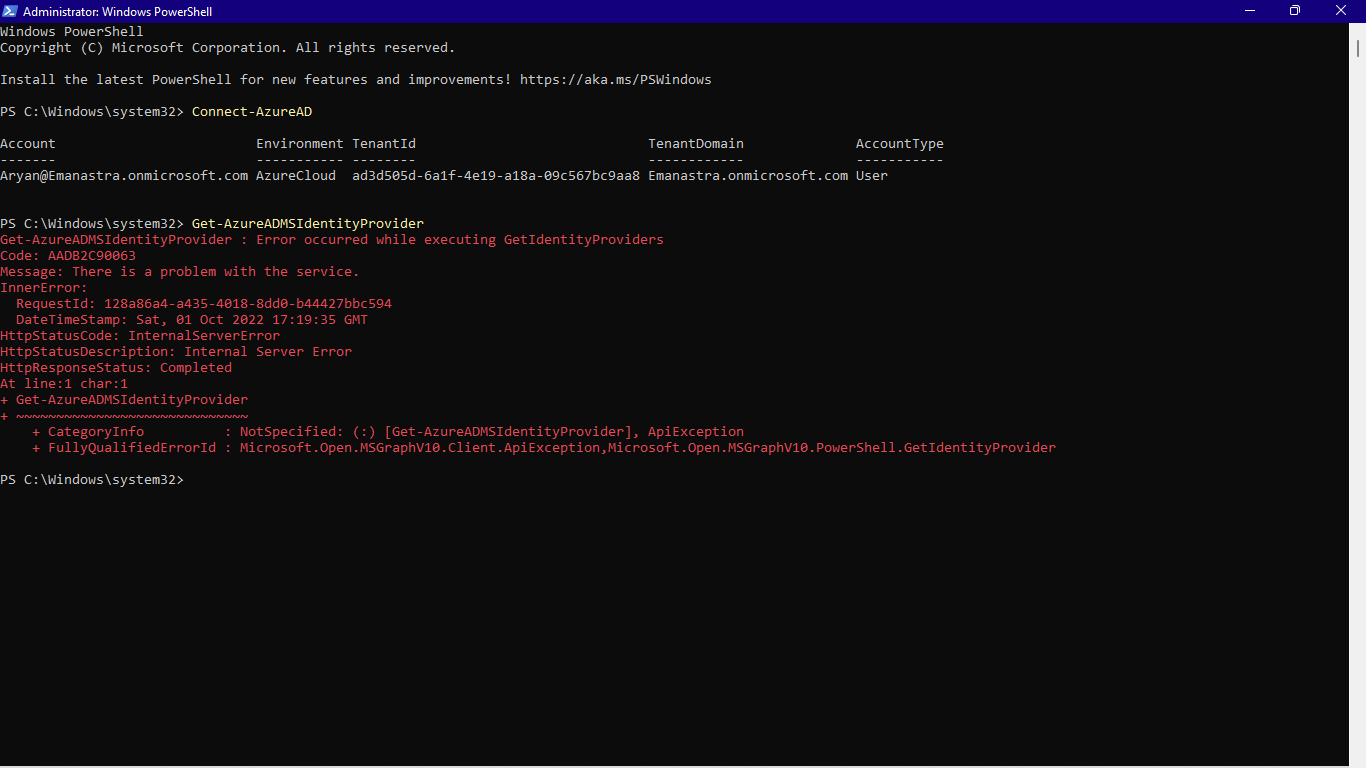
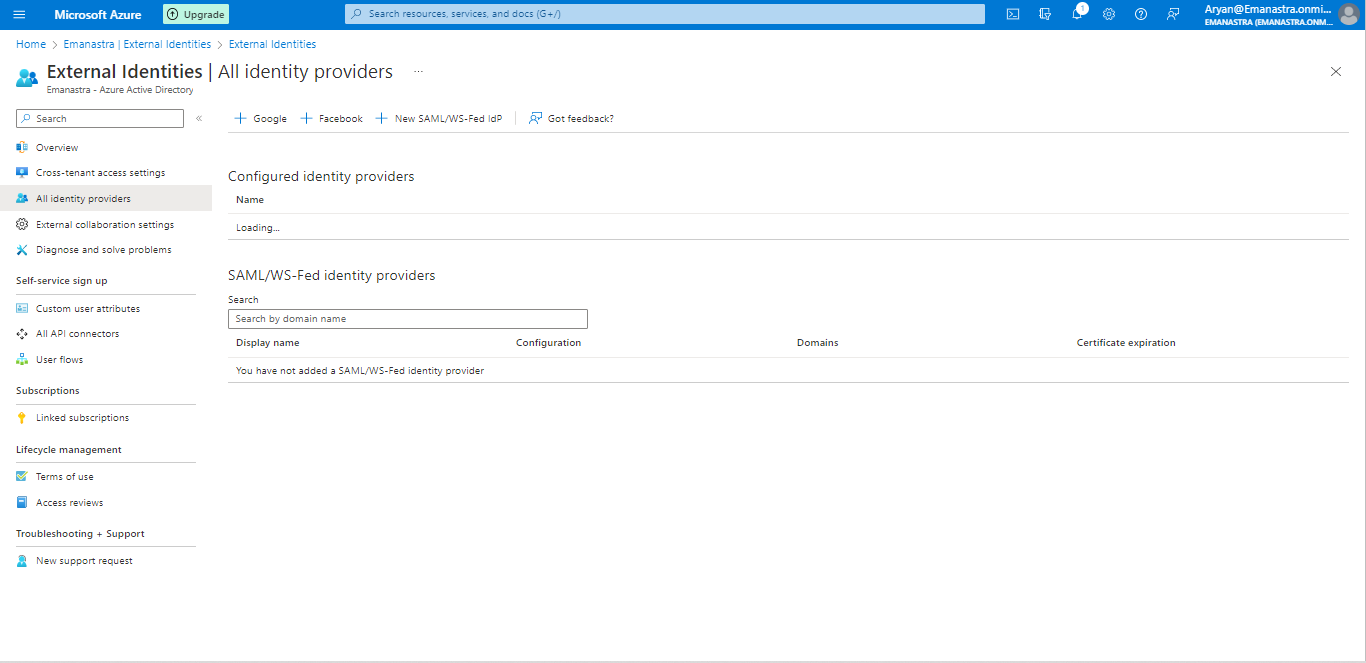
I would like to delete all the identity providers of the tenant Emanastra.onmicrosoft.com, but when I try to do this through Powershell I receive the message: Error occurred while executing DeleteIdentityProvider Code: AADB2C90063 Message: There is a problem with the service. I was wondering if there is anything I could do to get past this or if you could delete the identity providers remotely from your end. When I click on All Identity providers in my Azure portal, it displays loading and never seems to load. I then tried to open an incognito window to see if it was a problem with the cache, but it still displayed the same loading message in configured identity providers. Please can you have a look at the identity providers of this tenant from your end as this problem has been bothering me for some time now. I have sufficient privilleges and I ran the command Get-AzureADMSIdentityProvider and Remove-AzureADMSIdentityProvider -Id LinkedIn-OAUTH to try and delete them. This tenant is not a b2c tenant. I tried contacting azure support and they said that this was an issue from the back end (after trying to verify the Logs), recommending me to escalate this to an internal engineering team or specialized engineer.
' cx='32' cy='32' r='32' /%3E%3Ctext x='50%25' y='55%25' dominant-baseline='middle' text-anchor='middle' fill='%23FFF' %3EGM%3C/text%3E%3C/svg%3E)
Suspect that Microsoft are suggesting that this needs to be looked at by somebody from your internal organisation, rather than Microsoft. Do you have some formal contract with Microsoft, or even a Cloud Services Provider?
After contacting Azure support, they said that this was an issue from the back end, recommending me to escalate this to an internal engineering team or specialized engineer from Microsoft to look at.
Yeah, this isn't that - it's essentially a community board. Think you will need to pay for a support contract for that. Not sure anybody here will have the ability to do that to your tenant.

@Aryan Saxena
Thank you for your detailed post!
Error Message:
AADB2C90063 Message: There is a problem with the service.
CorrelationId "128a86a4-a435-4018-8dd0-b44427bbc594"
Date Time 2022-10-01T17:19:35
From your error message and screenshot, I found the request summary using your Correlation Id which showed a response code of 500, but I wasn't able to reproduce your issue.
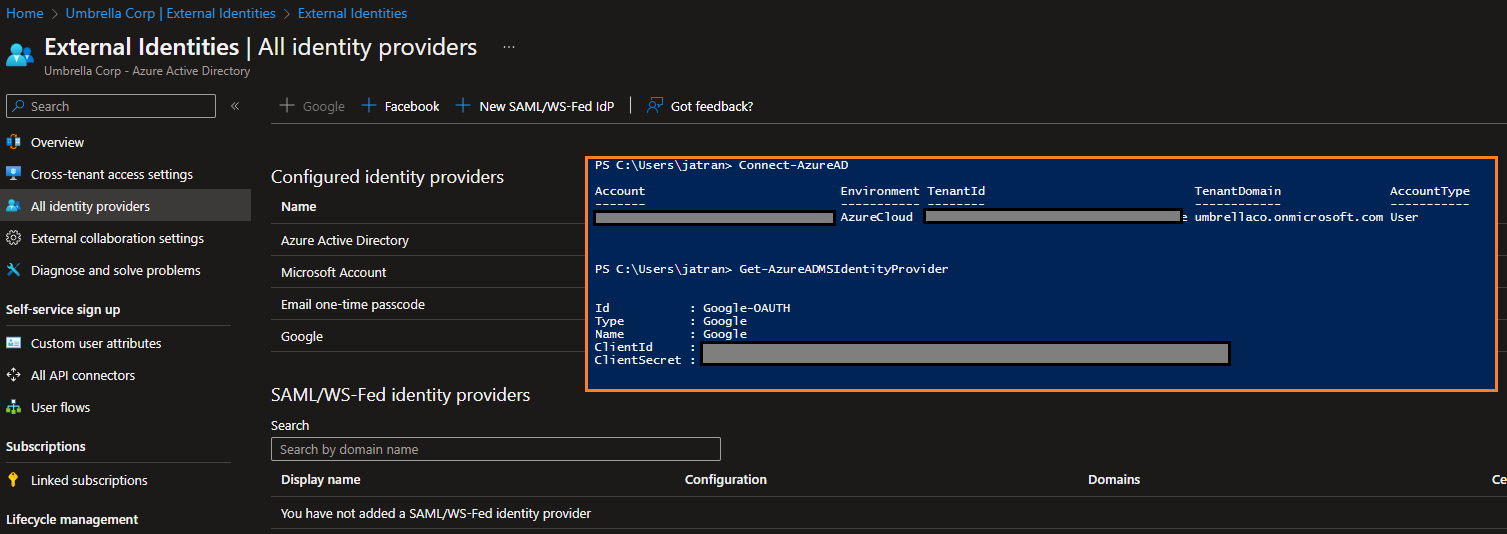
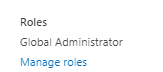
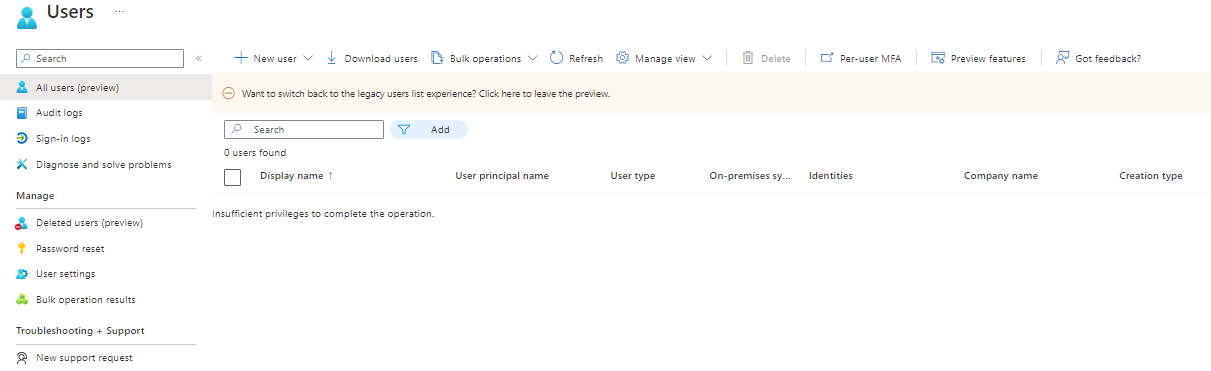
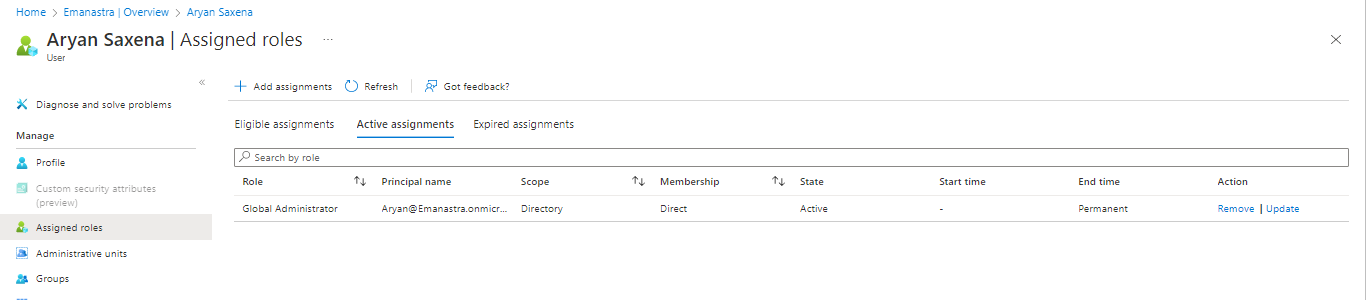
Since you're not able to manually remove the Identity Provider from the Azure Portal due to the consistent loading, and you mentioned your user having sufficient privileges, can you share a screenshot of your logged in user's permissions from the Azure AD Overview page?
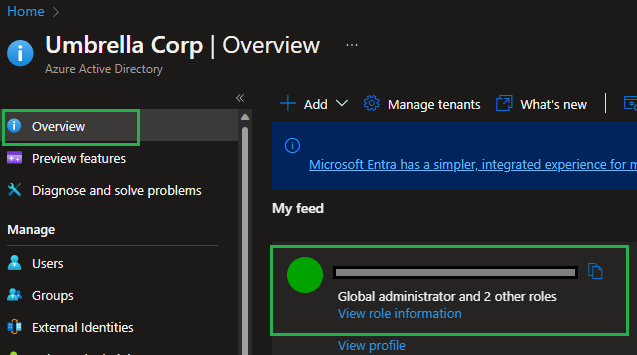
If you have any other questions, please let me know.
Thank you for your time and patience throughout this issue.
I am a global administrator of my organisation, but when I log into the Azure portal and go into users, it displays Insufficient privileges to complete the operation. I don't know why I am getting this message even though I am a Global Admin. Could this be the reason why I am unable to delete the identity providers from powershell?
@Aryan Saxena
Thank you for the quick follow up on this!
Since you can't view the Overview page of your Azure AD tenant due to insufficient privileges, this could definitely be the issue. Additionally, from your second screenshot is does show your user having the Global Admin role Active.
For testing purposes, can you create a new user in Azure AD, assign them Global Admin permissions, and log in with that user to see if they are having the same issues?
If you have any other questions, please let me know.
Thank you for your time and patience throughout this issue.
I tried following what you instructed, but after I created a new global admin user, it is still displaying the same message of insufficient privileges. I am truly stuck on what to do as I still can't get past this issue. Is it possible that an engineer from Microsoft might be able to promote this user to a higher privilleged role, that can access all the information of this tenant?
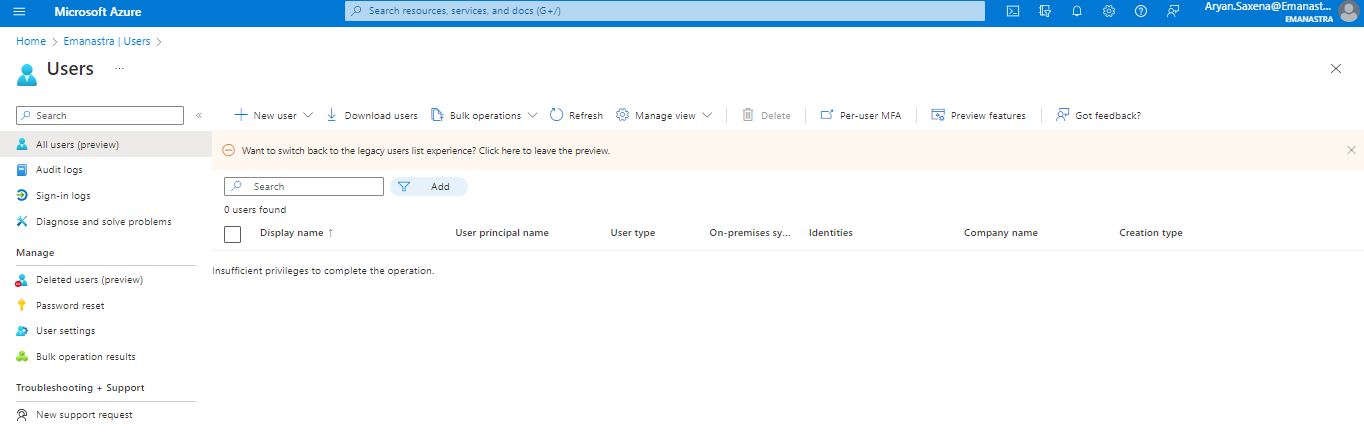
Can you delete the identity providers from the backend.
@Aryan Saxena
Thank you for following up on this!
I can't delete the Identity Providers from the backend. However, from your issue and previous screenshots, I'd recommend creating a support request so our engineering team can take a closer look into your issue and environment.
If you have any other questions, please let me know.
Thank you for your time and patience throughout this issue.
Do you have a cloud services provider or other body who manages this tenant (or is it non-profit donation)? What you have outlined above suggests that another organisation manages the tenant (a common scenario).
' cx='32' cy='32' r='32' /%3E%3Ctext x='50%25' y='55%25' dominant-baseline='middle' text-anchor='middle' fill='%23FFF' %3EHV%3C/text%3E%3C/svg%3E)
@Graham Moor
Do you have any updates on this issue? I have encountered the same problem and would appreciate any assistance.
Thank you.
@Aryan Saxena
Thank you for your time and patience on this issue!
Error Message:
AADB2C90063 Message: There is a problem with the service
I was able to find some similar internal issues based off your error message and will share some troubleshooting steps and potential solutions below, to hopefully help resolve your issue.
Issue:
You're trying to execute Get-AzureADMSIdentityProvider and Remove-AzureADMSIdentityProvider -Id LinkedIn-OAUTH, but you're running into the above error message.
Troubleshooting:
...onmicrosoft.com and re-run the PowerShell cmdlet Get-AzureADMSIdentityProvider. Get-AzureADMSIdentityProvider still produces the same error message, try leveraging the Graph REST API samlOrWsFedExternalDomainFederation resource type. ....onmicrosoft.com domain your fallback domain within Microsoft 365 and re-running the commands above. I hope this helps and I'll continue monitoring your support request in case anything changes or a solution is found for your issue.
If you have any other questions, please let me know.
Thank you for your time and patience throughout this issue.
----------
Please remember to "Accept Answer" if any answer/reply helped, so that others in the community facing similar issues can easily find the solution.