Azure Synapse Analytics
An Azure analytics service that brings together data integration, enterprise data warehousing, and big data analytics. Previously known as Azure SQL Data Warehouse.
This browser is no longer supported.
Upgrade to Microsoft Edge to take advantage of the latest features, security updates, and technical support.
' cx='32' cy='32' r='32' /%3E%3Ctext x='50%25' y='55%25' dominant-baseline='middle' text-anchor='middle' fill='%23FFF' %3EK%3C/text%3E%3C/svg%3E)
I want to query the SQL dedicated pool that I created in Synapse Analytics with Visual Code Studio
I connected Visual Code Studio without any problems to Azure SQL Database, but I did not find any official documentation to connect Visual Code Studio to Synapse Analytics,
Is it even possible ?
My objective is to control all the code in my Data Warehouse in Visual Code Studio so I can push all the changes to Github.
I do not want to use the Github connection in Synapse Analytics interface directly because I want to only have one place to push all the code.
Thanks in advance!
hi @Bhargava-MSFT ,
Thank you for your response.
I have issues when connecting to the database following your instructions
1) I go to the icon and click on "Add new connection"
2) Click on SQL Server/Azure
3) I fill the fields "Connection name*" (with a random text) and "Connect using*=Connection String"
4) Then in the field Connection String I go to my SQL Dedicated pool and I copy paste the Active Directory integrated authentification string ADO.net (I tried as well JBDC)
5) Click on Save Connection
6) An error appears: Element with id a MSSQL Server = tcp:myNameOfSynapseInstance:sql:azuresynapse:net,1433;KnitialCatalog=nameOfDedicatedPool;Persist Security Info = False;User Id =.....
7) JSON looks like this
{
"mssqlOptions": {
"appName": "SQLTools",
"useUTC": true,
"encrypt": true
},
"previewLimit": 50,
"server": "localhost",
"port": 1433,
"askForPassword": true,
"driver": "MSSQL",
"name": "a",
"connectString": "Server=tcp:nameOfSynapseInstance.sql.azuresynapse.net,1433;Initial Catalog=angel_test_dedic_sql_pool;Persist Security Info=False;User ID={your_username};MultipleActiveResultSets=False;Encrypt=True;TrustServerCertificate=False;Authentication=\"Active Directory Integrated\";"
}
8) click on "Connect now"
9) Asks me for a password. Which password should I select ? I tried my Azure windows function and does not work.
Best regards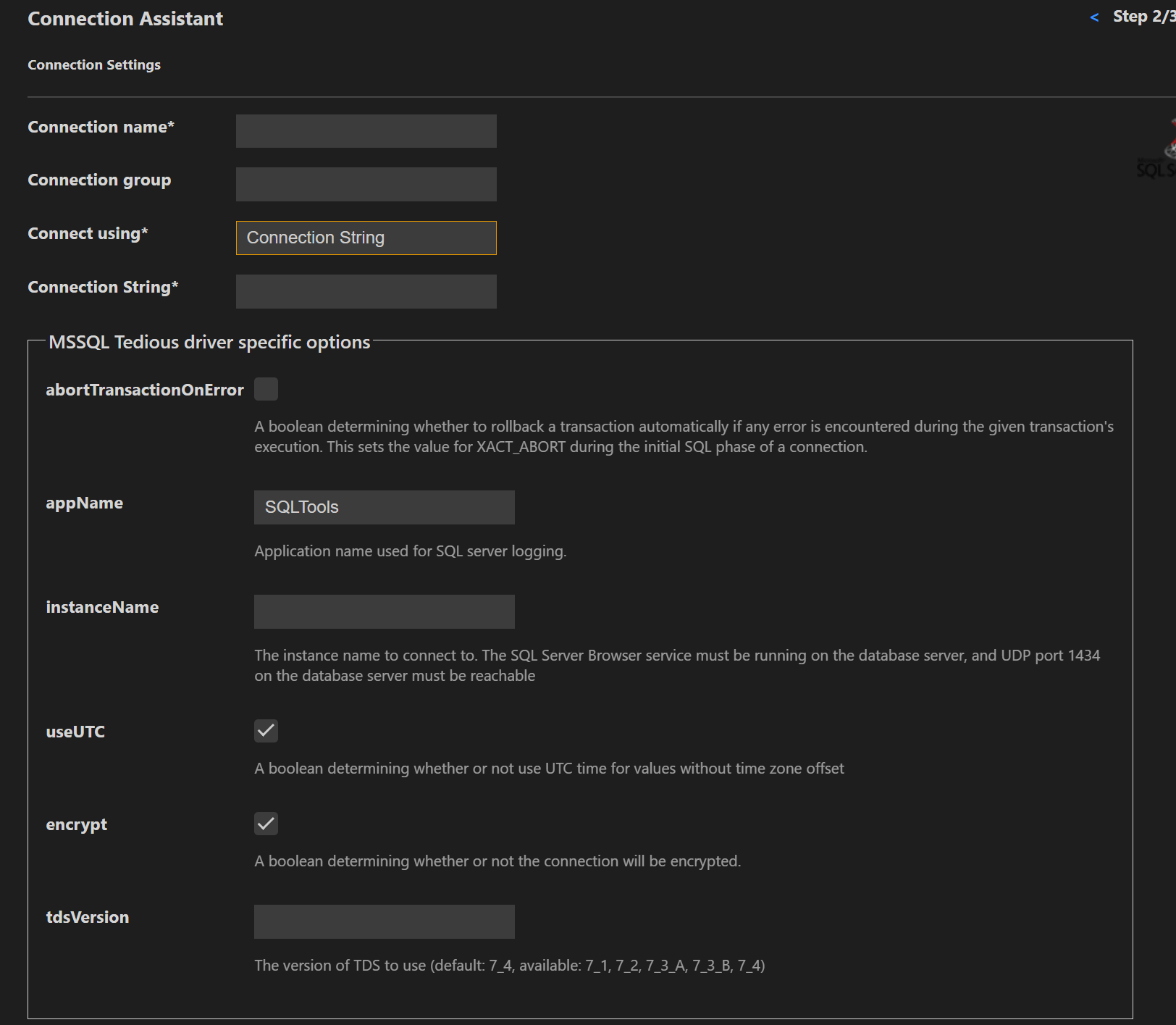
Found the solution to the problem.
The authentification method I chose was SQL login which was not the correct one. I chose then the Authorised login which connected with my windows login in the browser.
Best!
' cx='32' cy='32' r='32' /%3E%3Ctext x='50%25' y='55%25' dominant-baseline='middle' text-anchor='middle' fill='%23FFF' %3EBM%3C/text%3E%3C/svg%3E)
Thank you, @kosmos

@Bhargava-MSFT , @kosmos , ok for Azure Synapse SQL pools but what about Azure Synapse Spark Pools ? Can we run jupyter notebooks from VScode on a remote Synapse Spark cluster ? Thanks
' cx='32' cy='32' r='32' /%3E%3Ctext x='50%25' y='55%25' dominant-baseline='middle' text-anchor='middle' fill='%23FFF' %3EHR%3C/text%3E%3C/svg%3E)
did you ever get an answer?
Hello @kosmos ,
Welcome to the MS Q&A platform.
Yes, you can use VS code to connect to the Synapse SQL dedicated pool.
Steps:
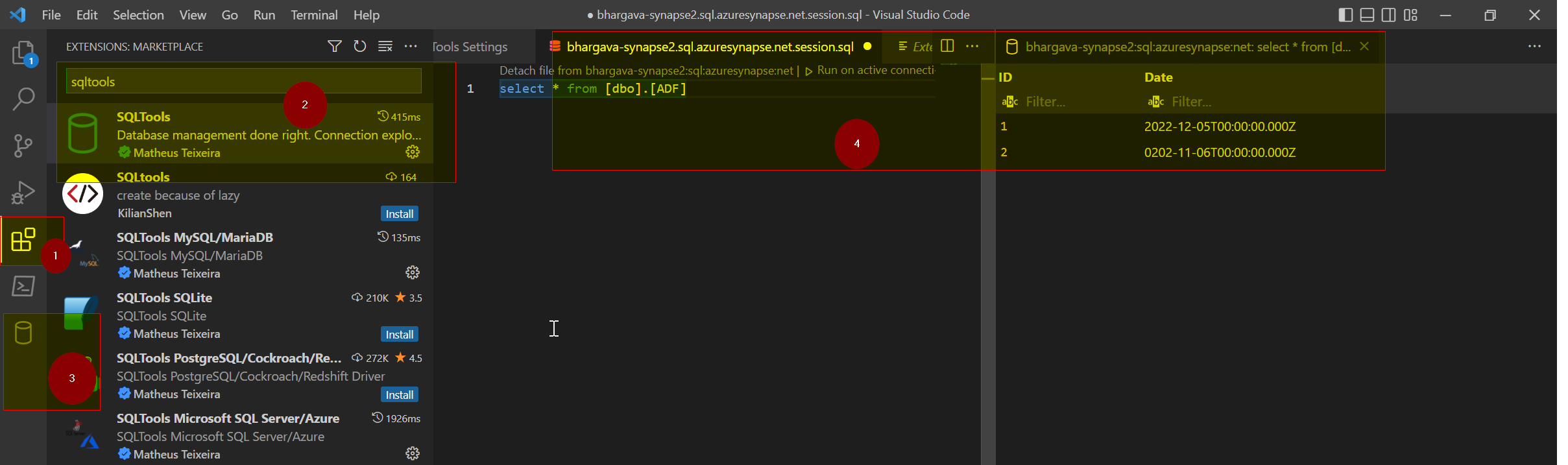
From the VS code extensions, look for SQL tools.
Install SQL tools, then you will see the database symbol option on the left side menu(from here, you can connect to the Synapse SQL).
After installing the SQL tools, you will need to install the SQL driver. Click on the database symbol; you will see the options to install the SQL driver.
If you want to use Visual Studio to connect to the synapse SQL, the steps are documented here
I hope this helps.
Please let me know if you have any further questions.
------------------------------
 and upvote
  button whenever the information provided helps you. Original posters help the community find answers faster by identifying the correct answer. Here is how