Azure Data Factory
An Azure service for ingesting, preparing, and transforming data at scale.
This browser is no longer supported.
Upgrade to Microsoft Edge to take advantage of the latest features, security updates, and technical support.

Hi everyone,
I have a JSON value like this;
{"amount":{"due":0,"expected":0,"paid":0},"tax":{"due":0,"expected":0,"paid":0}}
I need to split this JSON like amount column and tax column. And this data is providing in SQL table. After reading this table, in derived column I'm trying to split that JSON with this code :
split(replace(replace(replace(fee, '[', ''),']',''),'},','},'),'%%},')
After that splitting I'm getting two column; amount and tax. Although there is a value in amount object, it does not appear in the column. The output like this;
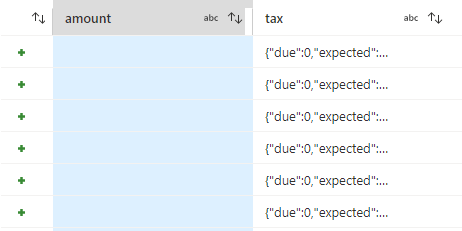
So, can you suggest any other solution for splitting or should I change the code that I'm trying to split
An Azure service for ingesting, preparing, and transforming data at scale.
Answer accepted by question author
' cx='32' cy='32' r='32' /%3E%3Ctext x='50%25' y='55%25' dominant-baseline='middle' text-anchor='middle' fill='%23FFF' %3EMM%3C/text%3E%3C/svg%3E)
Hello @Deniz Alkan ,
Thanks for the question and using MS Q&A platform.
Hello @Deniz Alkan and welcome to Microsoft Q&A.
Given how the data is already in JSON format, I think there must be an easier way than doing string operations. Depending on exactly how you want the data output, there are several options.
Upon further testing, I think that blank amount column is a bug. Anyway, here is an easier way:
Use a parse activity to turn that "json-as-text" into a real json, a complex type.
Use derived column to pick the parts you want, whether putting {due , expected, paid} all into one column or, giving each of them their own column.
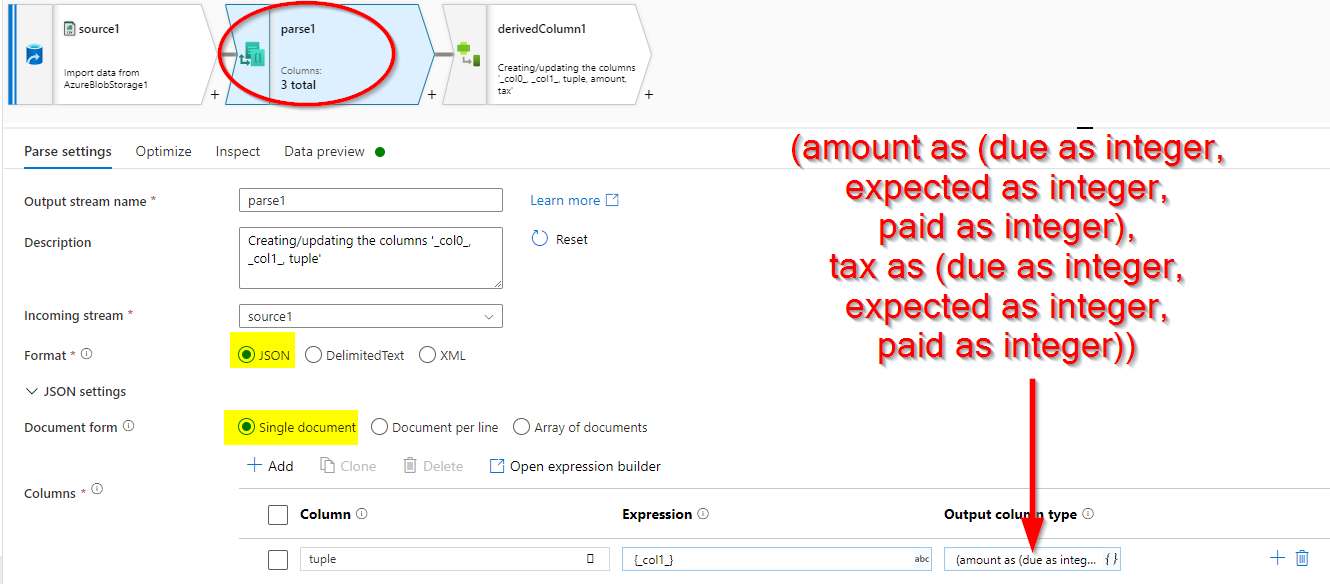
I think you hit a bug in the graphical interface, not the flow itself because the displated output of mine is blank too...
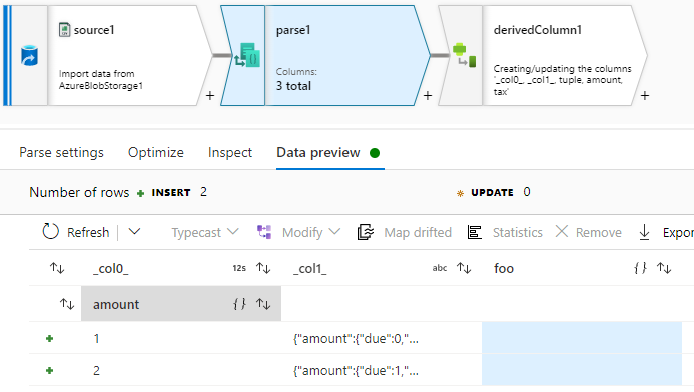
However the data is available in the next activity!
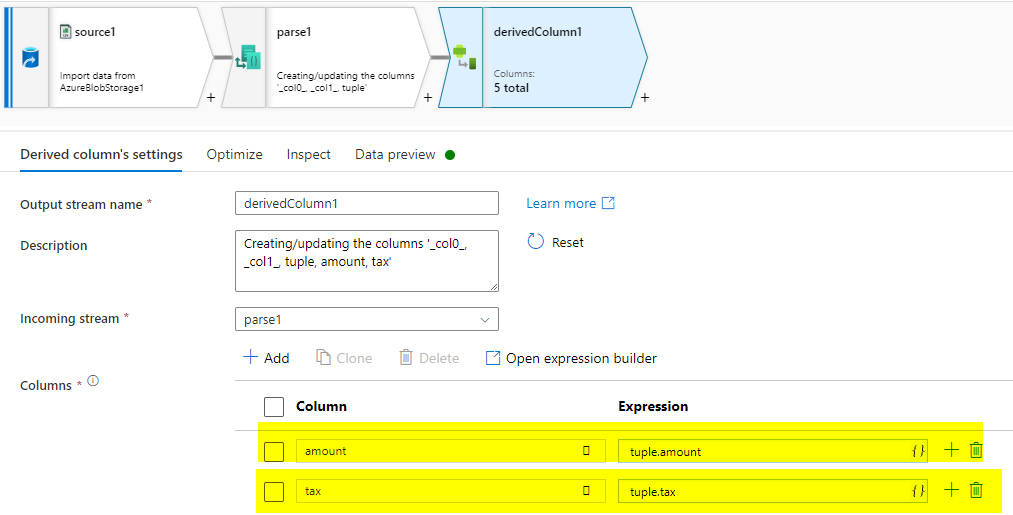
Although the display seems all off-kilter. Actually, the more I look at it, the more seems wrong... It is displaying individual columns when that is not what is asked for.
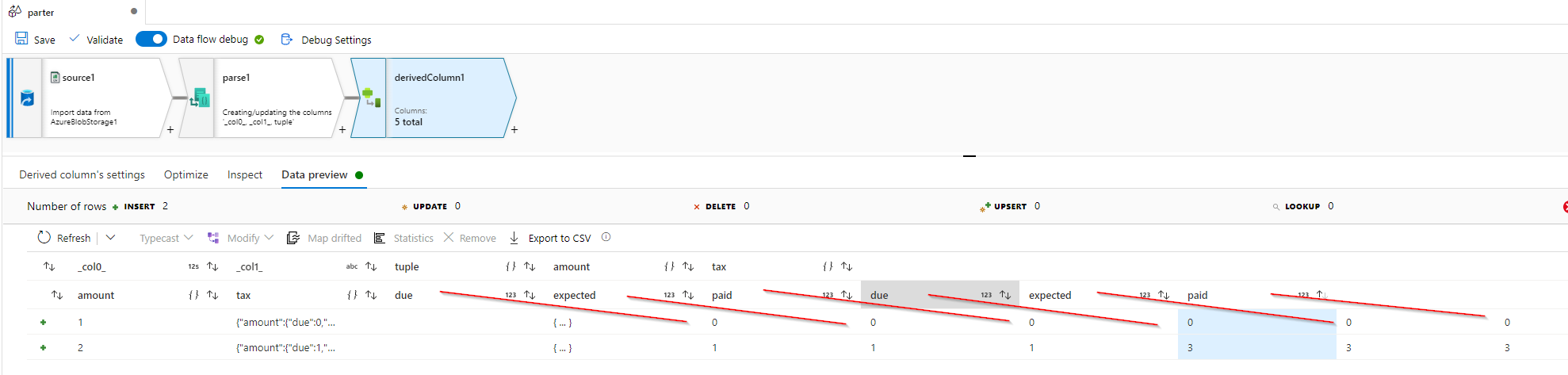
Compare to inspect.
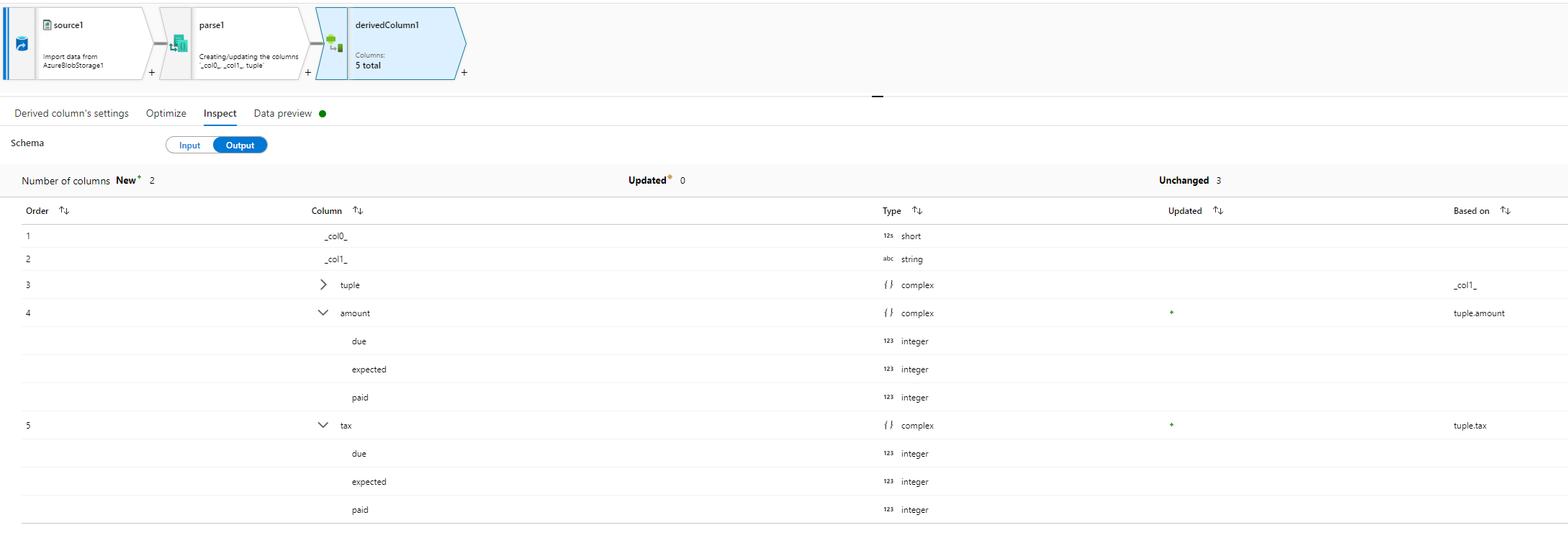
Okay, time to write to output to settle what exactly is in play here...
Please do let me if you have any queries.
Thanks
Martin
 or upvote
  button whenever the information provided helps you. Original posters help the community find answers faster by identifying the correct answer. Here is how
Hello @MartinJaffer-MSFT
First of all, thanks a lot for this detailed answer.
I already chosed Json settings as single document.
After Parse node, I added a SELECT node and now I can read the data. Like you said it was a bug.
Thanks for letting me know. I posted this bug again to the devs, but so far none have replied. This frustrates me as I have seen this for a while, and it is very misleading.