Azure SQL Database
An Azure relational database service.
This browser is no longer supported.
Upgrade to Microsoft Edge to take advantage of the latest features, security updates, and technical support.
' cx='32' cy='32' r='32' /%3E%3Ctext x='50%25' y='55%25' dominant-baseline='middle' text-anchor='middle' fill='%23FFF' %3ERR%3C/text%3E%3C/svg%3E)
SQL Server Managed Instance Replication Snapshot
I am working on setting up transactional replication from a SQL Managed Instance to a VM hosted SQL Server. SQL MI requires the snapshot folder for initial replication to be in Azure Storage. SQL MI does not allow Active Directory (Windows) logins.
This means I have to use an SQL login or an Azure Active Directory login to create the snapshot in the snapshot folder. When I use a SQL login, the snapshot agent service starts, but the login cannot create the snapshot subdirectory. When I use an integrated Azure Active Directory login with permissions to the Azure Storage account and file share, the snapshot agent will not start.
What is the magic combination to get the snapshot working?

Hi @Ray R. Mosely Thank you for posting your question on Microsoft Q&A and for using Azure services.
Could you please clarify the below.
Are you trying this topology.? Pub and Dist on SQL MI(s) and Sub on SQL Server?
If you're trying to have Pub on SQL MI and Dist on SQL Server, that will not work.
Regards,
Oury
Pub and Dist on SQL MI. Sub on SQL Server. Snapshot folder in Azure Storage. Pub works, Dist works, Snapshot does not work.
Hi @Ray R. Mosely Sorry for the delay in response to your question.
This topology is supported, and it should work. This problem is often due with some posts not being open, so SQL MI cannot access remote storage.
Regards,
Oury
' cx='32' cy='32' r='32' /%3E%3Ctext x='50%25' y='55%25' dominant-baseline='middle' text-anchor='middle' fill='%23FFF' %3ESK%3C/text%3E%3C/svg%3E)
Can you provide the exact error that is getting triggered?
Also see any of the known issues and the fix listed on this page (Configure transactional replication between Azure SQL Managed Instance and SQL Server)is relevant and helps.
Make sure you are using backslash and not forward slash in fileshare path else it will error out
If Port 445 is closed in either the Azure firewall, the Windows firewall, or both, allow the port 445 in the subnet security rules to access the Azure file share.
Here is a link to another guide(Configure transactional replication between Azure SQL Managed Instance and an on-premise SQL Server) which might be useful.
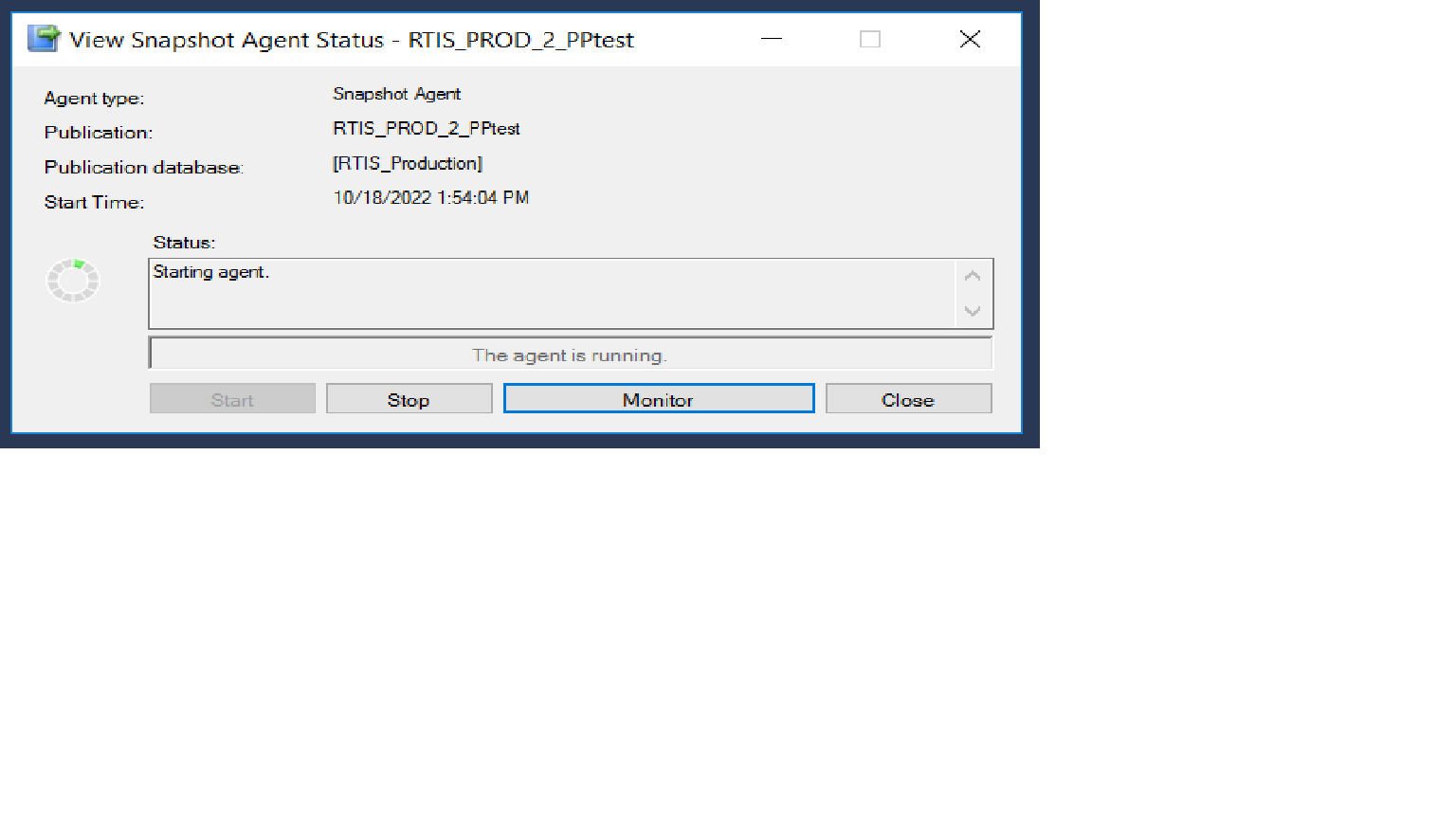
When I use an AAD credential, this is what I get (persistent and never updates):
what is the size of your database ?
When I use a sql server logon, this is what I get:
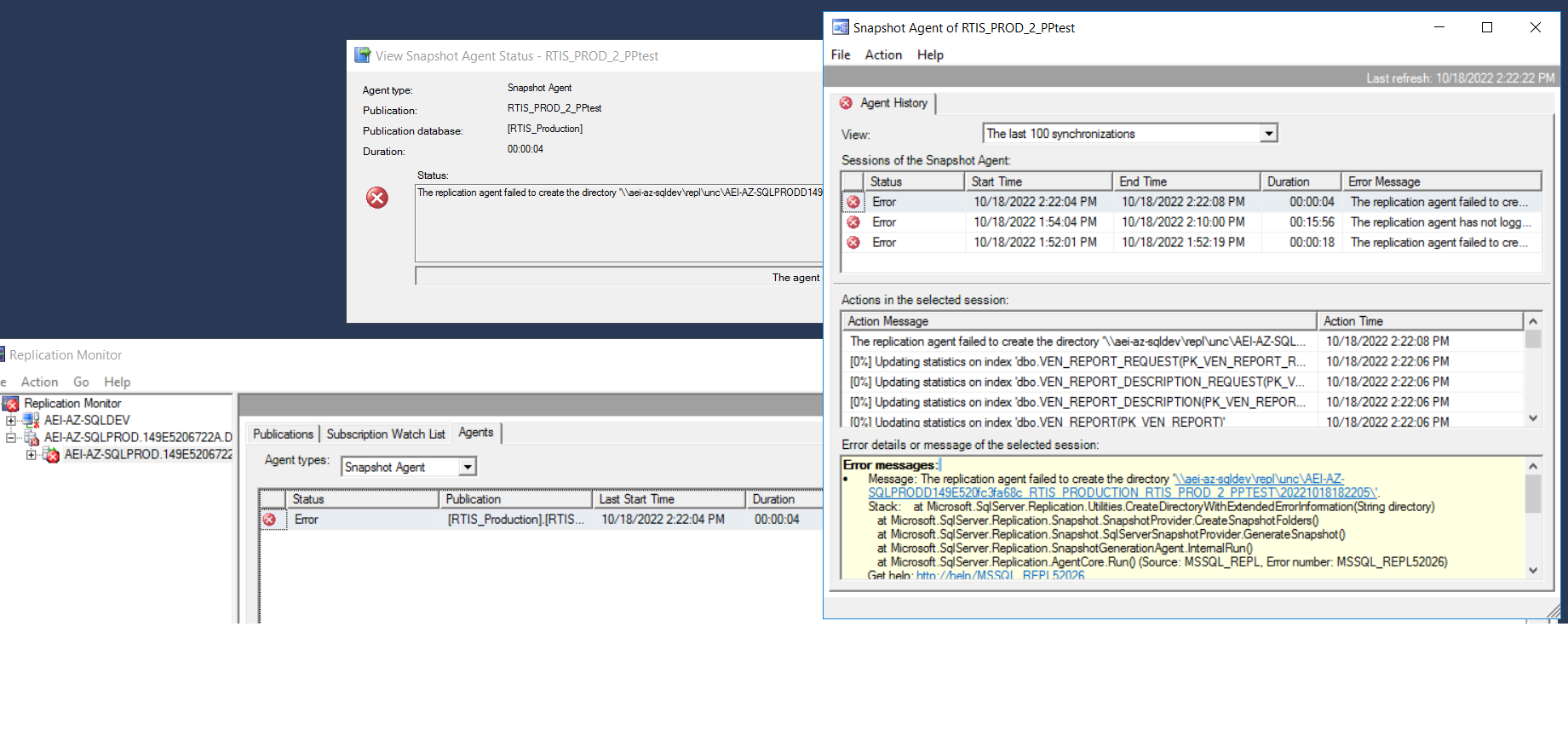
Otherwise, I have seen the two articles referred to and they do not address this issue.
Thanks,
Ray
Try running the snapshot agent using the sql server login which has permission to create/read/write/modify permission on the share location , find the sql agent jobs for replication and see which account they are running as either give this account the permission to read write in file share or change the account as sql server login which already has this permission for snapshot agent from :
Right Click Go to Publication Properties -> Agent Security you will the find the user credential to be used for SnapShot Agent and Log Agent
Can you try to login using the SQL agent service account and see if you are able to access that share location if not sql replication agents (if using the same service account ) wont be able to access it either.
Also is it possible for you to manually create that directory and define it as the location for snapshot folder manually during the configuration?
You can also try to Initialize the replication using the backup instead of snapshot if nothing works.
Also can you please post the full error?
You can try getting more information on same from these few links, but I think changing the replication agent running accounts to sql login and giving this sql login the read/write/create/modify permission on share should solve this problem
Source : Link1 Link2 Link3 Link4 Link5
Regards,
Shivam