Developer technologies | .NET | Xamarin
A Microsoft framework for building cross-platform mobile apps using .NET and C# with native performance and user interfaces.
This browser is no longer supported.
Upgrade to Microsoft Edge to take advantage of the latest features, security updates, and technical support.
' cx='32' cy='32' r='32' /%3E%3Ctext x='50%25' y='55%25' dominant-baseline='middle' text-anchor='middle' fill='%23FFF' %3EK%3C/text%3E%3C/svg%3E)
Cannot create an IOS archive file for publishing.
Getting texts like below:
Process cannot be executed on XMA server.
There was an error unzipping the file
C\Users\karitalltmp\2022-11-06\f1a083d2.zip;
Could not find a part of the path
'C:\Users\karitall\AppData\Local\Temp\Xamarin\,Extractions\de6cbab4-b7ca-48a1-b1a8-dBef4856aa91\KaBomiOS 11-06-22 5.26PM.xcarchive\Products\Applications\KaBom.iOS.app\GoogleMaps.bundle\GMSCoreResources.bundle******@3x.png'.
I understand that the later file name is to long. I could specify a tmp folder in Visual Studio Tools so this became a shorter file name but how to specify an extraction folder --> getting shorter filenames.
' cx='32' cy='32' r='32' /%3E%3Ctext x='50%25' y='55%25' dominant-baseline='middle' text-anchor='middle' fill='%23FFF' %3EWZ%3C/text%3E%3C/svg%3E)
Would you mind sharing the detailed error message? Does it prompt the default 260-character path limitation? You could try to enable the long path setting of your computer: go to Computer Configuration > Administrative Templates > System > Filesystem > Enable NTFS long paths.
Hi,
I have activated the Enable NTFS long paths (looks a little different for my W10 Home Swedish).
There is no difference, still getting same error.
The issue is strange:
I did an app KaBom 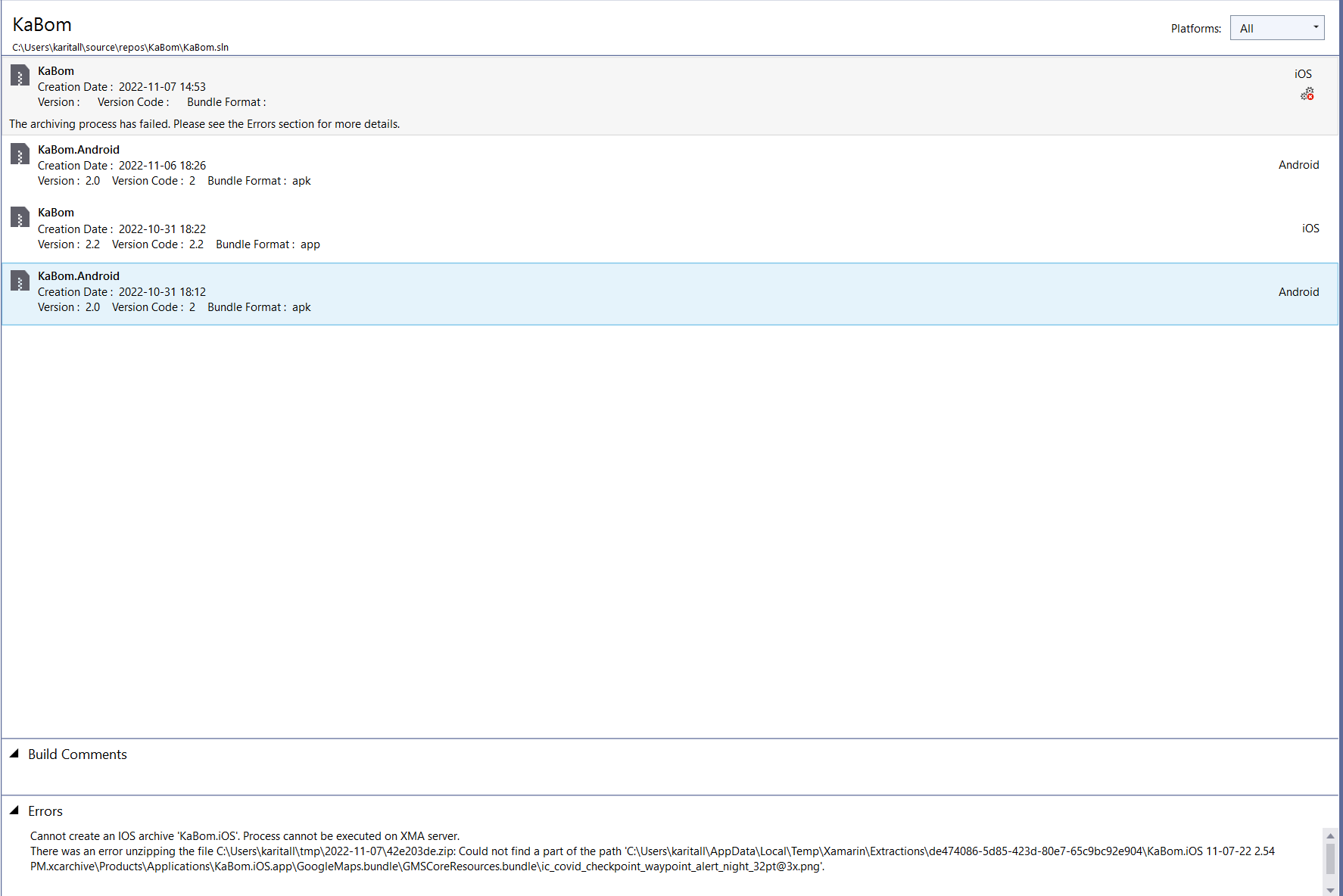 archive IOS and published it in Apple Testflight a week ago and it went OK.
Have not done any changes when this error came up yesterday.
I think this is connected to Nuget package Xamarin.Forms.GoogleMaps 3.3.0.
Using the same in another app and I can run Archive without any issues.
I am attatching a screen copy where I get the message.
It is same text content as in first mail.
Hope this can give any clue? @karitall
' cx='32' cy='32' r='32' /%3E%3Ctext x='50%25' y='55%25' dominant-baseline='middle' text-anchor='middle' fill='%23FFF' %3EYL%3C/text%3E%3C/svg%3E)
Would you get this error if you update this Nuget package to the latest version?
Third-party controls are not currently supported in Q&A. If you can determine that this third-party package is causing the problem, create a new issue in its project address: Xamarin.Forms.GoogleMaps.
In addition, you could try the official Map Control, please refer to Xamarin.Forms Map Control.
Hi, contacted the third-party package creator.
He recommended to upgrade to latest version of VS.
I got a VS studio uppgrade alert today and upgraded.
This solved this problem.
Testing the official Map Control - Xamarin.Forms Map Control in another app (KaPang).
This package lacks some good functionallity that Xamarin.Forms.GoogleMaps provides but can perhaps be good enough for app KaPang?
Any official development plans for Xamarin.Forms Map Control?
This case can be closed.
Thanks for your sharing. For the updates and roadmap question of Xamarin.Forms.Map, you can post at https://github.com/xamarin/Xamarin.Forms