Microsoft 365 and Office | SharePoint Server | For business
A family of Microsoft on-premises document management and storage systems.

This browser is no longer supported.
Upgrade to Microsoft Edge to take advantage of the latest features, security updates, and technical support.
' cx='32' cy='32' r='32' /%3E%3Ctext x='50%25' y='55%25' dominant-baseline='middle' text-anchor='middle' fill='%23FFF' %3EG%3C/text%3E%3C/svg%3E)
Came across this article as I was looking for a solution to distribute an MS Word letterhead to our users and I was able to get it setup using powershell but when testing it in a VM under my account, the templates are not visible when I go create a new doc.
https://learn.microsoft.com/en-us/sharepoint/organization-assets-library
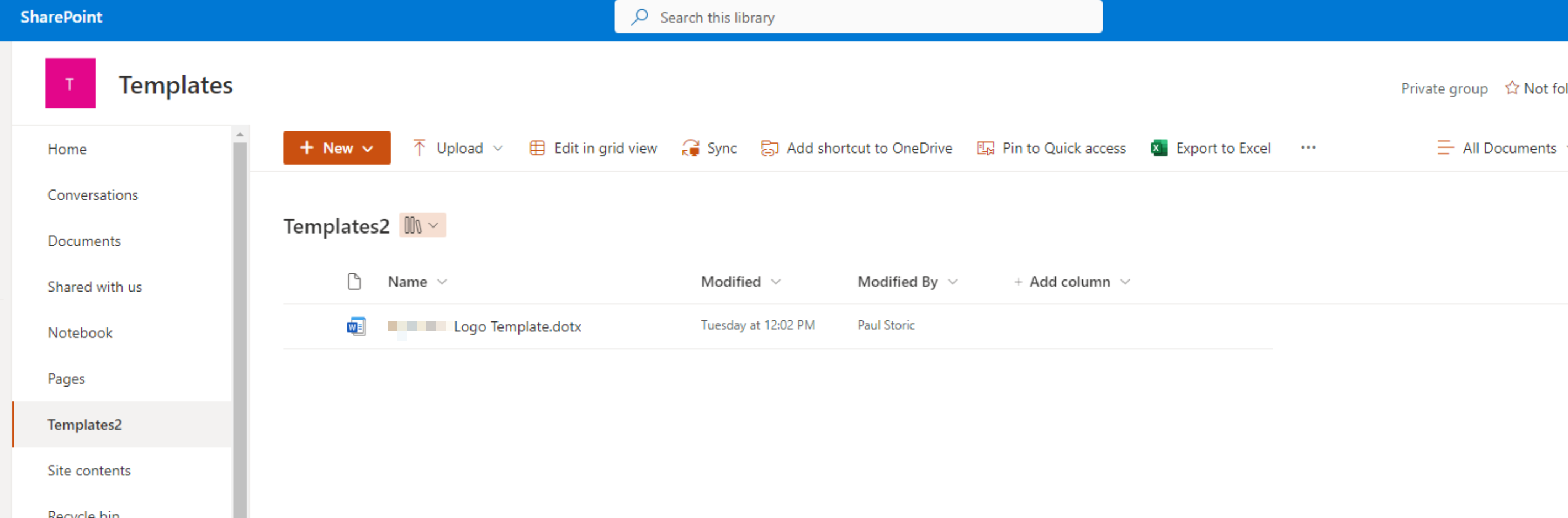
The .dotx Word template is in the template library but how can I access it from MS Word when signed in as an org user?
' cx='32' cy='32' r='32' /%3E%3Ctext x='50%25' y='55%25' dominant-baseline='middle' text-anchor='middle' fill='%23FFF' %3EED%3C/text%3E%3C/svg%3E)
Thank you for your question.
We are currently looking into this issue and will give you an update as soon as possible.
Thank you for your understanding and support.
I'm glad to hear you solve the problem, if you have any issue about SharePoint, you are welcome to raise a ticket in this forum.
By the way, since the Microsoft Q&A community has a policy that "The question author cannot accept their own answer. They can only accept answers by others.". and according to the scenario introduced here: Answering your own questions on Microsoft Q&A, I would make a brief summary of this thread:
[Create an organization assets library]
Issue Symptom:
Came across this article as I was looking for a solution to distribute an MS Word letterhead to our users and I was able to get it setup using powershell but when testing it in a VM under my account, the templates are not visible when I go create a new doc.
https://learn.microsoft.com/en-us/sharepoint/organization-assets-library
The .dotx Word template is in the template library but how can I access it from MS Word when signed in as an org user?
I used my admin account and I see the template there. The Sharepoint command executed without error and I'm using my own admin account logged into MS Word to test but it's not visible even after 48 hours.
Current status:
It's not going to work as an E3 licenses is required it seems and my users are on Business Standard.
You could click the "Accept Answer" button for this summary to close this thread, and this can make it easier for other community member's to see the useful information when reading this thread. Thanks for your understanding!
If the answer is helpful, please click "Accept Answer" and kindly upvote it. If you have extra questions about this answer, please click "Comment".
Note: Please follow the steps in our documentation to enable e-mail notifications if you want to receive the related email notification for this thread.
I add an organization assets library by using admin account and .dotx template is visible by other user account.
Please make sure .dotx template is checked in, published and approved.
If the answer is helpful, please click "Accept Answer" and kindly upvote it. If you have extra questions about this answer, please click "Comment".
Note: Please follow the steps in our documentation to enable e-mail notifications if you want to receive the related email notification for this thread.
I used my admin account and I see the template there. The Sharepoint command executed without error and I'm using my own admin account logged into MS Word to test but it's not visible even after 48 hours.
You could use this command Get-SPOOrgAssetsLibrary to check the existing organization assets library.
It's not going to work as an E3 licenses is required it seems and my users are on Business Standard.