Azure Databricks
An Apache Spark-based analytics platform optimized for Azure.
This browser is no longer supported.
Upgrade to Microsoft Edge to take advantage of the latest features, security updates, and technical support.
' cx='32' cy='32' r='32' /%3E%3Ctext x='50%25' y='55%25' dominant-baseline='middle' text-anchor='middle' fill='%23FFF' %3EA%3C/text%3E%3C/svg%3E)
Hi,
I am trying to access my blob with Databricks through SAS.
In my spark code I use
spark.conf.set("fs.azure.account.auth.type.<storage-account>.dfs.core.windows.net", "SAS")
spark.conf.set("fs.azure.sas.token.provider.type.<storage-account>.dfs.core.windows.net", "org.apache.hadoop.fs.azurebfs.sas.FixedSASTokenProvider")
spark.conf.set("fs.azure.sas.fixed.token.<storage-account>.dfs.core.windows.net", "<token>")
and then my
df = spark.read.csv("abfs://<container-name>@<storage-account>.dfs.core.windows.net/<file-path>")
When I try to run the csv I get following msg:
Operation failed: "Server failed to authenticate the request. Make sure the value of Authorization header is formed correctly including the signature.", 403, HEAD, https://safobapreprddwh.dfs.core.windows.net/configurations/?upn=false&action=getAccessControl&timeout=90&sv=2021-06-08&ss=b&srt=s&sp=rwdlaciytfx&se=2022-11-17T17:52:13Z&st=2022-11-17T09:52:13Z&spr=https&sig=XXXX
I have seen that many ppl have faced similar problem and I have tried their solution without any success.
This is what I have done so far:
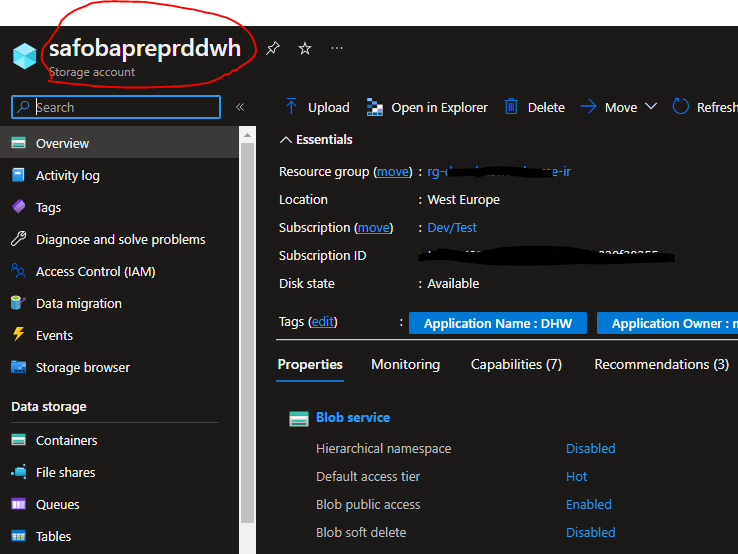
Storage account name is taken from here
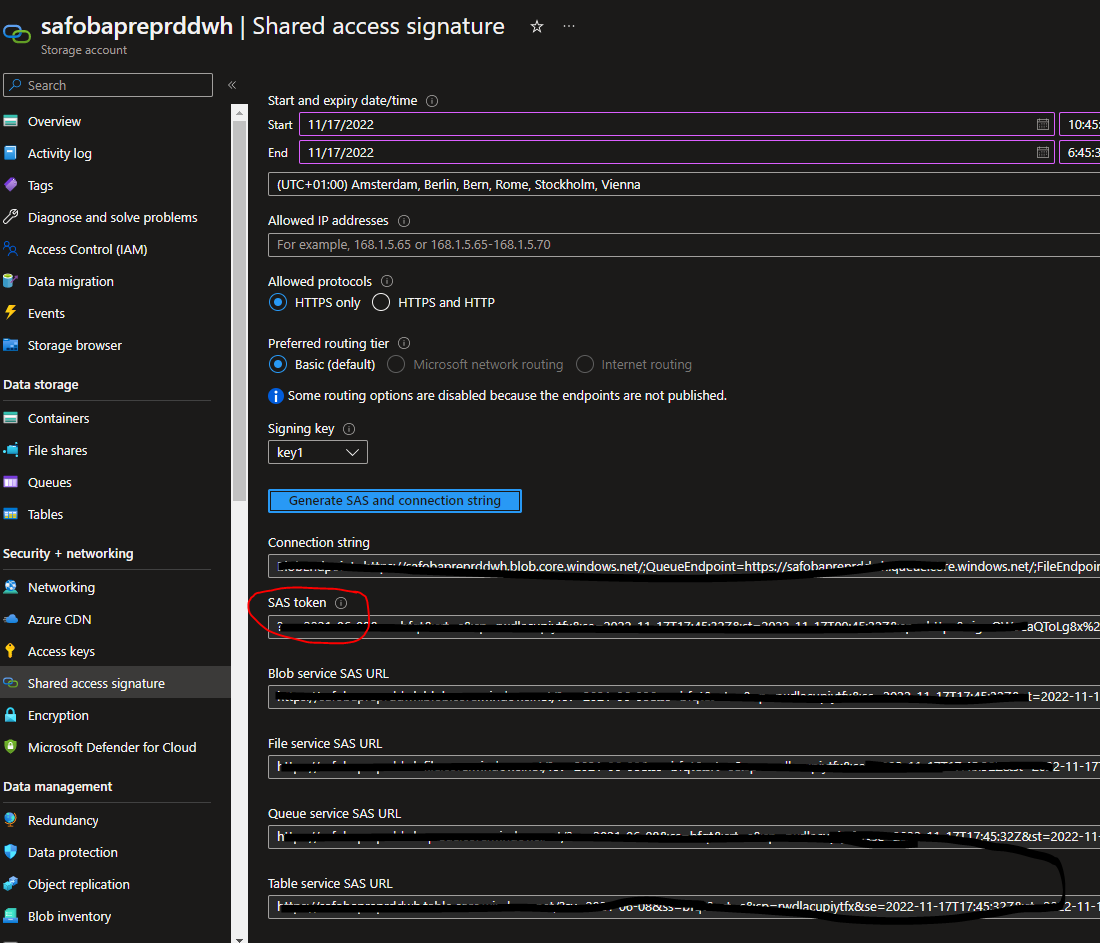
In storage account I go to Security + networking section and generate SAS token
My container name and blob are:

with those values I put them in my spark conf and try to read my csv:
spark.conf.set("fs.azure.account.auth.type.safobapreprddwh.dfs.core.windows.net", "SAS")
spark.conf.set("fs.azure.sas.token.provider.type.safobapreprddwh.dfs.core.windows.net", "org.apache.hadoop.fs.azurebfs.sas.FixedSASTokenProvider")
spark.conf.set("fs.azure.sas.fixed.token.safobapreprddwh.dfs.core.windows.net", "sv=2021-06-08&ss=bfqt&sr<My_SAS_Token>")
df = spark.read.csv("abfs://******@safobapreprddwh.dfs.core.windows.net/Days.csv")
Do I need to configure something?
' cx='32' cy='32' r='32' /%3E%3Ctext x='50%25' y='55%25' dominant-baseline='middle' text-anchor='middle' fill='%23FFF' %3EH%3C/text%3E%3C/svg%3E)
Hello @alexis ,
We haven’t heard from you on the last response and was just checking back to see if you have a resolution yet .In case if you have any resolution please do share that same with the community as it can be helpful to others . Otherwise, will respond back with the more details and we will try to help .
Thanks
Himanshu
Hello @alexis ,
We haven’t heard from you on the last response and was just checking back to see if you have a resolution yet .In case if you have any resolution please do share that same with the community as it can be helpful to others .
If you have any question relating to the current thread, please do let us know and we will try out best to help you.
In case if you have any other question on a different issue, we request you to open a new thread .
Thanks
Himanshu
Hello @alexis ,
Thanks for the question and using MS Q&A platform.
As we understand the ask here is how to get the rid of the above error , please do let us know if its not accurate.
You are on the right path when you removed "?" from the token .
I was able to repro the error and i found that the if you do not Select the Object while creating the SAS , we have this error .
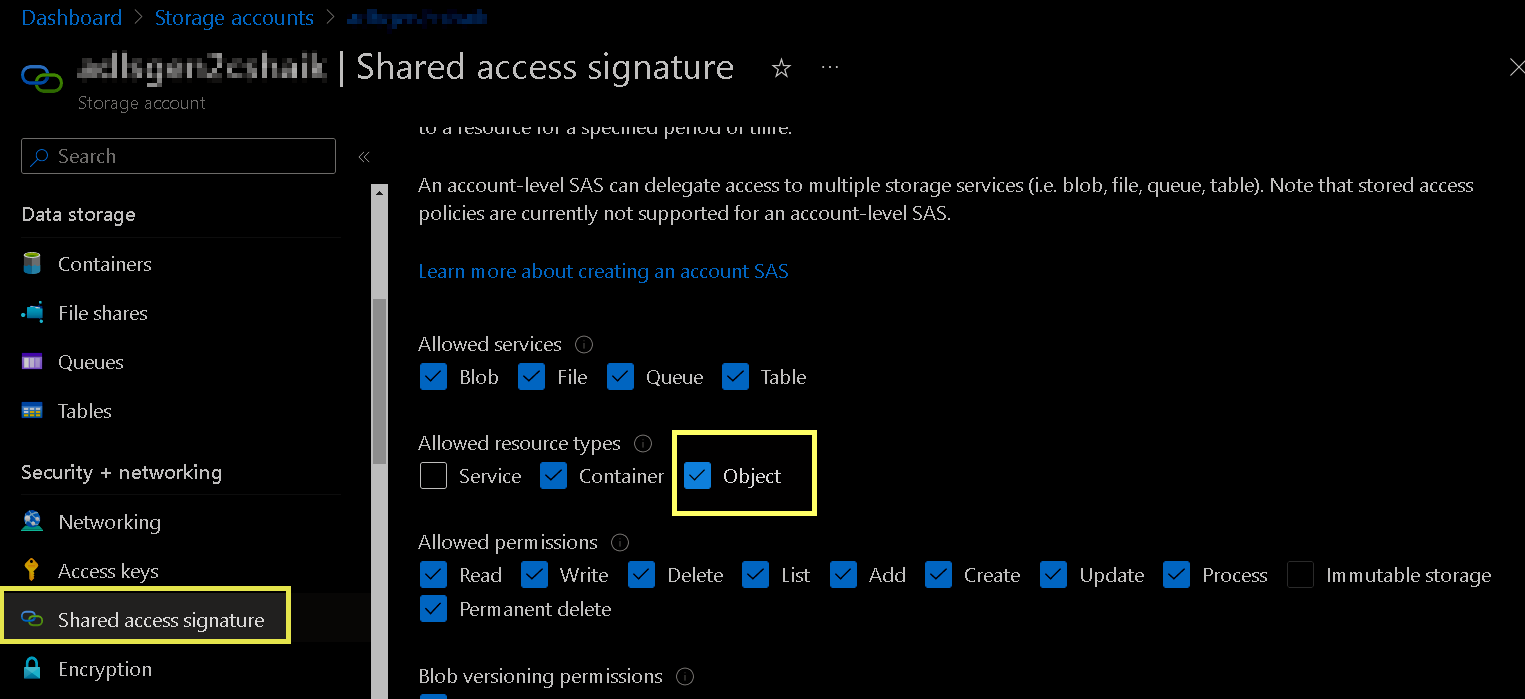
Please do let me if you have any queries.
Thanks
Himanshu
 or upvote
  button whenever the information provided helps you. Original posters help the community find answers faster by identifying the correct answer. Here is how