Developer technologies | ASP.NET | ASP.NET Core
A set of technologies in the .NET Framework for building web applications and XML web services.
This browser is no longer supported.
Upgrade to Microsoft Edge to take advantage of the latest features, security updates, and technical support.
' cx='32' cy='32' r='32' /%3E%3Ctext x='50%25' y='55%25' dominant-baseline='middle' text-anchor='middle' fill='%23FFF' %3EDM%3C/text%3E%3C/svg%3E)
I have created user in azure ad b2c successfully, Now I want users to activate their account. I am using graph client invite api to create/invite users
This is my request object:
var invitation = new Invitation
{
InvitedUserEmailAddress = user.Email,
SendInvitationMessage = true,
InviteRedirectUrl = "https://myredirect.page",
InvitedUserDisplayName = user.FullName,
};
var result = await graphClient.Invitations
.Request()
.AddAsync(invitation);
After this user is invited and got an email in their inbox, but the activation link in email is using OTP to authenticate the account. Is there any way that I can redirect user to reset their password and us that password for future.


Hello @Deepika Mahant ,
I am following up to see if you were able to follow the action plan suggested below. Please do let me know if you have any queries in the comments section. If you don't have any further queries and the suggestion works as per your business need. Please "Accept the answer", "Upvote" and rate your experience. This will help us and others in the community as well.
Thanks,
Akshay Kaushik
Hello
We could force the user to reset password on first login via Custom Policies. This sample console app (.Net core) demonstrates how to send sign-up email invitation. The web application sends an email to the end user with a link to sign-up policy. The link to the sign-up policy contains the email address, which is encapsulated inside a JWT token (id_token_hint). When a user clicks on that link, Azure AD B2C validates the JWT token signature, reads the information from the token, extracts the email address and ask the user to set the password, display name, surname and given name.
Kindly follow email invite custom policy as per: https://github.com/azure-ad-b2c/samples/blob/master/policies/invite/policy/SignUpInvitation.xml

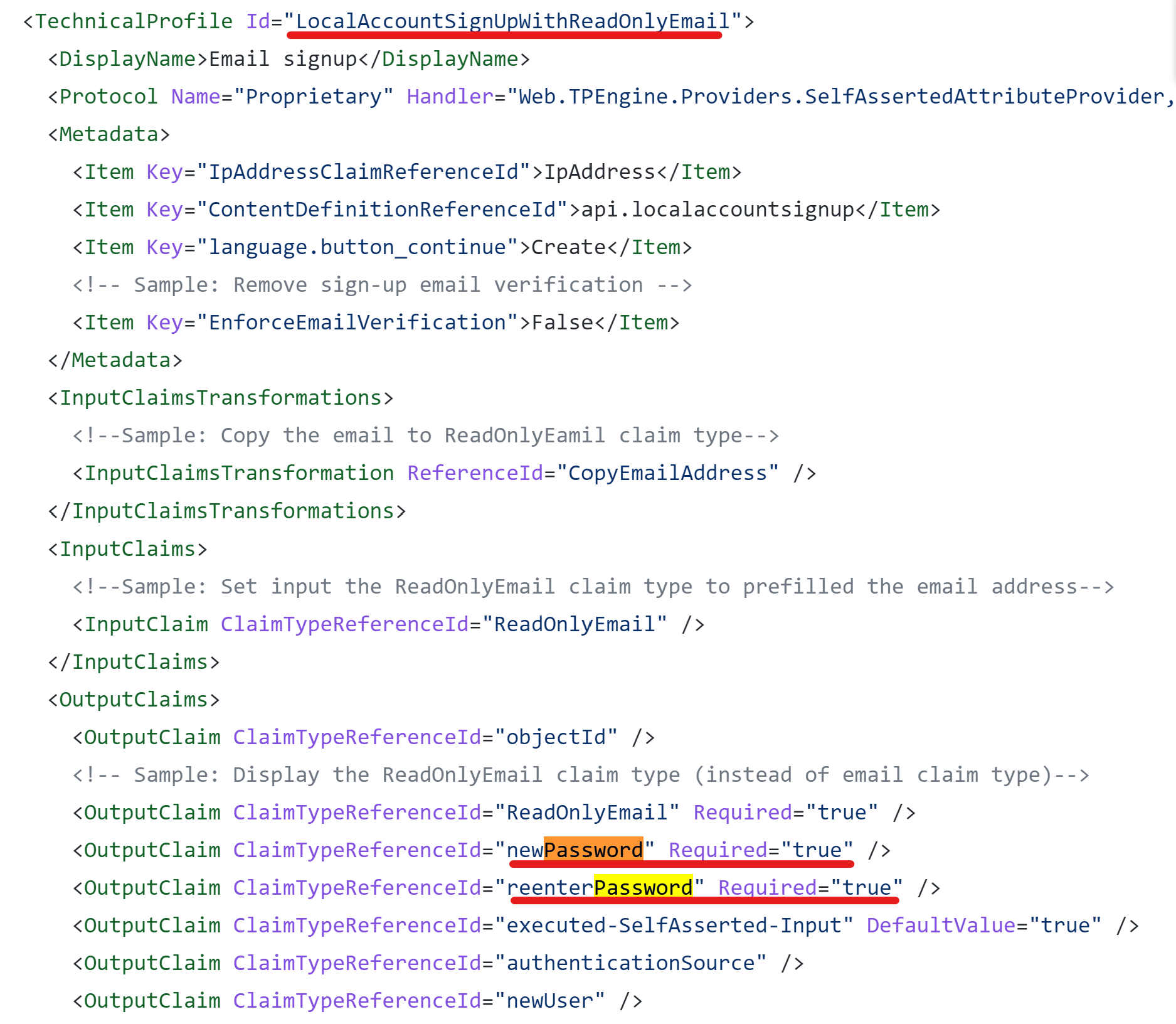
Please do let me know if you have any further queries on this in the comments section.
Thanks,
Akshay Kaushik
Please "Accept the answer", "Upvote" and rate your experience if the suggestion works as per your business need. This will help us and others in the community as well.