Azure Lighthouse
An Azure service that provides secure managed services and access control for partners and customers.
68 questions
This browser is no longer supported.
Upgrade to Microsoft Edge to take advantage of the latest features, security updates, and technical support.
' cx='32' cy='32' r='32' /%3E%3Ctext x='50%25' y='55%25' dominant-baseline='middle' text-anchor='middle' fill='%23FFF' %3ERR%3C/text%3E%3C/svg%3E)
We are trying to set up an integration of Azure AD B2C (a separate directory without a subscription) with a Log Analytics Workspace in another directory with a billable subscription following this documentation as reference.
Whenever running the ARM template in the context of production resource groups we're not being able to list the delegated subscription as we suppose to (despite the fact that the deployment finishes successfully):
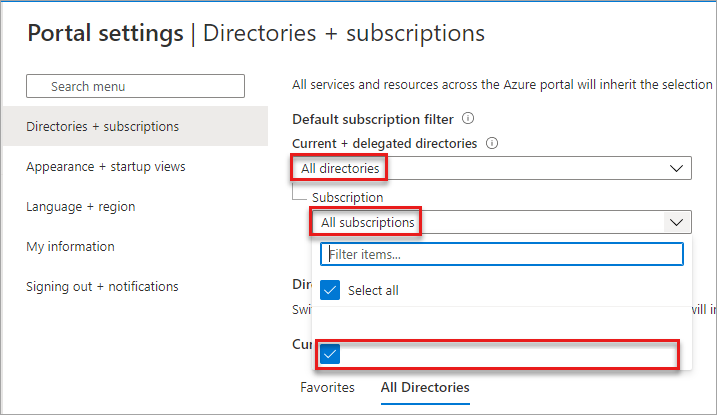
The odd thing is that it works like a charm on dev and test resource groups, which seems to me that it might be a permission-related issue tied to the prod resources.
FWIW, We are using PIM to work on the prod context. Any help is appreciated.
Something I didn't mention is that I have both Global Administrator permission on Azure AD B2C and Subscription Owner permission on the directory with the billable subscription.

Hello @Raphael ramos ,
Thank your for posting your query on Microsoft Q&A. I am reviewing this query and will get back to you with further inputs from identity perspective.
Thanks,
Akshay Kaushik
Thanks for stepping in, Akshay! For what is worth, our team's current assumption is that the issue might be on our production B2C tenant/directory since a new B2C and RG were created and the issue was not experienced. Besides this fact, dev and test are working as well. Looking at the B2C resources we have there's no apparent discrepancy. Essentially they are all quite similar. Please let me know if I should look somewhere else. Another piece of information I just got is that the user running this deployment must be a member and not a guest as I am. However, it does not explain why things work for some scenarios but only in prod, it doesn't.
Hello @Raphael ramos ,
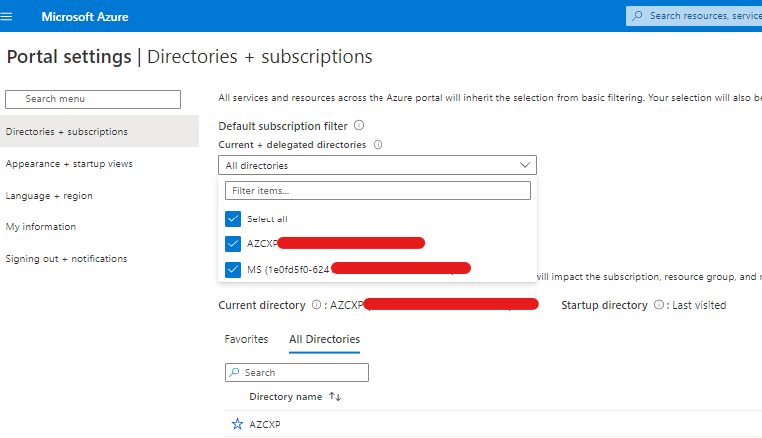
If the issue still persist kindly validate the info published during JSON template deployment: https://learn.microsoft.com/en-gb/azure/active-directory-b2c/azure-monitor#33-create-an-azure-resource-manager-template
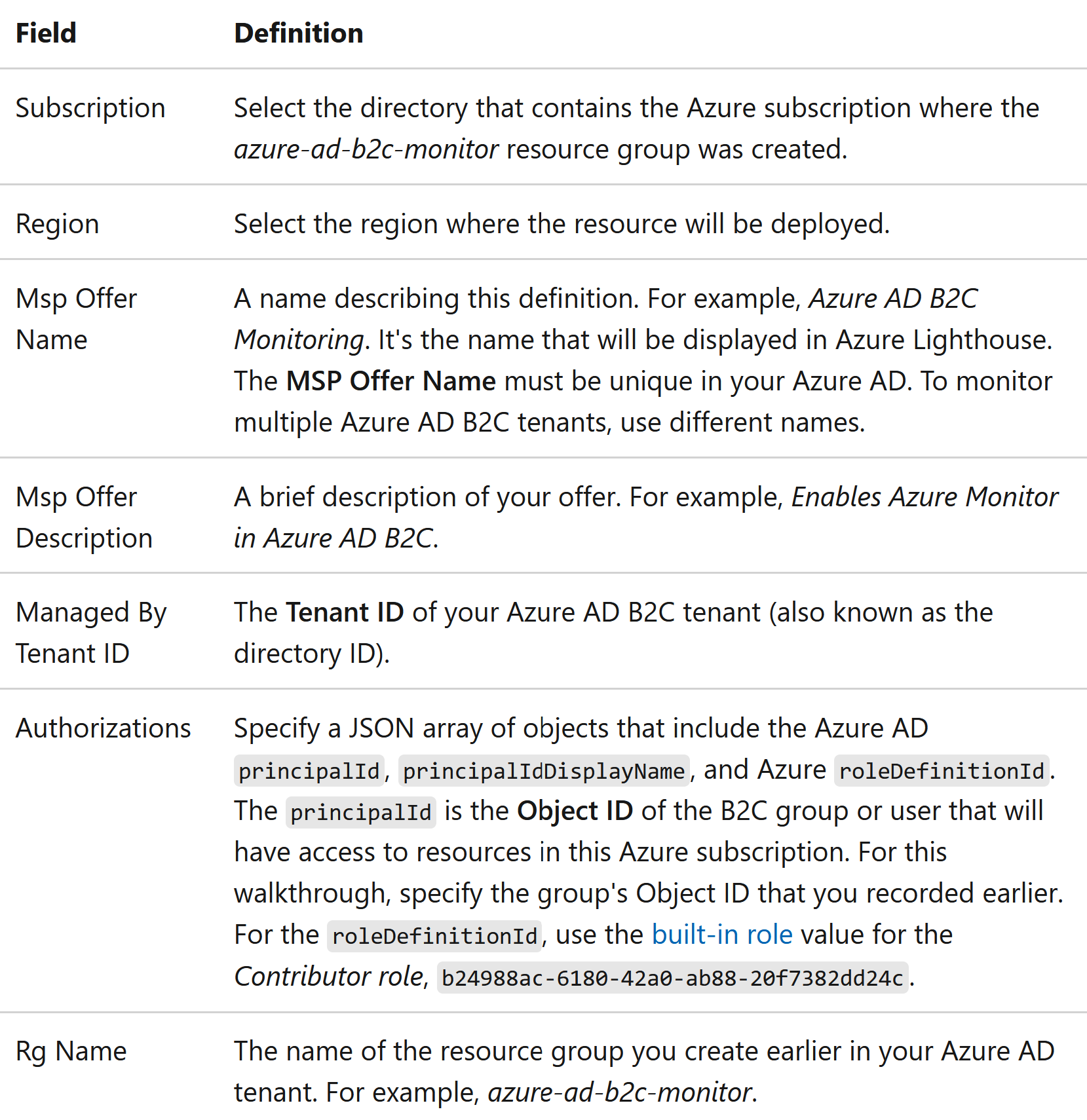
Kindly respond to me as per the private message to you in comments section if the issue still persist. If you have any follow-up query then please do let me know in the comments section.
Thanks,
Akshay Kaushik
Please "Accept the answer", "Upvote" and rate your experience if the suggestion works as per your business need. This will help us and others in the community as well.