Microsoft Security | Microsoft Entra | Microsoft Entra ID
A cloud-based identity and access management service for securing user authentication and resource access

This browser is no longer supported.
Upgrade to Microsoft Edge to take advantage of the latest features, security updates, and technical support.
' cx='32' cy='32' r='32' /%3E%3Ctext x='50%25' y='55%25' dominant-baseline='middle' text-anchor='middle' fill='%23FFF' %3EB%3C/text%3E%3C/svg%3E)
I am developing an integration with Graph API for getting data on users from Azure AD.
As I want to get the last login - and last login activity is not included in the User resource - I am making additional requests to the auditLogs/signIns endpoint and matching the signIns with users. (https://learn.microsoft.com/en-us/graph/api/signin-list?view=graph-rest-1.0&tabs=http)
For a large group of users, there is a huge amount of signIns data from the last 30 days, and the process is taking a long time.
The signIns endpoint does not support the $Select query params, so I am unable to limit the data received to the two fields I need (userPrincipalName and createdDateTime). I also cannot see any way of using the $filter param to only receive the latest signIn per user.
Is there any way of achieving this that I'm not seeing?

Hello @BenediktSnow
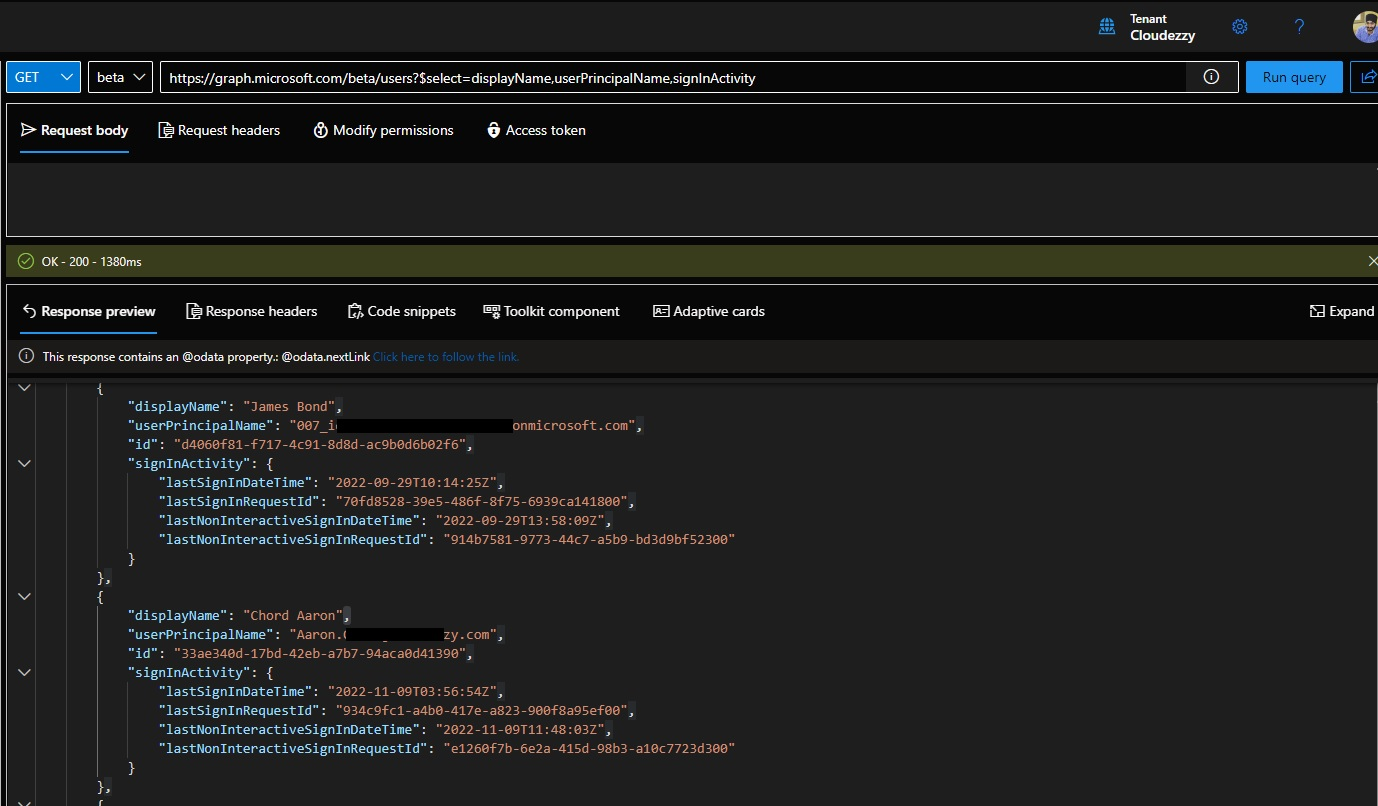
Thank you for reaching out. I would like to confirm we can query last sign-in activity on user using Graph API select parameter, however you would need to use beta version and following query:
GET https://graph.microsoft.com/beta/users?$select=displayName,userPrincipalName,signInActivity
Following is the output screen on Graph explorer which confirms that it returns last login activity of the user:
I hope this helps.
----------
Please "Accept the answer" if the information helped you. This will help us and others in the community as well.

@BenediktSnow
I just wanted to check in and see if you had any other questions or if you were able to resolve this issue?
If you have any other questions, please let me know.
Thank you for your time and patience throughout this issue.
----------
Please remember to "Accept Answer" if any answer/reply helped, so that others in the community facing similar issues can easily find the solution.
Thank you for clarifying the limitations of Graph API V1 as of now.