Azure Databricks
An Apache Spark-based analytics platform optimized for Azure.
This browser is no longer supported.
Upgrade to Microsoft Edge to take advantage of the latest features, security updates, and technical support.
' cx='32' cy='32' r='32' /%3E%3Ctext x='50%25' y='55%25' dominant-baseline='middle' text-anchor='middle' fill='%23FFF' %3ETI%3C/text%3E%3C/svg%3E)
Hello everyone,
I am working on Azure Databricks (premium pricing tier).
I have been working in the "data science & engineering" workspace, with a cluster compute resource, where I can see my data in the data tab, and I can also query it in a notebook. No problems there.
However, I wanted to add an alert. For this, I need to create a query in the SQL environment first.
I have an SQL Warehouse (starter warehouse, type classic, cluster size Small, min 1 max 1 worker).
I try to query a small table (I also have really big tables available). The query keeps running forever. When I click on the query, I see the following information: 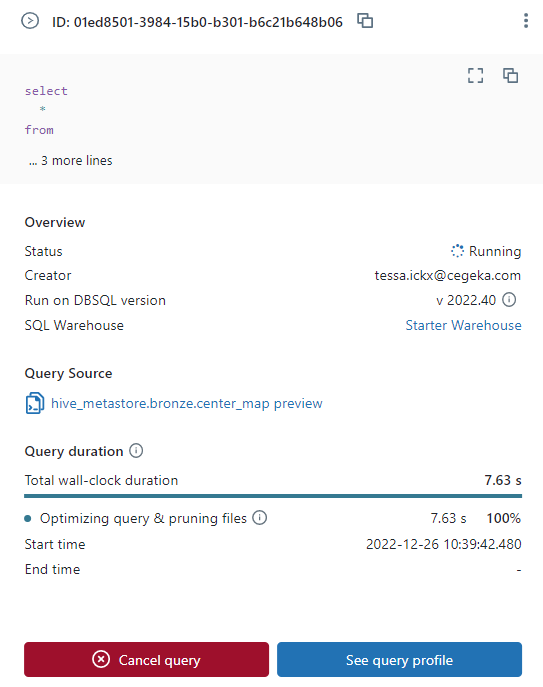 . The query duration is 100% "Optimizing query & pruning files".
In the SQL data explorer, I can see all my tables, I can see the schema's, but the "sample data" tab also does not show anything.
Can someone help me view my data in the Databricks SQL environment? Is there any way I can use my working cluster from the "Data science & engineering" to create the SQL query and alert? Thank you.

Hello @Tessa Ickx ,
Thanks for the question and using MS Q&A platform.
As per the repro from my end, I'm able to see the sample data without any issue:

Once the SQL Warehouses clusters are ready, you can view the data in the Databricks SQL environment without any issue.
Note: For Databricks SQL enironment you need to use the clusters created in SQL Warehouses and you cannot use the clusters from the Data Science & Engineering compute to create the SQL query and alerts.
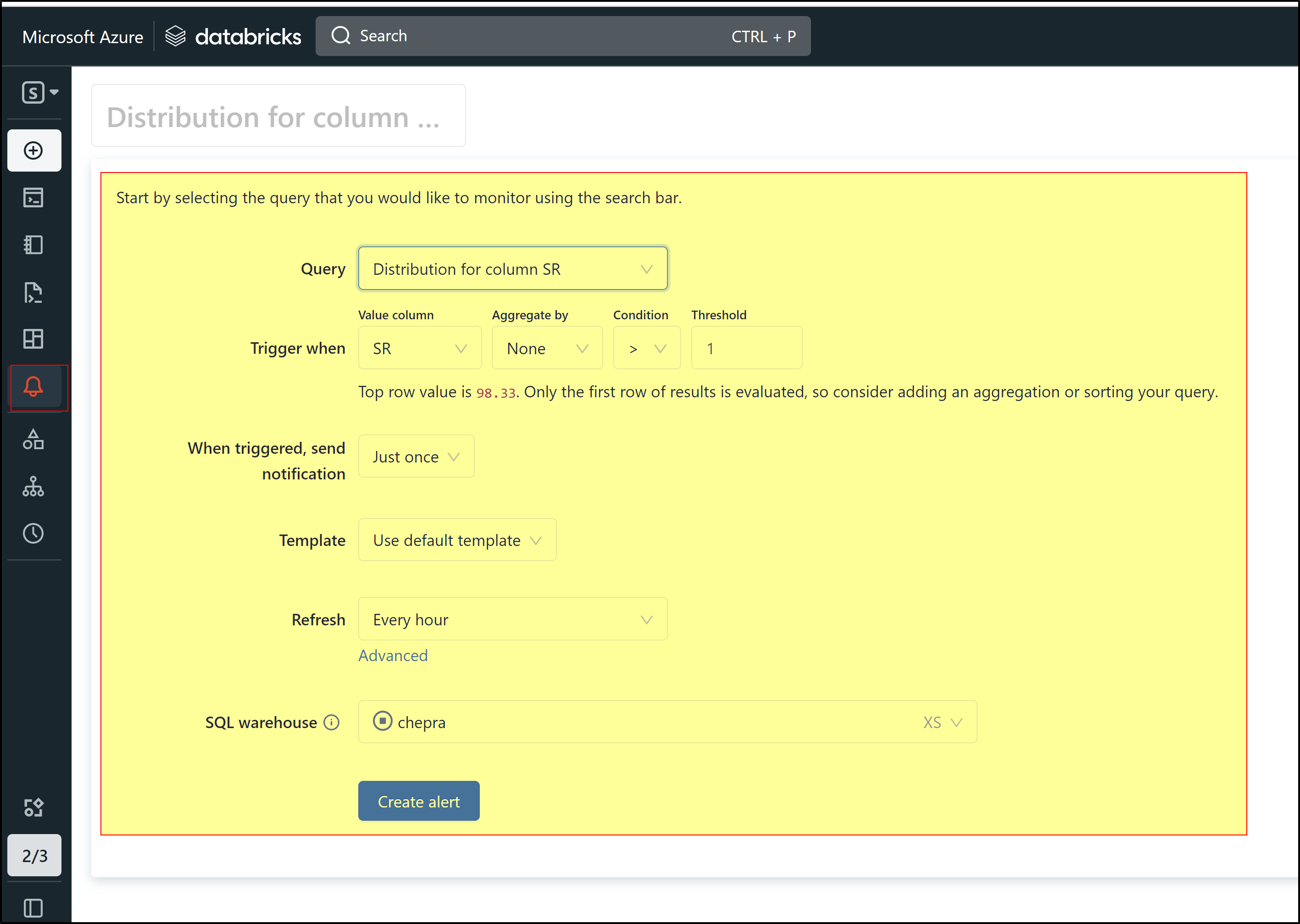
You can create alert based on the query as shown below:
Dashboards, Queries, and Alerts can now be organized and shared alongside existing Workspace content. Newly created DBSQL objects will be stored in your home folder. Learn more.
Hope this will help. Please let us know if any further queries.
------------------------------
 or upvote
  button whenever the information provided helps you. Original posters help the community find answers faster by identifying the correct answer. Here is how
Hello @PRADEEPCHEEKATLA
This does not work. In another repo I have also managed to create alerts like that, but in the repo i'm talking about it does not work.
I do not see data in the "sample data" tab, and I can also not query it.
Hello @Tessa Ickx ,
This issue looks strange. For a deeper investigation and immediate assistance on this issue, if you have a support plan you may file a support ticket
Hello @Tessa Ickx ,
Did you get a chance to open a support ticket?
I did not, I don't think we have a support plan.