Microsoft Security | Microsoft Graph
An API that connects multiple Microsoft services, enabling data access and automation across platforms

This browser is no longer supported.
Upgrade to Microsoft Edge to take advantage of the latest features, security updates, and technical support.
' cx='32' cy='32' r='32' /%3E%3Ctext x='50%25' y='55%25' dominant-baseline='middle' text-anchor='middle' fill='%23FFF' %3ENS%3C/text%3E%3C/svg%3E)
I have built an office Add-in.
My requirement is that we need to reply to an email and draft an Email through my Add-in to the selected conversationId.
For that i need to use Microsoft Graph API as Outlook REST APIs are deprecated.
Can anyone help me in getting token inside my add-in to use microsoft Graph API.
An API that connects multiple Microsoft services, enabling data access and automation across platforms
' cx='32' cy='32' r='32' /%3E%3Ctext x='50%25' y='55%25' dominant-baseline='middle' text-anchor='middle' fill='%23FFF' %3EBK%3C/text%3E%3C/svg%3E)
Hi @Neha Sevlani ,
Hope you are doing good.
I find a sample of building an Office Add-in for Excel that uses the Microsoft Graph API for your reference. It can be used as a reference for your Outlook add-in development
To obtain the access token for Microsoft Graph, you need to register you application in Azure AD, make sure you provide right roles/permissions so that you can get a token. Using the token you can access a protected resource like Microsoft Graph API. You can get started quickly with the documentation on getting tokens and the tutorial on creating a simple application.
The SSO authentication method uses the OAuth2 On-Behalf-Of flow provided by Azure Active Directory, which is also an authentication method using Microsoft Graph. It requires that the add-in register in the Application Registration Portal and specify any required Microsoft Graph scopes in its manifest. Here for your reference: https://learn.microsoft.com/en-us/office/dev/add-ins/outlook/authentication
Hope this helps you.
If the answer is helpful, please click "Accept Answer" and kindly upvote it. If you have extra questions about this answer, please click "Comment".
Hi BhanuKiranMSFT-5847,
Configured the app in azure just like the sample you mentioned above.
And Like you suggested, I attempted On-Behalf-of flow, getting CORS issue.
Reference Link :
https://learn.microsoft.com/en-us/azure/active-directory/develop/v2-oauth2-on-behalf-of-flow
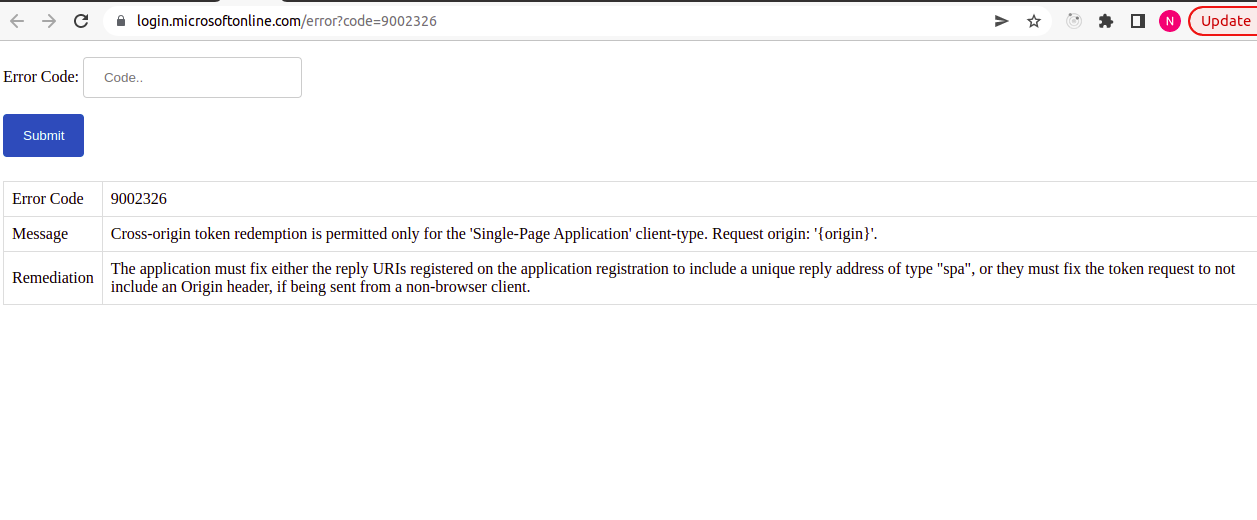
Attached Error received :
Error Code : 50027
Message : JWT token is invalid or malformed.
Remediation : Contact the application owner to fix the JWT their app is creating for authentication. This can occur for a variety of reasons: doesn't contain nonce claim or sub claim, subject identifier mismatch, duplicate claim in idToken claims, unexpected issuer, unexpected audience, not within its valid time range, or a token format issue.
Please help me to fix this