Azure SQL Database
An Azure relational database service.
This browser is no longer supported.
Upgrade to Microsoft Edge to take advantage of the latest features, security updates, and technical support.
' cx='32' cy='32' r='32' /%3E%3Ctext x='50%25' y='55%25' dominant-baseline='middle' text-anchor='middle' fill='%23FFF' %3EME%3C/text%3E%3C/svg%3E)
Hello everybody!
Me and my team are struggling to get to use a database inside the built-in Serverless SQL Pool in Synapse.
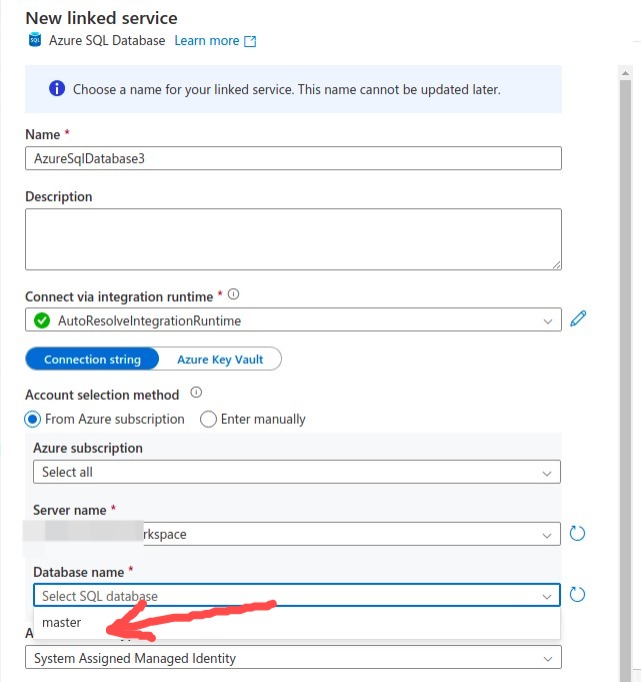
We could create a database manually on Develop (using a script and executing it), but when we want to create a linked service, the only database available for us to choose from the list is master (important: the settings from Account selection method we chose are "From Azure suscription")
How can we create another database (different from master) in order for us to use it in our linked service?
Thanks!
Kind regards,
Mateo

Hello @Mateo Estrada Bazan ,
Following up to see if the below suggestion was helpful. And, if you have any further query do let us know.
------------------------------
 or upvote
  button whenever the information provided helps you.
Try using the following video to guide you creating a new linked service to your Azure SQL Database:
https://www.youtube.com/watch?v=0ZvFP1AI7xg
------------------------------
If this is helpful please accept answer.
Hello! Thank you for your time.
I'm afraid my question remains unanswered. I followed those same steps in the video, but the main problem is that we've created a database manually with a script (and we want to use it), but that new database (i.e., not the "master" one) does not appear between the available options when we create the linked service.
Hello @Mateo Estrada Bazan ,
Thanks for the question and using MS Q&A platfrom.
As per the official document - in order to pass the built-in serverless sql pool you need to
Enter Manuallyserverless SQL pool in Azure Synapse from the Azure portal.
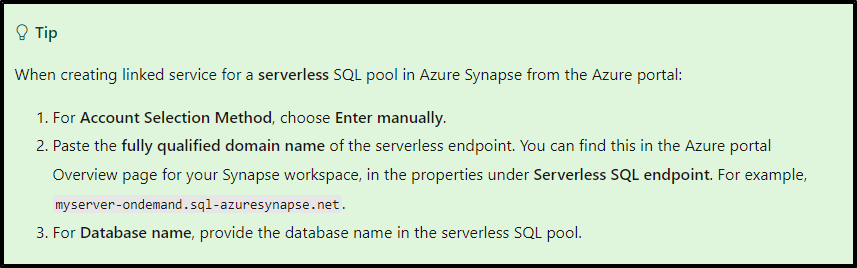
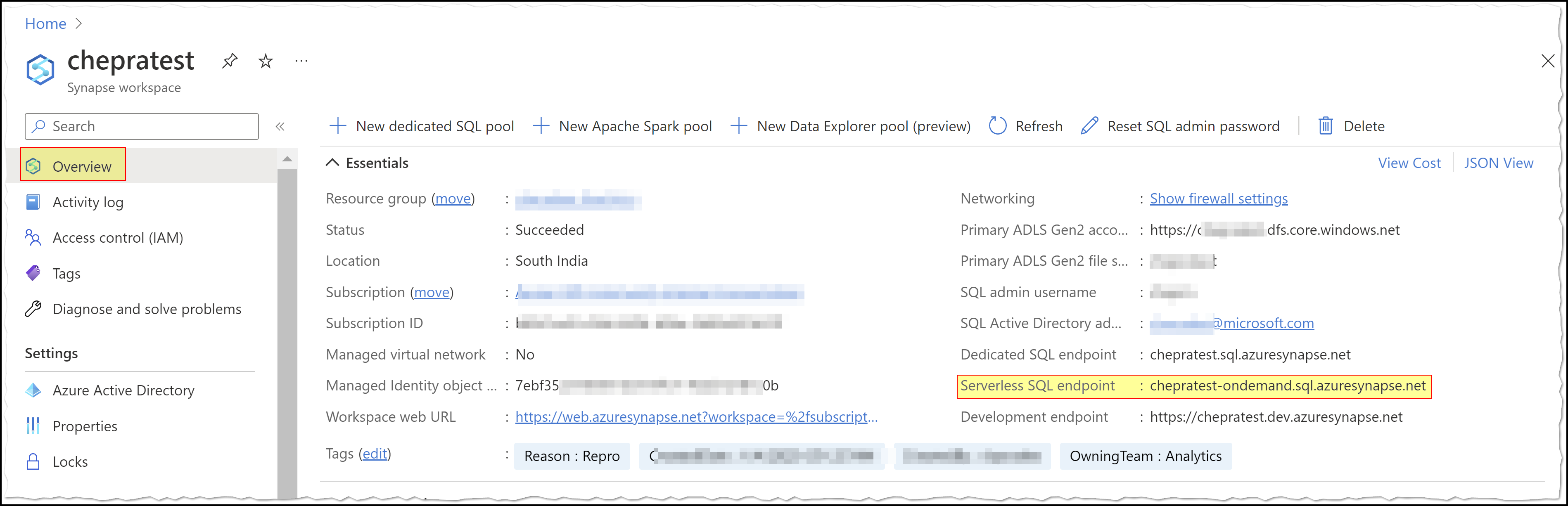
Step1: Get the Serverless SQL endpoint from your synapse workspace as shown below:
Step2: Create a linked service for a serverless SQL pool in Azure Synapse from the Azure portal: by choosing Azure Synapse Analytics and select Enter manually as shown below:
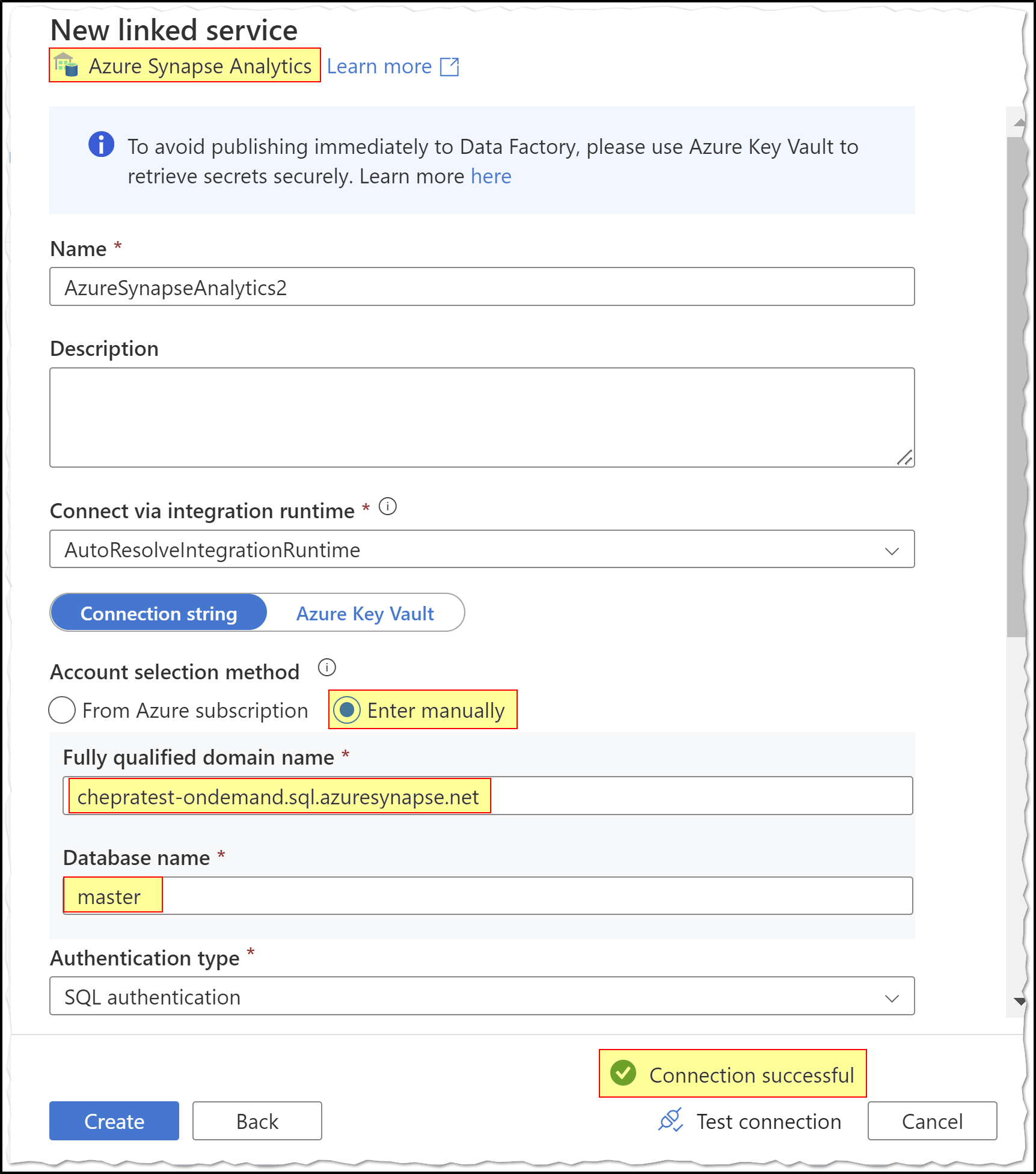
Hope this will help. Please let us know if any further queries.
------------------------------
or upvote button whenever the information provided helps you. Original posters help the community find answers faster by identifying the correct answer. Here is how