Microsoft Security | Intune | Configuration
Setting up and managing device configurations using Intune

This browser is no longer supported.
Upgrade to Microsoft Edge to take advantage of the latest features, security updates, and technical support.
' cx='32' cy='32' r='32' /%3E%3Ctext x='50%25' y='55%25' dominant-baseline='middle' text-anchor='middle' fill='%23FFF' %3EMW%3C/text%3E%3C/svg%3E)
Android Enterprise Fully Managed Devices.
I am trying to configure web links using the Microsoft Launcher.
{
"key": "com.microsoft.launcher.HomeScreen.WebLinks",
"valueBundleArray": [
{
"managedProperty": [
{
"key": "label",
"valueString": "some web page"
},
{
"key": "link",
"valueString": "https://somewebpage.com "
}
]
}
]
},
If I open this web page from Edge it opens fine. If I open it from this link I get melty ice cream "This action is not allowed by your organisation". I'm unsure why this is happening, I guess it must be something in the application protection policy but not sure.
Any ideas on what might cause this ? Thanks
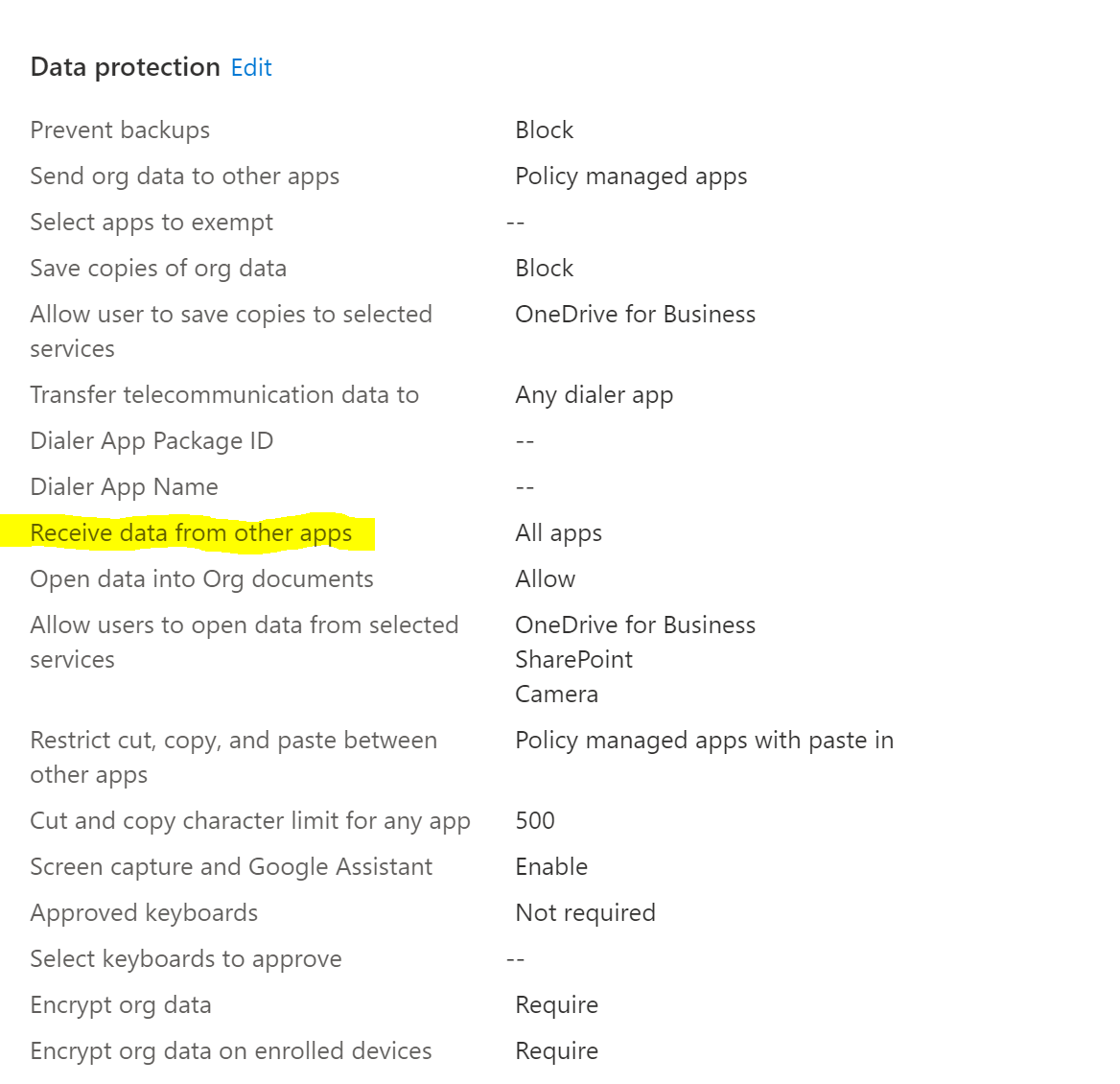
It is the Application Protection Policy that was causing the issue.
Receive data from other apps needed to be set to All Apps in order for weblinks to open in Edge
Hi, So I have a App config profile for microsoft launch configuration which is where the above JSON is configured (com.microsoft.launcher.HomeScreen.WebLinks). I have Chrome and Edge Apps both deployed to the device.
As you correctly state weblinks configured as managed play store apps only work with Chrome browser.
I wanted to use the com.microsoft.launcher.HomeScreen.WebLinks so that the URL can be pinned on the page so the user cannot delete it. But its not working correctly so may have to use a managed playstore weblink in Chrome and manually pin that to the homesceen.
Trying to pin the managed playstore weblink doesn't appear to work e.g com.google.enterprise.webapp.xcbfad9028e5e74fe&hl using this key com.microsoft.launcher.HomeScreen.Applications
Appreciate the help
I am seeing this error when opening Powerapps, using the Microsoft launcher. Is this likely to be a specific application protection policy setting ?
I have
Send data to other apps - "All Apps"
Receive data from other apps - "All Apps"
Restrict web content transfer with other apps "Any App"
' cx='32' cy='32' r='32' /%3E%3Ctext x='50%25' y='55%25' dominant-baseline='middle' text-anchor='middle' fill='%23FFF' %3ECM%3C/text%3E%3C/svg%3E)
I have checked the three settings that you mentioned and the settings are correct. If the Microsoft Launcher app has been added in web link display app in App protection policy, apart from the app protection policy, please also check if there is any Conditional Access policy that restrict web link to open. If all the settings have been checked but still no help, it is highly recommended to create a free online support case to see if there is any valuable evidence via backend logs. Here is the link:
https://learn.microsoft.com/en-us/intune/get-support#help-and-support-experience