how to change connection type of default switch on Hyper-v

knight xu 1 Reputation point
2020-10-15T14:31:04.667+00:00

32660-untitled-picture.pngHi Team,

How to change the connection type of default switch on Hyper-v?
last time, I opened Hyper-v, all virtual machines could access to physical network and go through Google.com.
But this time, I opened one of my virtual machines, I found that

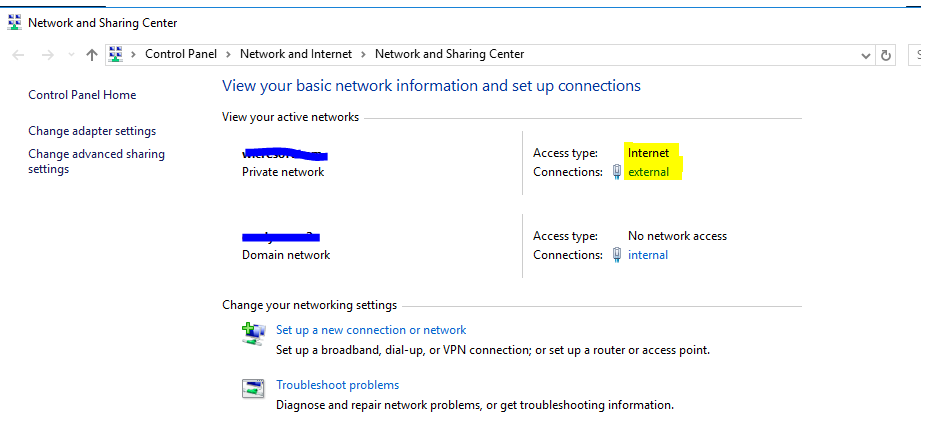
  1. Network shows that "Internet Access", but I could not visit google or any other websites.
  2. Network shows "domain network"
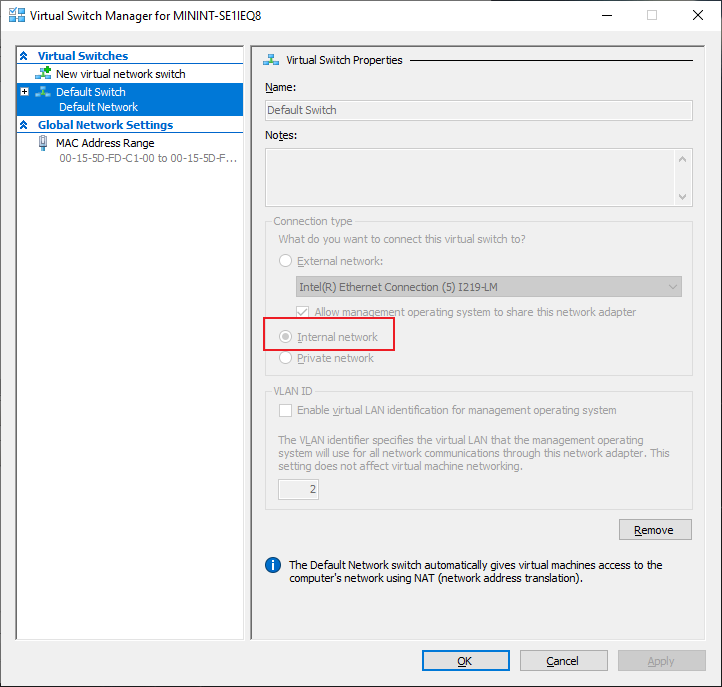
  3. After I check the switch of Hyper-v, the connection has been changed into "Internal". I could make sure that it was "External" last time.
  4. My PC runs Hyper-v with domain joint and VPN enabled.

How could I make the virtual machines on Hyper-v could access the Internet again?

Thank you

Windows for business | Windows Client for IT Pros | Storage high availability | Virtualization and Hyper-V
{count} votes

6 answers

Sort by: Most helpful
  1. Xiaowei He 9,936 Reputation points
    2020-10-19T07:18:33.08+00:00

    Hi,

    On virtual machine, there is no Ethernet tab and Internet adaptor. Please check the pics on my last post.

    According to your screenshot, it seems we have added the external Virtual switch to the VM, then please check the adapter like below:
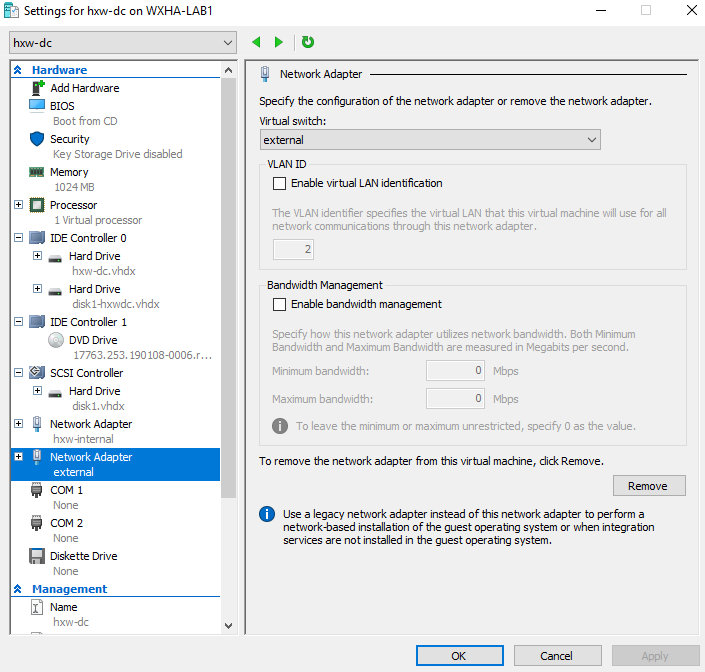
    33235-image.png

    33271-microsoftteams-image-2.png

    33264-image.png

    Thanks for your time!
    Best Regards,
    Anne

    -----------------------------

    If the Answer is helpful, please click "Accept Answer" and upvote it.

    Note: Please follow the steps in our documentation to enable e-mail notifications if you want to receive the related email notification for this thread.


Your answer

Answers can be marked as 'Accepted' by the question author and 'Recommended' by moderators, which helps users know the answer solved the author's problem.