
Ok so I ran a DISM repair against a Server 2019 ISO and rebooted the server and did an SFC scan and it's brought back the control panel settings menu.
This browser is no longer supported.
Upgrade to Microsoft Edge to take advantage of the latest features, security updates, and technical support.
' cx='32' cy='32' r='32' /%3E%3Ctext x='50%25' y='55%25' dominant-baseline='middle' text-anchor='middle' fill='%23FFF' %3EA%3C/text%3E%3C/svg%3E)
Im on a server 2019 std server and i'm trying to edit a group policy but the control panel settings is missing from computer and user. Its the same if I make a new policy. I've tried importing new admin templates to no avail. I've also tried logging in as another user.
Ok so I ran a DISM repair against a Server 2019 ISO and rebooted the server and did an SFC scan and it's brought back the control panel settings menu.
Hi,
Thank you so much for your feedback.
If possible, we could try to ONLY remove "Group Policy Management" feature and then add this feature back. Then check whether it could solve the problem.
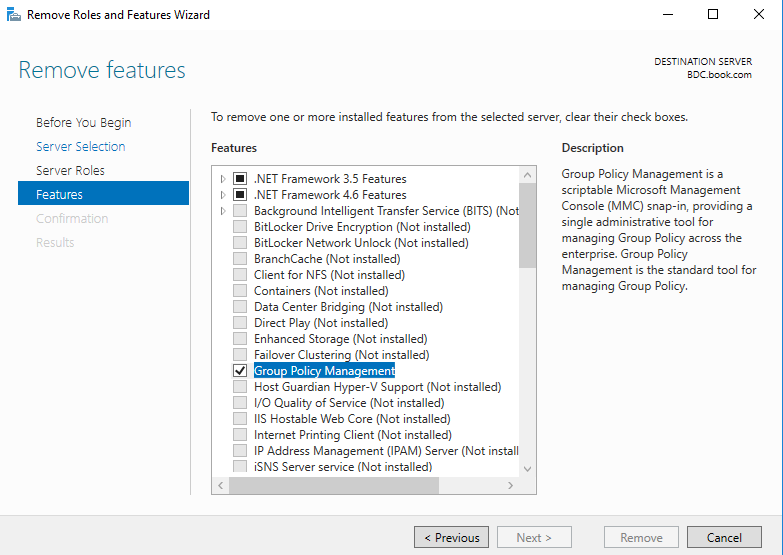
For any question, please feel free to contact us.
Best regards,
Hannah Xiong
============================================
If the Answer is helpful, please click "Accept Answer" and upvote it.
Note: Please follow the steps in our documentation to enable e-mail notifications if you want to receive the related email notification for this thread.