I'm not exactly sure when this occurred, but it was sometime within the last 2 weeks. I am currently on build 22622.586, but I think this happened a few days before that upgrade came in.
When I double click on a .txt file in File Explorer, I get a message saying Windows cannot find 'C:\Users\blah\Desktop\file.txt'. Make sure you've typed the name correctly, then try again." Even though the file is right there, and I am not looking at a shortcut under Recents or anything like that.
Again, if I press WIN+R to get the Run prompt up and type notepad, as I have done for many years, I get Windows cannot find 'C:\Windows\System32\notepad.exe'. Make sure you've typed the name correctly, then try again.
I've searched the web for a resolution, tried installing Windows Notepad from the Microsoft Store, restarting, uninstalling it. If I go into Settings > Apps > Optional Features then I can see "Notepad (system)" is installed, which describes itself as the classic system notepad - the exact one I am after.
When I do have Windows Notepad installed, I click Start and type "notepad", and I can see it as below, but clicking on Notepad does nothing. I can click all day but nothing launches.
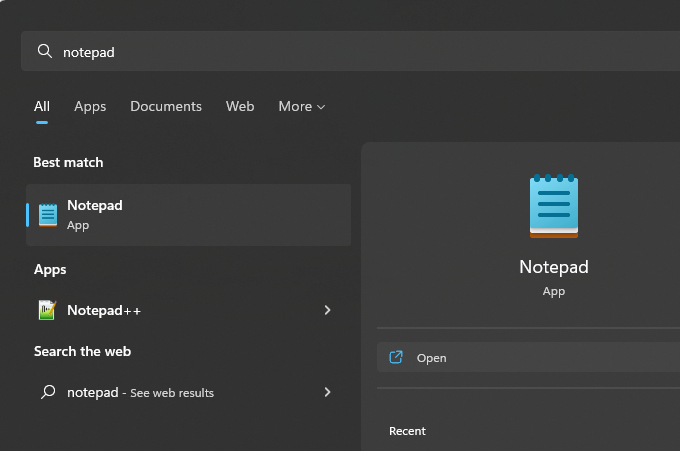
Has anyone ever seen this happen, or know how I can restore the original system notepad?
' cx='32' cy='32' r='32' /%3E%3Ctext x='50%25' y='55%25' dominant-baseline='middle' text-anchor='middle' fill='%23FFF' %3EA%3C/text%3E%3C/svg%3E)