Share via

Kernel-EventTracing error

Anonymous
2017-10-21T22:22:28+00:00

With the update to 1709 (Fall Creators) these errors pop up within minutes after each boot...

Session "Cloud Files Diagnostic Event Listener" failed to start with the following error: 0xC0000022

Session "" failed to start with the following error: 0xC0000022  (two instances)

SFC shows no integrity violations.   CHKDSK is clean.

What is causing these errors, which are likely benign, and what's the remedy?

Windows for home | Windows 10 | Performance and system failures

Locked Question. This question was migrated from the Microsoft Support Community. You can vote on whether it's helpful, but you can't add comments or replies or follow the question.

0 comments No comments

Answer accepted by question author

  1. Anonymous
    2018-01-14T13:22:40+00:00

    Several restarts later and the above issue does now seem to be fixed :)

    This is what fixed it for me...

    On 11th November 2017, Hannu-K stated the following....

    *"*I got rid of it only changing one OneDrive setting. I ensured in Settings tab that the Files On-Demand checkbox is not checked. This was enought for me and id 2 errors disappeared from the event viewer".

    @ Microsoft

    Please fix this ASAP so I can continue to use Files on Demand

    Was this answer helpful?

    70+ people found this answer helpful.
    0 comments No comments

Answer accepted by question author

  1. Anonymous
    2017-11-06T21:07:40+00:00

    This error, and perhaps the "sessions error" at boot as well, seems to be solved by following the procedure here.

    Once the app has been reinstalled type "OneDrive" into the search bar <enter>, log in with your MS account and follow the prompts.

    Was this answer helpful?

    30+ people found this answer helpful.
    0 comments No comments

29 additional answers

Sort by: Most helpful
  1. Anonymous
    2018-01-12T14:26:00+00:00

    Hi Lawrence,

    Thank you for offering to assist me :)

    Looking back through my Event Log I can see these errors have been happening regularly at every 'BOOT' since around 11 November 2017. Since this time I have made only one major change to my system on around 3rd Jan 2018, I moved OneDrive to a new location on another internal drive (Drive:D). I followed a Microsoft guide on how to do this and OneDrive seems to be functioning correctly despite the event errors.

    I did try the above troubleshooting steps on the same day that i posted my first message above and this had no effect. I'm sill getting the same errors.

    I do have a number of errors currently in my event logs which I've been trying to fix but finding the correct method is not easy when searching the web. Many articles are either wrong or out of date. It could be that in my attempts to correct these errors I might have upset something else but I'm usually quite careful about what I change.

    sfc /scannow - found no errors

    DISM /Online /Cleanup-Image /CheckHealth  - Found no errors

    DISM /Online /Cleanup-Image /ScanHealth - Found no errors

    If I might also add, I did install 'Windows 10 Fall Creators Update' on or around 03 November 2017, just prior to when these issues first occured

    Event ID: 2 Appears in two flavours as seen in the below screenshots....
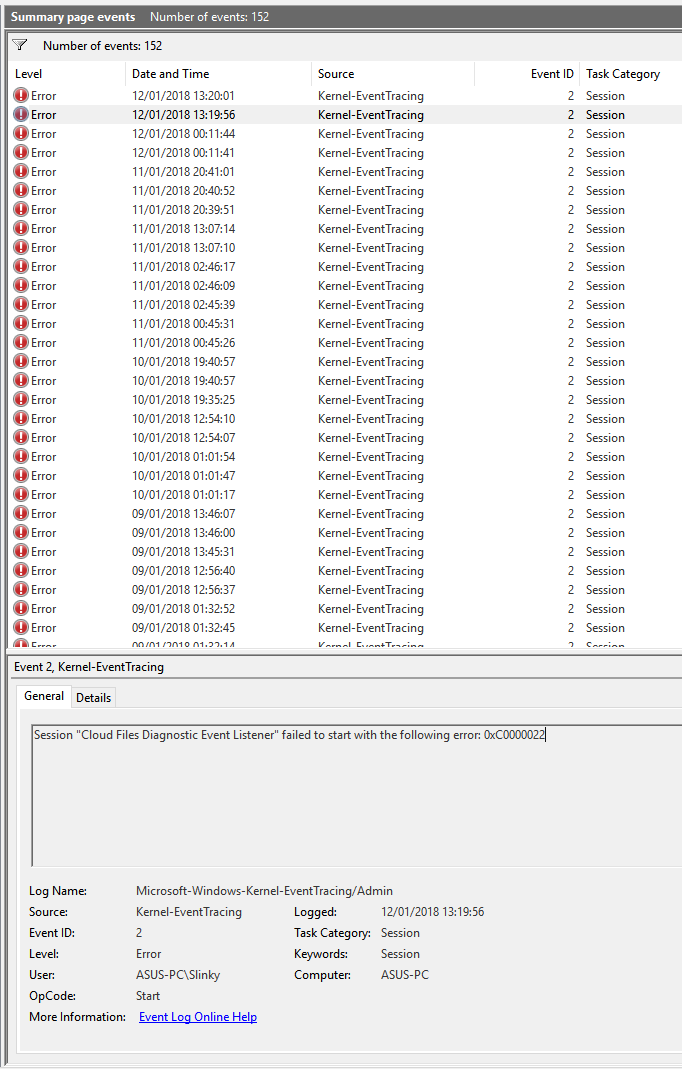
    The second one appears immediatley after the first
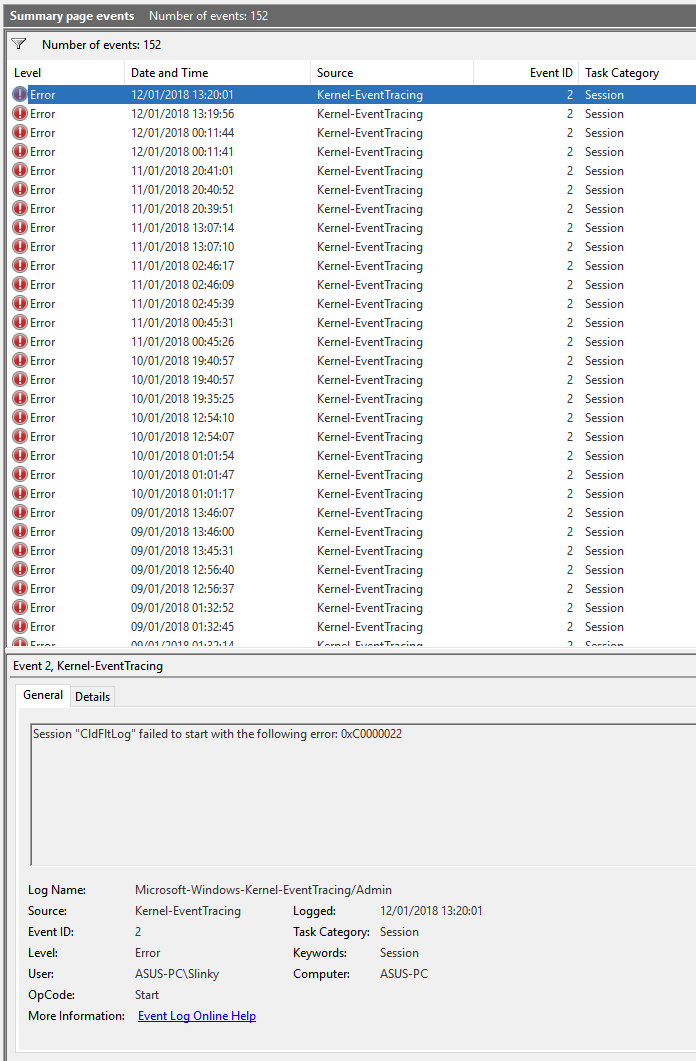
    Was this answer helpful?

    0 comments No comments
  2. Anonymous
    2018-01-12T11:02:41+00:00

    Hi Dr. Slinky,

    We noticed that your post has been idle for quite some time and we would like to know if you are still in need of assistance. If yes, we would like to gather more details for us to determine the appropriate advice to your concern. As such, kindly provide us answers to the following questions:

    • Did you make any changes to your computer prior to this issue?
    • What are the troubleshooting steps that you have tried so far?
    • Is the issue related to a specific program, or is it only when booting up the computer?

    If it is possible, please send us a screenshot of the issue for us to have a better picture of it. Please do not include any personal information (email address, full name, phone number, etc.) for security purposes.

    In the meantime, we suggest that you install the latest updates as this can resolve a lot of Windows issues. You can simply click on the Update now button on this page, to proceed with the process.

    We'll keep an eye out for your response.

    Was this answer helpful?

    0 comments No comments
  3. Anonymous
    2017-11-16T16:55:40+00:00

    Yes,my issue was also resolved ,while I did a refresh your windows option from defender . I have to do that due to sone other issues.

    I think the root cause is onedrive app that is part of ms office, uninstalling that and keeping the one that comes with windows fall Creators update is solving this issues.

    However I still think MS shall fix this app that comes with MS office or replace it with the one that comes with Windows automatically during OS upgrade,so we are spared from this fix.

    This issue wont come to user who dont have any version of onedrive installed before uograde of windows.

    Akhilesh

    Was this answer helpful?

    0 comments No comments
