System Center Orchestrator
A family of System Center products that provide an automation platform for orchestrating and integrating both Microsoft and non-Microsoft IT tools.
This browser is no longer supported.
Upgrade to Microsoft Edge to take advantage of the latest features, security updates, and technical support.
' cx='32' cy='32' r='32' /%3E%3Ctext x='50%25' y='55%25' dominant-baseline='middle' text-anchor='middle' fill='%23FFF' %3EJD%3C/text%3E%3C/svg%3E)
This is a fresh install of Orchestrator 2019. I am running 3 servers total. 1 SQL server running SQL 2016, 1 server running the runbook service and the last server runs the remaining orchestrator services (web, mgmt and designer). I am using a domain service account to run the services. This account has sysadmin to the sql db and is local admin on all the orchestrator servers.
Finally got everything installed and the deployment manager shows the runbook and designer servers listed and all services are running without stopping.
When I open the web portal I am presented with 2 errors:
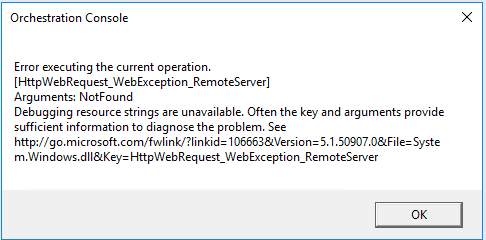
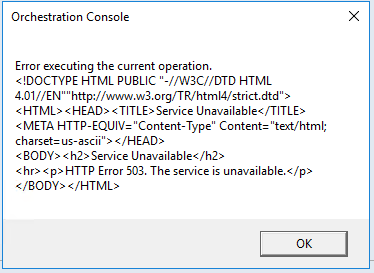
When I try to open the web service portal I am presented with a 403 error Forbidden error.
HTTP Error 403.14 - Forbidden
The Web server is configured to not list the contents of this directory.
I have been searching for a few days and I think the connection strings might be incorrect, but I am not sure. The connection string looks like it is trying to use a local sqlexpress db. I'm not sure if this is by design or not.
Any help is appreciated.

Hi @Justin D ,
I can reproduce this.
Turn off protected mode in IE. Add the FQDN (http://scowebserver.yourdomain.com) to "Local Intranet Sites" in IE. Restart IE und try to acccess http://scowebserver.yourdomain.com:82 again.
Regards,
Stefan
@Stefan Horz I tried to navigate using fqdn instead and the web service requested my login and displayed the xml code
So on that note I tried navigating to the orchestration console using the fqdn and I got different errors:
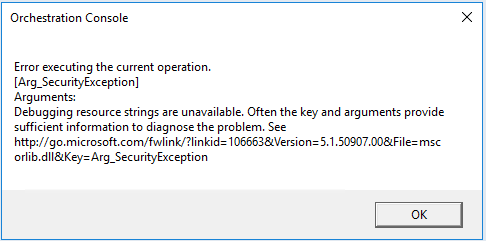
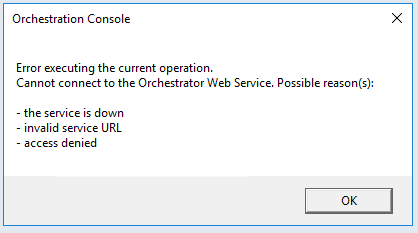
This is very weird since my account does have access to the runbooks folder. Is there another spot I should be adding permissions?
@Stefan Horz Thanks for that. Do you know how to avoid this so I don't have to add to trusted sites for all administrators?
Do you have any suggestions for a end user portal?
Hi @Justin D ,
yes, the Orchestrator Operation Console is NOT optimized for end users. Look at https://au2mator.com/ from Michael Seidl.
Regards
Stefan