I had gotten a new pci adapter today but after installing the new drivers I have gotten the no internet access problem.
Solutions I've tried
1.Network Adapter Troubleshooter
2.Reset the router
3.Reset Windows Sockets API using
netsh winsock reset
netsh int ip reset ipconfig /release ipconfig /renew ipconfig /flushdns
4.Changed from Obtain DNS server address automatically to Googles DNS (8.8.8.8
and 8.8
6.Tried a network reset
7.Uninstalled most recent driver and tried the version that came in the box
8.Disabled antivirus softwares
For some reason i am getting this globe icon
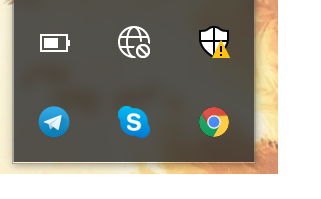
rather than the icon with a yellow exclamation point I've seen other people get with the same problem
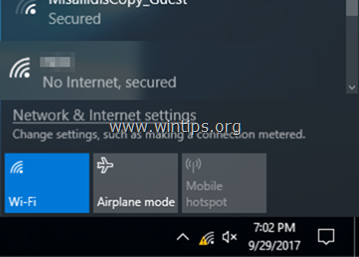
I am using the ASUS PCE-AC88 PCIe Adapter
' cx='32' cy='32' r='32' /%3E%3Ctext x='50%25' y='55%25' dominant-baseline='middle' text-anchor='middle' fill='%23FFF' %3EA%3C/text%3E%3C/svg%3E)
