Hello @HamoudaAlbakri-3924,
Thank you for posting here.
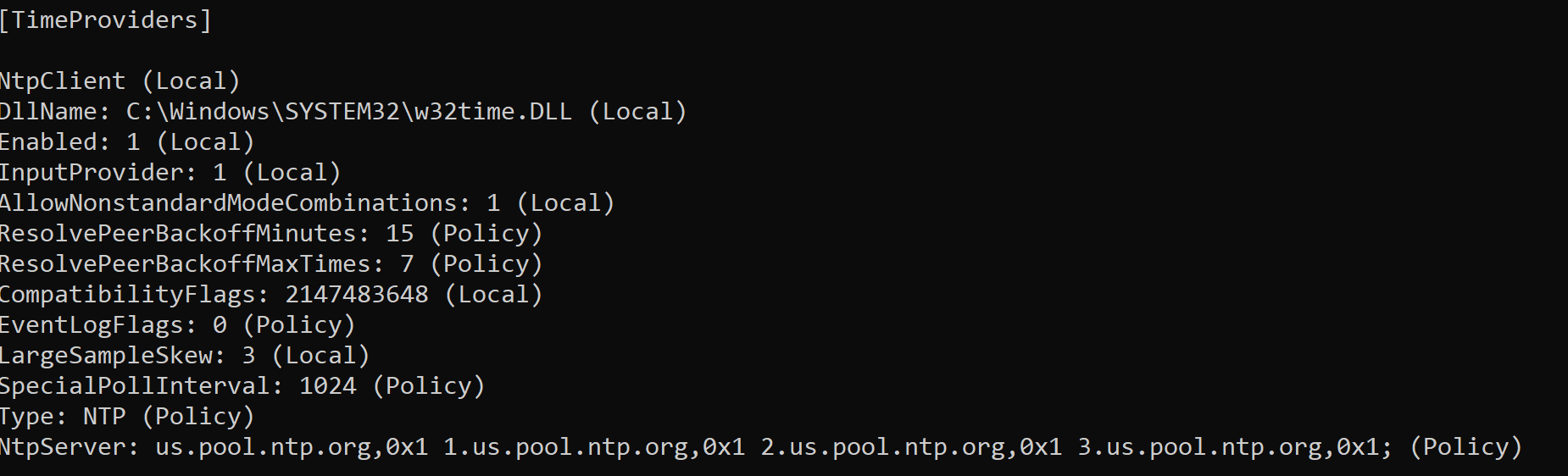
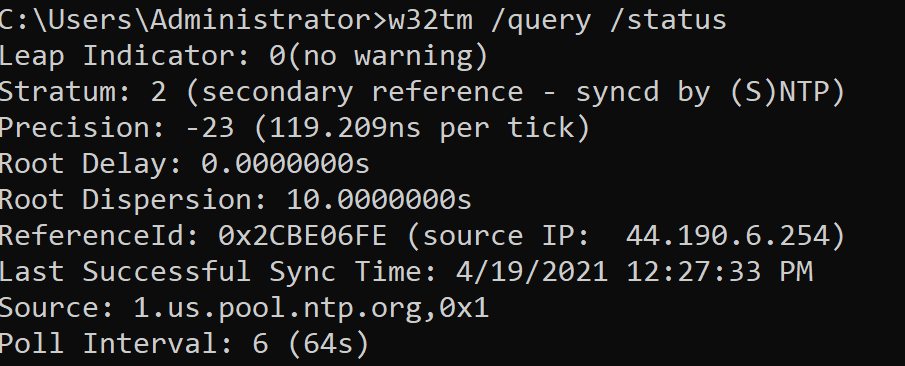
We can configure time synchronization through one of the following methonds.
Menthod 1: configuration via registry
===PDC===
(Because your PDC is a virtual machine, set the first one, but don’t set this one if it’s not a virtual machine.)
HLM\SYSTEM\CurrentControlSet\services\w32time\TimeProviders\VMICTimeProvider
Name: Enabled
Type: REG_DWORD
Data:0
Path: HKEY_LOCAL_MACHINE\SYSTEM\CurrentControlSet\Services\W32Time\Config
Key Name: AnnounceFlags
Type: REG_DWORD (DWORD Value )
Data: 0x5
Path: HKEY_LOCAL_MACHINE\SYSTEM\CurrentControlSet\Services\W32Time\Parameters\Type
Key Name: Type
Type: REG_SZ(String Value)
Data: NTP
Path: HKEY_LOCAL_MACHINE\SYSTEM\CurrentControlSet\Services\W32Time\Parameters
Key Name: NtpServer
Type: REG_SZ(String Value)
Data: Peers (such as time.windows.com,0x9)
HKEY_LOCAL_MACHINE\SYSTEM\CurrentControlSet\Services\W32Time\TimeProviders\NtpServer
Key Name: Enabled
Type: REG_DWORD
Data: 1
===other DCs and clients and member servers===
Path: HKEY_LOCAL_MACHINE\SYSTEM\CurrentControlSet\Services\W32Time\Parameters\Type
Key Name: Type
Type: REG_SZ(String Value)
Data: NT5DS
Path: HKEY_LOCAL_MACHINE\SYSTEM\CurrentControlSet\Services\W32Time\Config
Key Name: AnnounceFlags
Type: REG_DWORD (DWORD Value )
Data: 0xa
Method 2:configuration via GPO
===PDC===
Computer Configuration\Policies\Administration Templates\System\Windows Time Service\Time Providers\Enable Windows NTP Client
Computer Configuration\Policies\Administration Templates\System\Windows Time Service\Time Providers\Configure Windows NTP Client==>configure as “NTP”
===other DCs and clients and member servers===
Computer Configuration\Policies\Administration Templates\System\Windows Time Service\Time Providers\Configure Windows NTP Client==> configure as "NT5DS"
Tips:
- Make sure that the UDP port 123 is open.
- Be able to ping the external NTP time server.
References:
https://social.technet.microsoft.com/wiki/contents/articles/18573.time-synchronization-in-active-directory-forests.aspx
https://learn.microsoft.com/en-us/previous-versions/windows/it-pro/windows-server-2003/cc773013(v=ws.10)?redirectedfrom=MSDN
https://learn.microsoft.com/zh-cn/archive/blogs/nepapfe/its-simple-time-configuration-in-active-directory
Hope the information above is helpful.
Should you have any question or concern, please feel free to let us know.
Best Regards,
Daisy Zhou
' cx='32' cy='32' r='32' /%3E%3Ctext x='50%25' y='55%25' dominant-baseline='middle' text-anchor='middle' fill='%23FFF' %3EH%3C/text%3E%3C/svg%3E)

' cx='32' cy='32' r='32' /%3E%3Ctext x='50%25' y='55%25' dominant-baseline='middle' text-anchor='middle' fill='%23FFF' %3EA%3C/text%3E%3C/svg%3E)