
20,213 questions
This browser is no longer supported.
Upgrade to Microsoft Edge to take advantage of the latest features, security updates, and technical support.
' cx='32' cy='32' r='32' /%3E%3Ctext x='50%25' y='55%25' dominant-baseline='middle' text-anchor='middle' fill='%23FFF' %3ERK%3C/text%3E%3C/svg%3E)
Hi,
I am getting this error while downloading the patches. Patches are not getting downloaded.
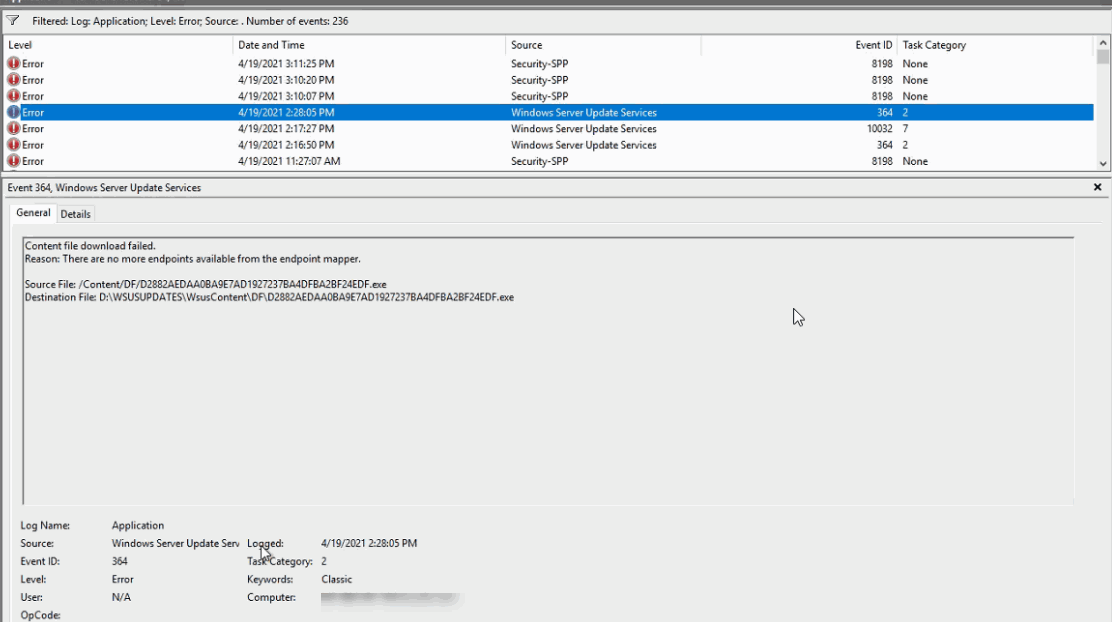
Any Clue!!
Regards
Rajaniesh
' cx='32' cy='32' r='32' /%3E%3Ctext x='50%25' y='55%25' dominant-baseline='middle' text-anchor='middle' fill='%23FFF' %3ERH%3C/text%3E%3C/svg%3E)
@Anonymous
Here is a update of the case. I review the information you provided above. It seems that the metadata have been corrupted. I found that the downloaded updates are all .exe files in the software distribution log in your environment:

However, the updates files are all .cab in my environment:

The .cab files are Binary update files which are used to be installed on the clients.
Please help to confirm the followings first:
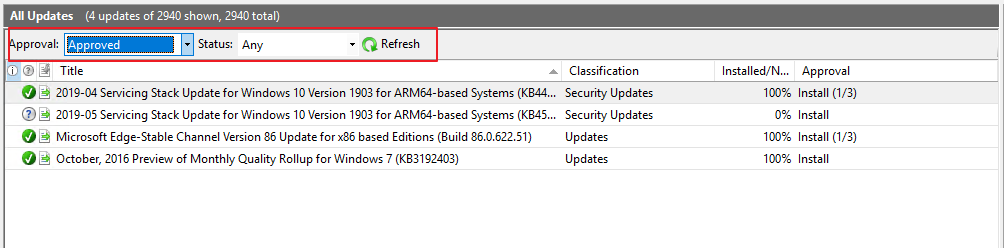
Change the Approved updates to Not Approved
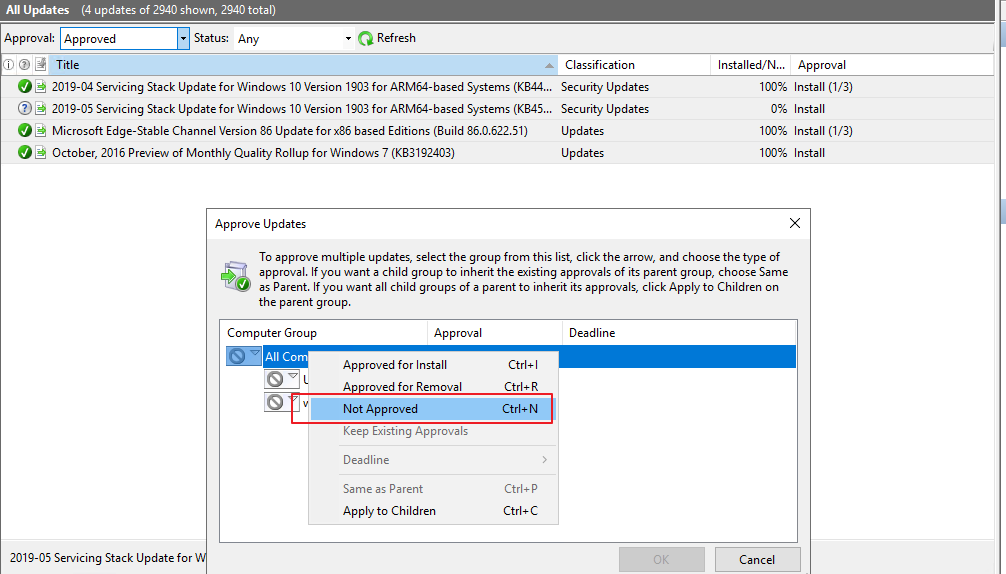
3. Please consider running the wsusutil.exe reset command on the WSUS server to reset the metadata.
Open the CMD as an administrator and then navigate to wsusutil.exe tool. Last post the wsusutil.exe reset command to reset the metadata.
4. Please consider approving the needed updates again.
Hope the above will be helpful.
Regards,
Rita
If the response is helpful, please click "Accept Answer" and upvote it.
Note: Please follow the steps in our documentation to enable e-mail notifications if you want to receive the related email notification for this thread.
Hello Rajaniesh,
Thanks for your posting on Q&A.
I found a related link and it seems that the issue is more related with Firewall. Please try to start the Windows Firewall service if you haven't before on the WSUS server.
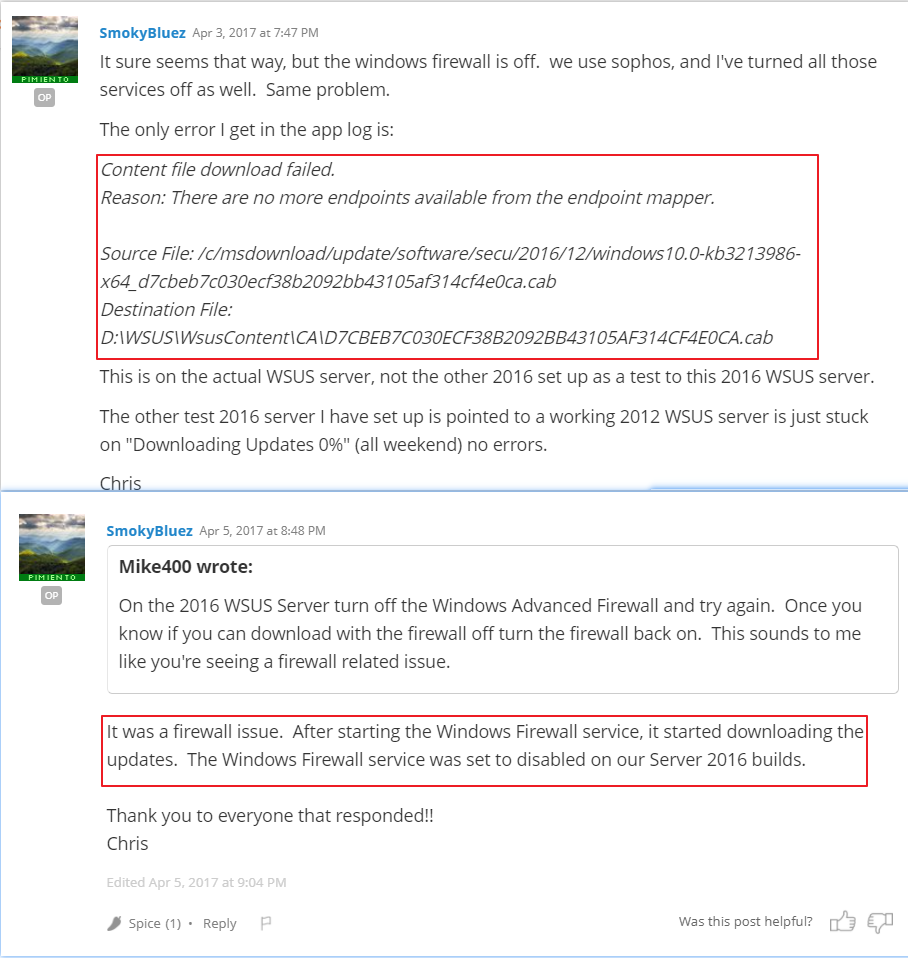
Note that the link is not from Microsoft, just for your reference.
Hope the above will be helpful. Have a nice day.
Rita
If the response is helpful, please click "Accept Answer" and upvote it.
Note: Please follow the steps in our documentation to enable e-mail notifications if you want to receive the related email notification for this thread.
I disabled the firewall to check because when it was enabled it was not working
Hi,
I have disable and enabled the firewall but it did not help
Regards
Rajaniesh
Hello Rajaniesh,
Thanks for your feedback.
What is the OS platform of your WSUS Server? Is a standalone WSUS Server or a downstream WSUS server?
Regards,
Rita
It is downstream server and connectivity is working fine. It is windiws 2019 data center edition
Is it a autonomous mode WSUS server or a replica mode WSUS server?
Run the WSUS Server Configuration Wizard again on the downstream WSUS server and sync from the upstream WSUS Server to see whether this issue will be resolved or not.
Reference picture:

It is Autonomous mode
You approved the updates on the downstream WSUS server and the error occurred. Right?
Running the WSUS Server Configuration Wizard isn't helpful. Right?
Have you tried to approve the other updates on the download WSUS server and confirm whether this issue appear or not?