
Hi,
try using:
Register-PSRepository -Default
it will simply register the PSGalery.
This browser is no longer supported.
Upgrade to Microsoft Edge to take advantage of the latest features, security updates, and technical support.
' cx='32' cy='32' r='32' /%3E%3Ctext x='50%25' y='55%25' dominant-baseline='middle' text-anchor='middle' fill='%23FFF' %3EMK%3C/text%3E%3C/svg%3E)
Hello,
I have an issue with installing new module on windows 2016.
What I already found and applied:
[Net.ServicePointManager]::SecurityProtocol = [Net.SecurityProtocolType]::Tls12

[system.net.webrequest]::defaultwebproxy = new-object system.net.webproxy('http://proxyXXXXXXX.com:8080')
[system.net.webrequest]::defaultwebproxy.credentials =  [System.Net.CredentialCache]::DefaultNetworkCredentials
[system.net.webrequest]::defaultwebproxy.BypassProxyOnLocal = $true

Set-ItemProperty -Path 'HKLM:\SOFTWARE\Wow6432Node\Microsoft\.NetFramework\v4.0.30319' -Name 'SchUseStrongCrypto' -Value '1' -Type DWord
set strong cryptography on 32 bit .Net Framework (version 4 and above)
Set-ItemProperty -Path 'HKLM:\SOFTWARE\Microsoft\.NetFramework\v4.0.30319' -Name 'SchUseStrongCrypto' -Value '1' -Type DWord
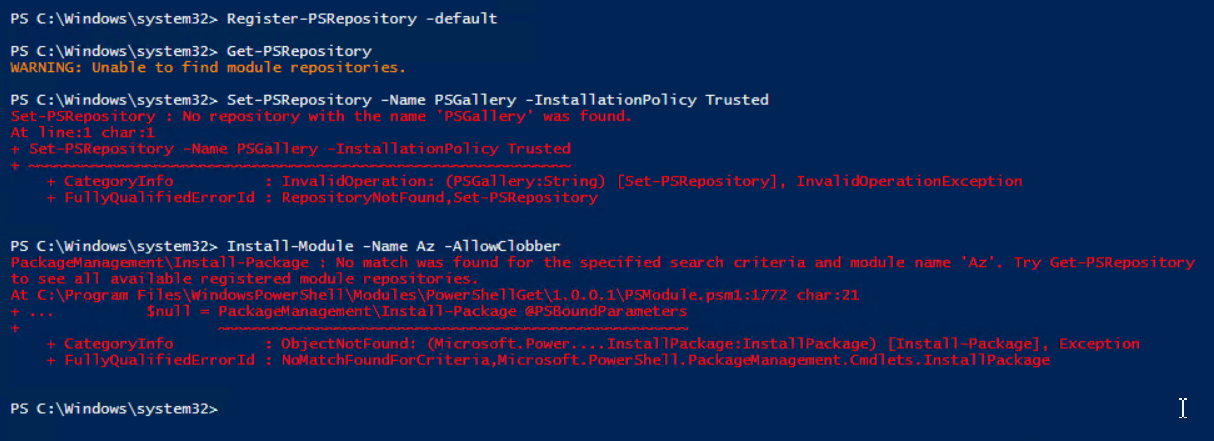
Nothing helps I still don't see the repository set:
' cx='32' cy='32' r='32' /%3E%3Ctext x='50%25' y='55%25' dominant-baseline='middle' text-anchor='middle' fill='%23FFF' %3EMC%3C/text%3E%3C/svg%3E)
Hi,
try using:
Register-PSRepository -Default
it will simply register the PSGalery.