SQL Server Reporting Services
A SQL Server technology that supports the creation, management, and delivery of both traditional, paper-oriented reports and interactive, web-based reports.
This browser is no longer supported.
Upgrade to Microsoft Edge to take advantage of the latest features, security updates, and technical support.
' cx='32' cy='32' r='32' /%3E%3Ctext x='50%25' y='55%25' dominant-baseline='middle' text-anchor='middle' fill='%23FFF' %3EAN%3C/text%3E%3C/svg%3E)
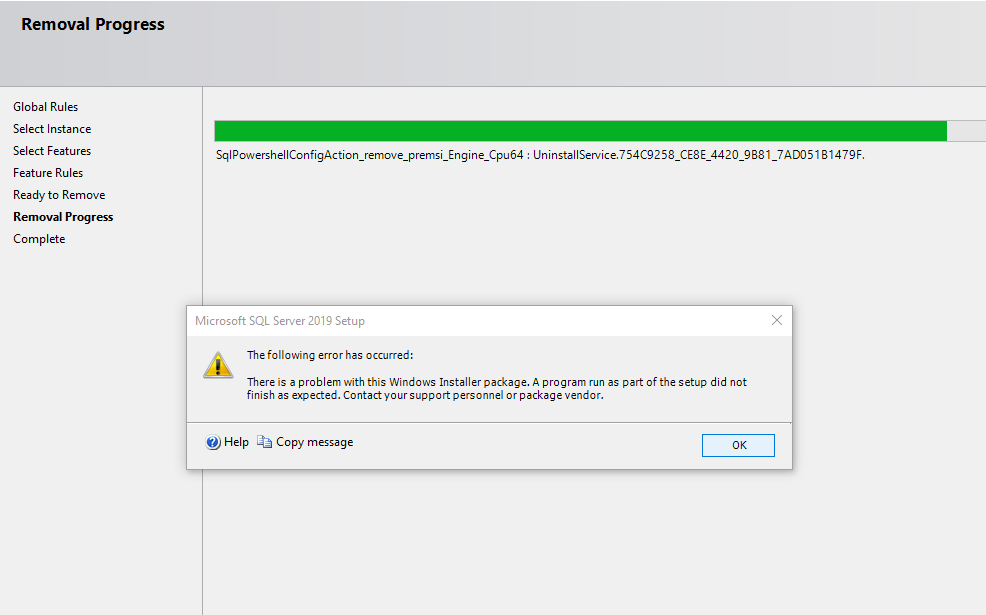
Due to some connectivity issue with the sql server, I tried to uninstall and re-install sql server2019. But when i tried to uninstall it from settings>>apps>>apps and features>> Microsoft sql server 2019(64 bit)>> uninstall... it was unsuccessful and it threw an error. I have attached the snapshot of the error and below is the log summary . kindly help me to solve the issue.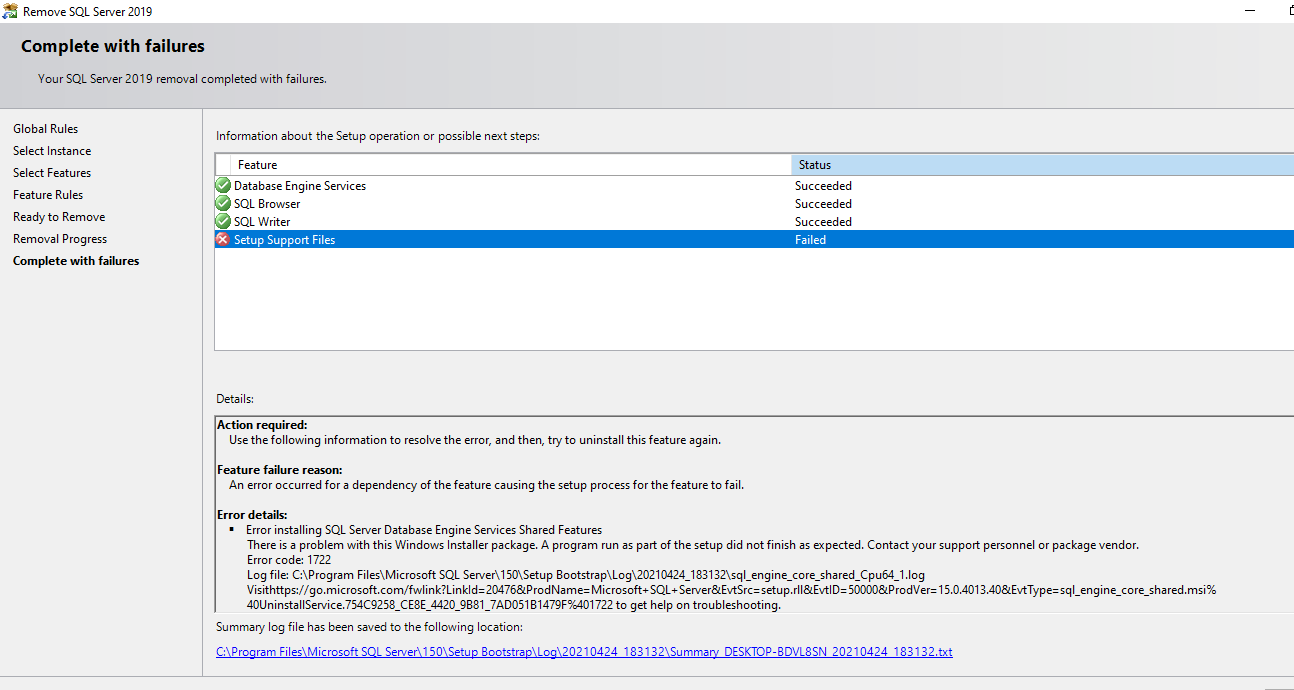
Overall summary:
Final result: Failed: see details below
Exit code (Decimal): -2068052294
Start time: 2021-04-24 18:31:33
End time: 2021-04-24 18:36:31
Requested action: Uninstall
Setup completed with required actions for features.
Troubleshooting information for those features:
Next step for ComponentUpdate: Use the following information to resolve the error, and then, try to uninstall this feature again.
Machine Properties:
Machine name: DESKTOP-BDVL8SN
Machine processor count: 4
OS version: Microsoft Windows 10 Pro (10.0.19042)
OS service pack:
OS region: United States
OS language: English (United States)
OS architecture: x64
Process architecture: 64 Bit
OS clustered: No
Product features discovered:
Product Instance Instance ID Feature Language Edition Version Clustered Configured
SQL Server 2019 MSSQLSERVER MSSQL15.MSSQLSERVER Database Engine Services 1033 Developer Edition 15.0.2000.5 No Yes
Package properties:
Description: Microsoft SQL Server 2019
ProductName: SQL Server 2019
Type: RTM
Version: 15
SPLevel: 0
Installation edition: Developer
User Input Settings:
ACTION: Uninstall
CONFIGURATIONFILE: C:\Program Files\Microsoft SQL Server\150\Setup Bootstrap\Log\20210424_183132\ConfigurationFile.ini
ENU: true
FEATURES: SQLENGINE, BROWSER, WRITER
HELP: false
IACCEPTPYTHONLICENSETERMS: false
IACCEPTROPENLICENSETERMS: false
IACKNOWLEDGEENTCALLIMITS: false
INDICATEPROGRESS: false
INSTANCEID: <empty>
INSTANCENAME: MSSQLSERVER
MRCACHEDIRECTORY:
QUIET: false
QUIETSIMPLE: false
SUPPRESSPAIDEDITIONNOTICE: false
SUPPRESSPRIVACYSTATEMENTNOTICE: false
UIMODE: Normal
X86: false
Configuration file: C:\Program Files\Microsoft SQL Server\150\Setup Bootstrap\Log\20210424_183132\ConfigurationFile.ini
Detailed results:
Feature: Database Engine Services
Status: Passed
Feature: SQL Browser
Status: Passed
Feature: SQL Writer
Status: Passed
Feature: Setup Support Files
Status: Failed
Reason for failure: An error occurred for a dependency of the feature causing the setup process for the feature to fail.
Next Step: Use the following information to resolve the error, and then, try to uninstall this feature again.
Component name: SQL Server Database Engine Services Shared Features
Component error code: 1722
Component log file: C:\Program Files\Microsoft SQL Server\150\Setup Bootstrap\Log\20210424_183132\sql_engine_core_shared_Cpu64_1.log
Error description: There is a problem with this Windows Installer package. A program run as part of the setup did not finish as expected. Contact your support personnel or package vendor.
Error help link: https://go.microsoft.com/fwlink?LinkId=20476&ProdName=Microsoft+SQL+Server&EvtSrc=setup.rll&EvtID=50000&ProdVer=15.0.4013.40&EvtType=sql_engine_core_shared.msi%40UninstallService.754C9258_CE8E_4420_9B81_7AD051B1479F%401722
Rules with failures or warnings:
Rules report file: C:\Program Files\Microsoft SQL Server\150\Setup Bootstrap\Log\20210424_183132\SystemConfigurationCheck_Report.htm

Hi @Akash Nath , we have not get a reply from you. Did any answers could help you? If there has an answer helped, please do "Accept Answer". If not, please let us know. By doing so, it will benefit for community members who have this similar issue. Your contribution is highly appreciated. Thank you!
sorry about that but i am not that of a technical person.. so i am not able to follow the steps you suggested. i'll get back to you once i figure it out.
' cx='32' cy='32' r='32' /%3E%3Ctext x='50%25' y='55%25' dominant-baseline='middle' text-anchor='middle' fill='%23FFF' %3EAP%3C/text%3E%3C/svg%3E)
Hi @CarrinWu-MSFT 
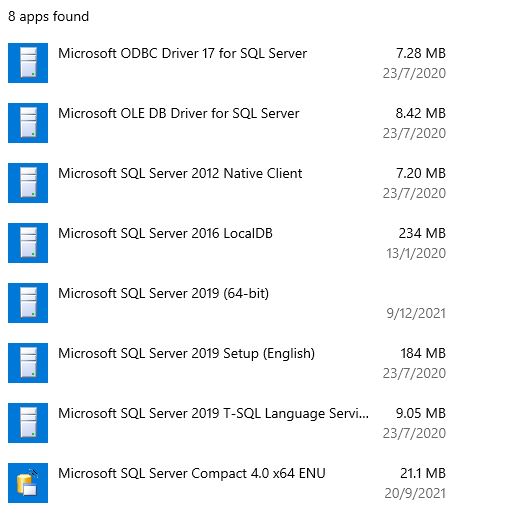
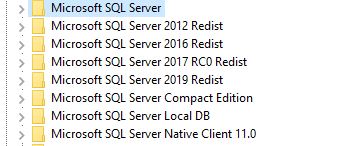 . I run into the same issue when trying to uninstall SQL Server 2019. When checking user removal instructions I found that I have several KEYS in the Registry. Follows screen shots of SQL Related KEYS in the Registry, SQL related APP and Features in Settings and SQL related folders in Windows\Program Files. I will appreciate if you could indicate which Registry Keys should be deleted, which APP programs should be deleted and which folders should be renamed/deleted
Thank you
' cx='32' cy='32' r='32' /%3E%3Ctext x='50%25' y='55%25' dominant-baseline='middle' text-anchor='middle' fill='%23FFF' %3ECP%3C/text%3E%3C/svg%3E)
Here are the steps to follow:
couple of entries in the Registry (I don't delete them, but it's up to you what you want to do with them).
Installed Apps" section in Windows:
       - `Microsoft SQL Server 2019 (64-bit)`

             - `Microsoft SQL Server 2019 Setup`
Uninstall**."User Account Control a dialogue box asking "Do you want to allow this app to make changes to your device?".
Don't click on "Yes" or "No."Show More Details."C:\Windows\Installer\SomeWeirdName.msi."SomeWeirdName.msi file. This will remove the remaining SQL Server components.Hope I was able to answer your question.