Are you wanting additional folders under This PC? How many? Have you already re-purposed
3D Objects?
No.
I wanted to create a new System Folder that would show up visually like Documents, Pictures, Music, etc...
First of all, right-click the Picures folder under This PC, select
Properties, then the Location tab. That will tell you the file system location the folder points to.
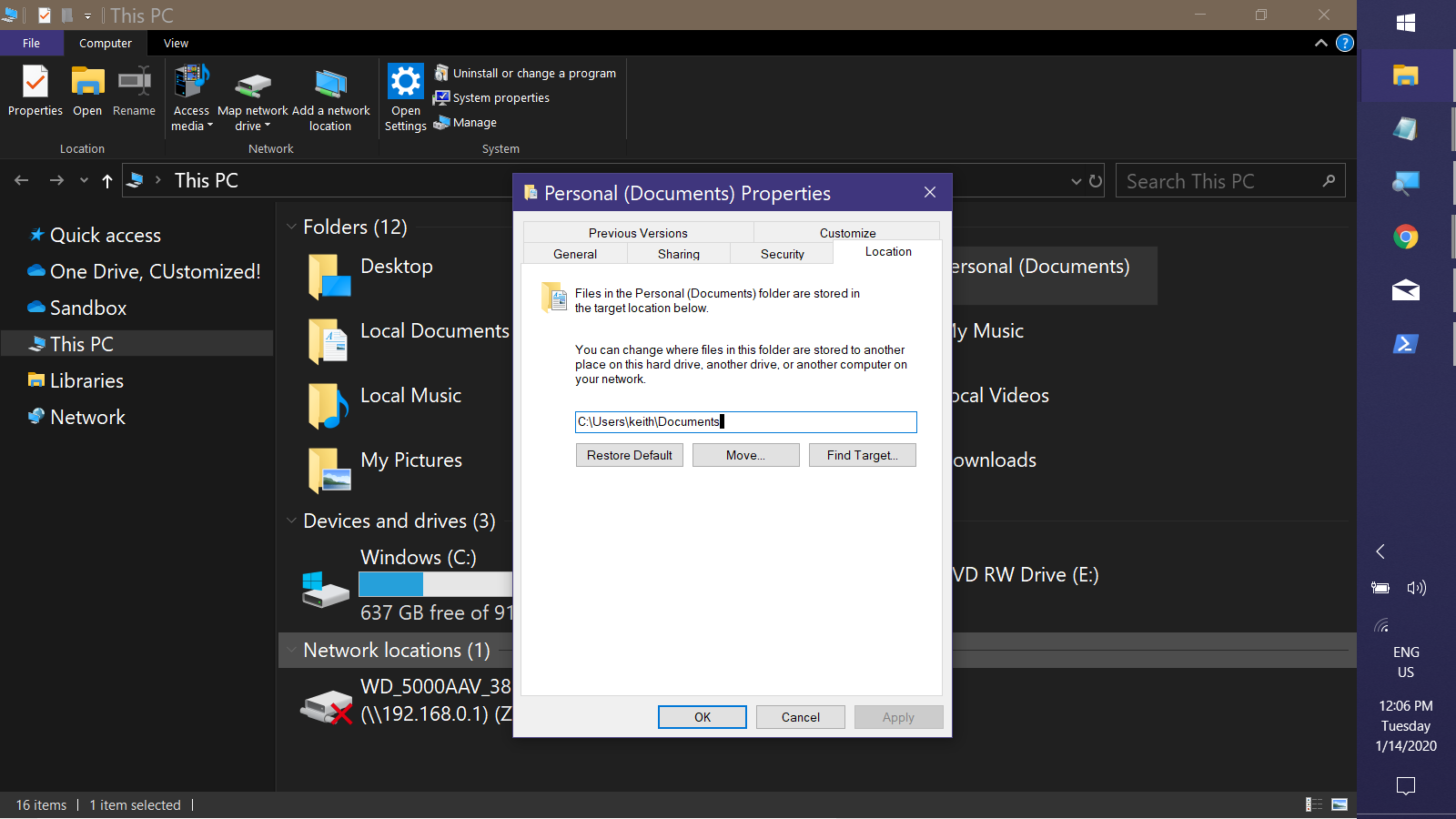
If you want to take over 3D Objects, you can do the following:
- Open the Properties dialog for the 3D Objects folder under This PC & select the
Location tab
- Click the Move buttom, then navigatet to & select Robert's folder.
- Click Apply
- Decline the option to move current content to new location.
- Click FInd Target...
A new Explorer window opens to the target's parent folder with the target selected. It will be displaying the name
3D Objects but it's still your foldder, don't worry.
6. Rigth-clcik the target folder & select Properties
7. On the General tab, select the current display name in the textbox, "3D Objects", and type your desired display name.
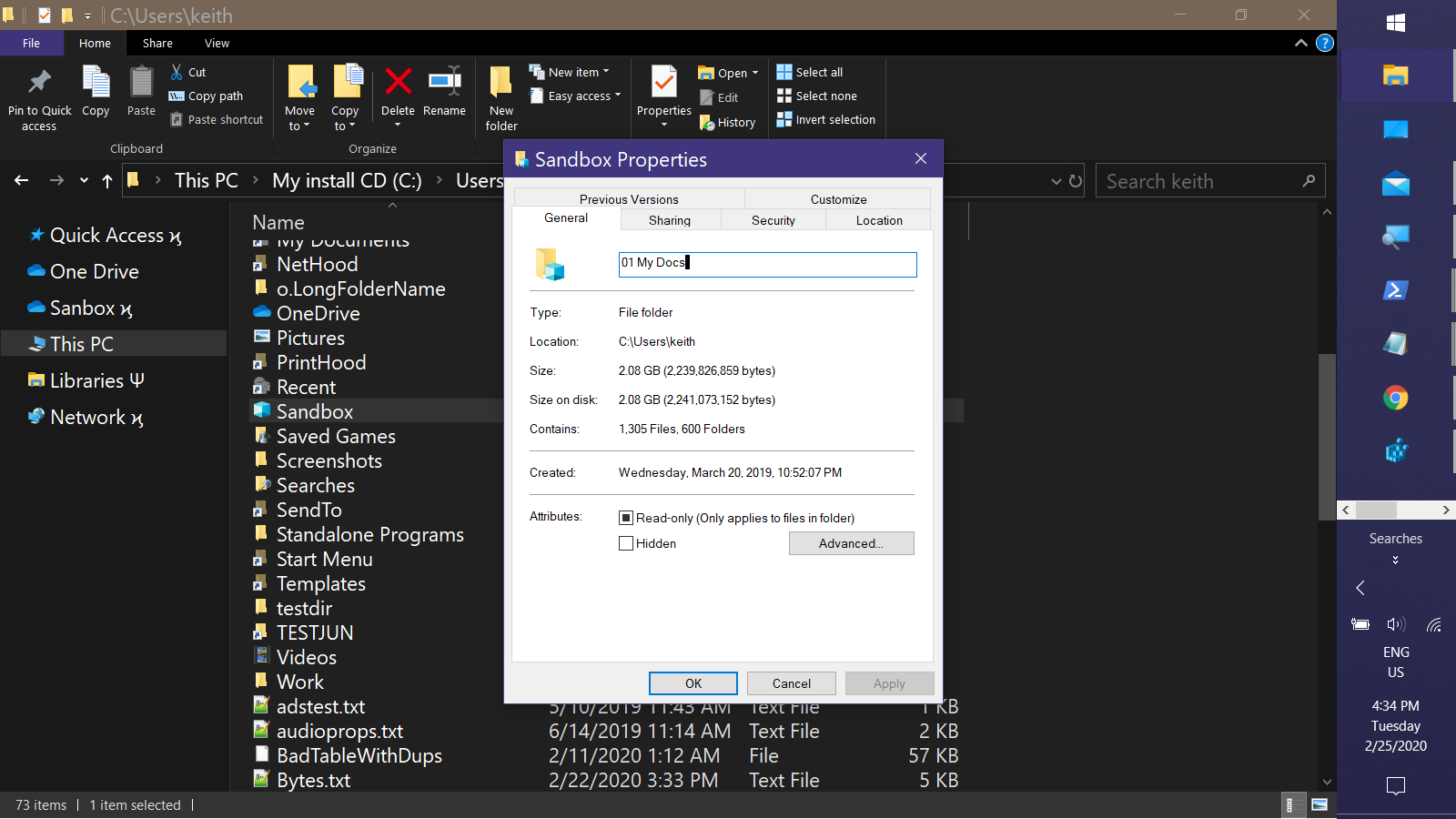
It will balk if the name matches the target folder exactly. Vary the name slightly if necessary & you can later correct it by editing the desktop.ini ifle in the folder.
8. If desired, change the icon of the folder via the Customize tab in the
Poroperties dialog
That's it!
' cx='32' cy='32' r='32' /%3E%3Ctext x='50%25' y='55%25' dominant-baseline='middle' text-anchor='middle' fill='%23FFF' %3EA%3C/text%3E%3C/svg%3E)
