
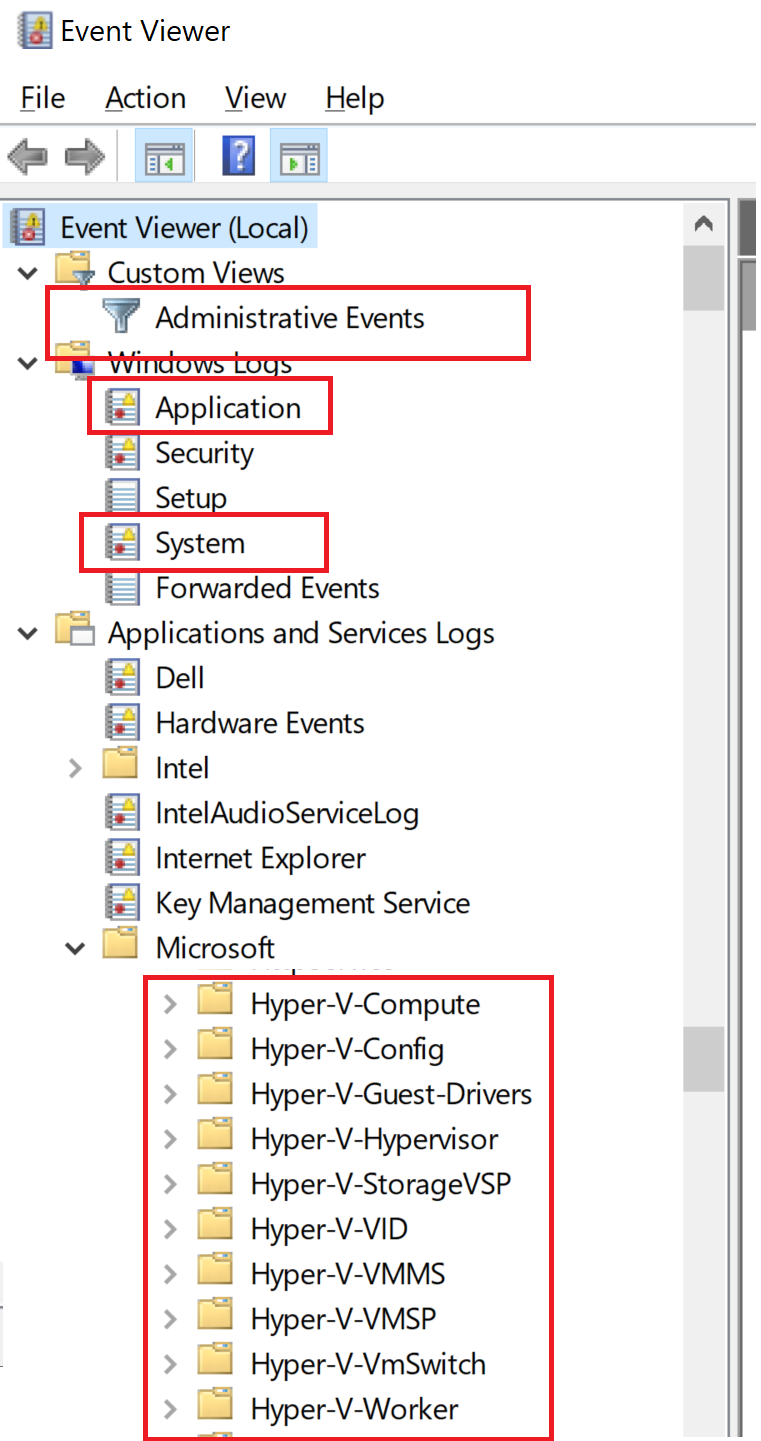
Any that may be relevant, possibly these ones.
-please don't forget to Accept as answer if the reply is helpful--
This browser is no longer supported.
Upgrade to Microsoft Edge to take advantage of the latest features, security updates, and technical support.
' cx='32' cy='32' r='32' /%3E%3Ctext x='50%25' y='55%25' dominant-baseline='middle' text-anchor='middle' fill='%23FFF' %3EO%3C/text%3E%3C/svg%3E)
Hi,
I am using Hyper-V on Windows Server 2016 and have few VMs. Everything was working smooth until today I noticed that VMs are in "saved" state and when I try to "start" the VMs I get a message that Hypervisor is not running.
It could be case that you have modified the BIOS, Virtualization is not enabled, modification in boot configuration data or data execution policy in BIOS ... etc.
However, as I said, it happen all sudden and surprisingly and I have not made any changes.
Note: I reboot the server, and VMs were back to normal, but would like to understand the possible reason of this to avoid future downtime.
Soon I will use this server in production, so I need to secure that issue is addresses properly.
' cx='32' cy='32' r='32' /%3E%3Ctext x='50%25' y='55%25' dominant-baseline='middle' text-anchor='middle' fill='%23FFF' %3EA%3C/text%3E%3C/svg%3E)
Any that may be relevant, possibly these ones.
-please don't forget to Accept as answer if the reply is helpful--
Any progress or updates?
--please don't forget to Accept as answer if the reply is helpful--
VMs are online again, nothing to troubleshoot besides I did a restart.
Glad to hear all is well again.
--please don't forget to Accept as answer if the reply is helpful--
But as I said before, soon there will be production VMs and I would like to prepare for any uncertainty.
Can I ignore it?