Hi there
I have created probably over 100 system backup images on diverse Win 10 & 11 computers, with 99.5% running with no problem. Same on this Win 11 Dell notebook, with a back every 2 or 3 weeks. The last 4, including one just a few minutes ago however seem to run normally until the backup is about to finish, then I get errors, shown in the screenshots. I ALWAYS use the computer for my normal work during the process in all these cases and so do not know what volume or process is being referred to, which is very frustrating. The first error is what I unexpectedly got the other day and earlier on yesterday. The last successful backup was about 2, 3 weeks ago, leaving about 80GB free space on the drive.The notebook has 2 partitions, other than the ones Windows created itself.
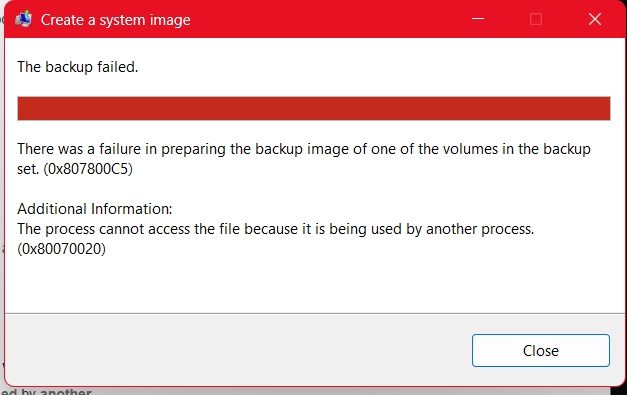
After the first backup failing yesterday as shown in the first screenshot, I looked around online what could be leading to those errors. I implemented some recommendations like running sfc /scannow (corrected some minor errors) and then DISM Restorehealth (successful).I run Chkdisk, which found no errors on all the partitions on external HDD, then in fact decided unconnected to this to reduce files on the to be backed-up SSD by about 10GB, making the possible system image smaller. This means a fresh backup would leave about 90GB free space.
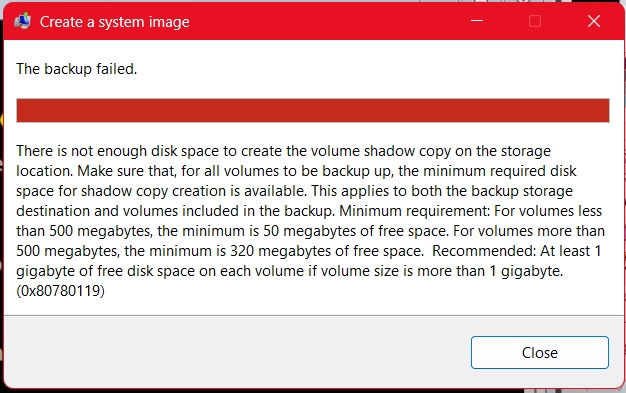
So I was shocked after running the backup image creation again to get this time a different error, shown in the lower screenshot. The last successful backup left about 80GB. How can the new find the possible 80 + 10 GB cushion on a 400GB partition too small?
I first left it at that.
On the 3rd day, today, I decided to look into the space issue again. The WindowsImageBackup folder happened to also have a backup of another notebook, about 76 GB and both have peacefully co-existed. I decided to move this OTHER system image to a different partition, which would theoretically leave the 400GB partition empty IF I happened to delete the one failing to be fully created.
I noted even though it showed no visible files, it was not empty all with about 130GB occupied!! I decided to format it, defragmented & carried out a chkdisk ALL showing it was healthy, then started another backup. There was no way lack of space or other error could play a role on a "healthy" disk. Windows Disk Managent & Nuibi Partition Editor Professional both show this partition to be HEALTHY.
It run well, but shocked me at the end with yet another failure message, a different one you can see in last screenshot. At this point, I have no words for this!
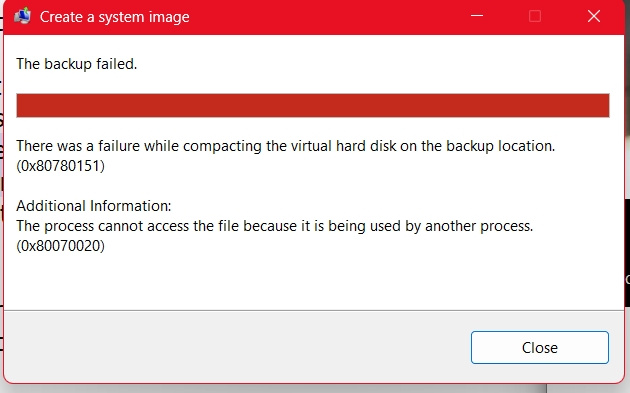
What could be going on, as I have said, up to this, the last backup error was not even with this machine and years back and all the last or so 20 backups of the current set-up on the specific HDD have all run with no issue?
The Dell 15 5570 notebook has ALL available Windows & Dell drivers installed. Latest 2025-06 Cumulative Update for Windows 11 Version 24H2 for x64-based Systems (KB5063060) on 13th June.
Is there any chance it has to do with the state of Windows itself?
Thank you in advance
' cx='32' cy='32' r='32' /%3E%3Ctext x='50%25' y='55%25' dominant-baseline='middle' text-anchor='middle' fill='%23FFF' %3EA%3C/text%3E%3C/svg%3E)
