In my Windows 11 Pro 24H2 when I click on the three-dots menu in File explorer, the drop-down menu open upwards instead of downwards. This is a very annoying bug in 24H2 have anyone has solution for this?
@chandandas3025,
There is an easy solution, but Microsoft is ignoring the FBH reports.
The problem was added when they enabled an experimental feature that was supposed to fix a completely different problem.
As a result, instead of fixing what they were trying to fix, they ended up adding this ridiculous bug.
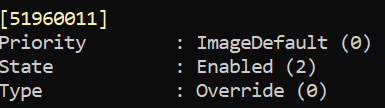
This is the culprit for this bug and unfortunately it is enabled in the ImageDefault of all 24H2 builds and also Canary.
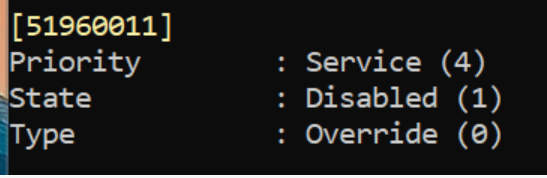
All you need to do is disabling this useless attempted fix and that eliminates the 3 dots menu annoying bug. 😉
This is becoming the most ridiculous bug, and Microsoft is completely ignoring that it was added when they enabled this useless attempted fix which doesn't fix anything at all. 🤣🤣🤬🤷♂️
[51960011] (FileExplorerTabLineFix)
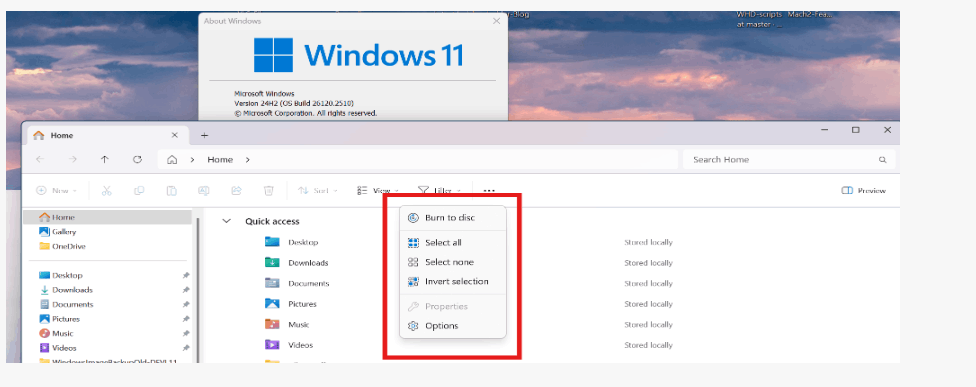
You can see here that it opens correctly when that feature/fix is disabled, even with Scale of 150%. 😎😉

' cx='32' cy='32' r='32' /%3E%3Ctext x='50%25' y='55%25' dominant-baseline='middle' text-anchor='middle' fill='%23FFF' %3EA%3C/text%3E%3C/svg%3E)


' cx='32' cy='32' r='32' /%3E%3Ctext x='50%25' y='55%25' dominant-baseline='middle' text-anchor='middle' fill='%23FFF' %3END%3C/text%3E%3C/svg%3E)