Hi everyone,
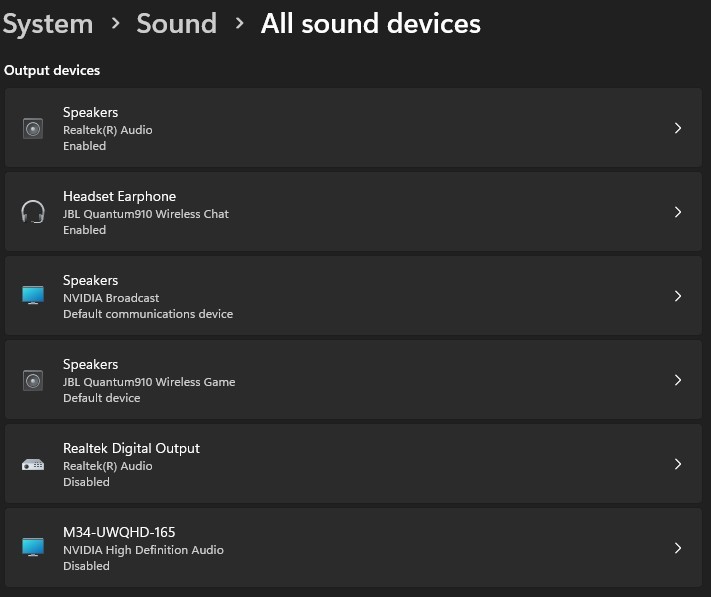
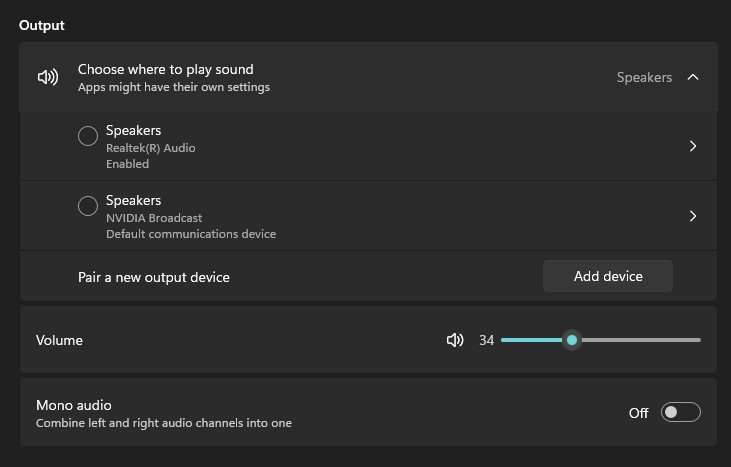
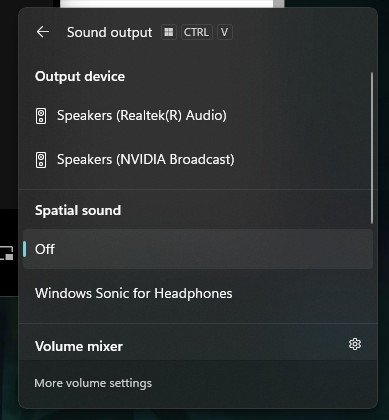
After installing the update Windows 11, version 24H2, I’m encountering an issue with my audio devices in Windows 11. A specific output device is visible under System > Sound > All sound devices, but it does not appear in the list of available outputs to select as my playback device. It's a gaming headset JBL 910 Quantum.
Here’s what I’ve tried so far:
- Verified that the device is enabled in All sound devices.
- Checked the More sound settings and confirmed it’s not listed in the Playback tab.
- Restarted the Windows Audio service (this worked before, but not this time).
- Reinstalled the driver, both through Windows Update and manually from the manufacturer’s website.
- Reset the audio settings via Advanced sound options > Reset.
- Verified that my system is fully updated through Windows Update.
- Tried using the Troubleshooter, but it didn’t identify any issues.
None of these steps resolved the problem. The device in question works fine on other systems, so it doesn’t appear to be a hardware issue.
Does anyone have any ideas or solutions? Any help would be greatly appreciated!
Thanks in advance!
EDIT:
It seems to be an issue with the windows update itself. Upon checking the device properties, all the affected devices show the following error in the Events tab:
Device settings for {{key device specific}} were not migrated from the previous OS installation due to partial or ambiguous device match.
EDIT 2 (10/12/2024):
Microsoft released a Driver update for JBL HID downloadable from the Updates > Advanced Options > Optional Updates: not solving the issue.
EDIT 3 (17/12/2024):
The issue is with JBL Quantum Sphere app, removing the app makes the device appear again in within the output devices. I had a long chat with JBL support, and they confirmed thousands of contacts about this specific issue, and that the resolution is on Mircorosft side. Once Quantum Sphere is installed, Windows 11 24H2 identifies the device as a Spatial Sound effect rather than a device itself, making it disappear from the list.
' cx='32' cy='32' r='32' /%3E%3Ctext x='50%25' y='55%25' dominant-baseline='middle' text-anchor='middle' fill='%23FFF' %3EA%3C/text%3E%3C/svg%3E)
