I have a device managed via Intune and silent BitLocker encryption is the only thing showing as non-compliant.
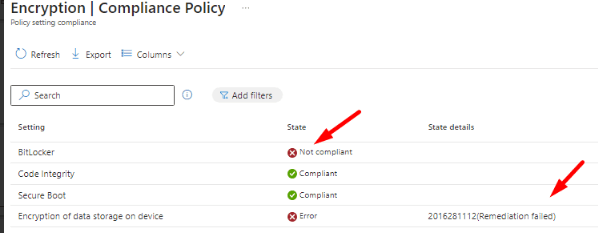
In review the device, BitLocker encryption has failed, i see it throws out this prompt: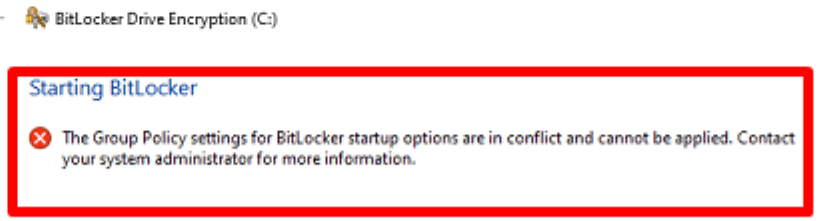
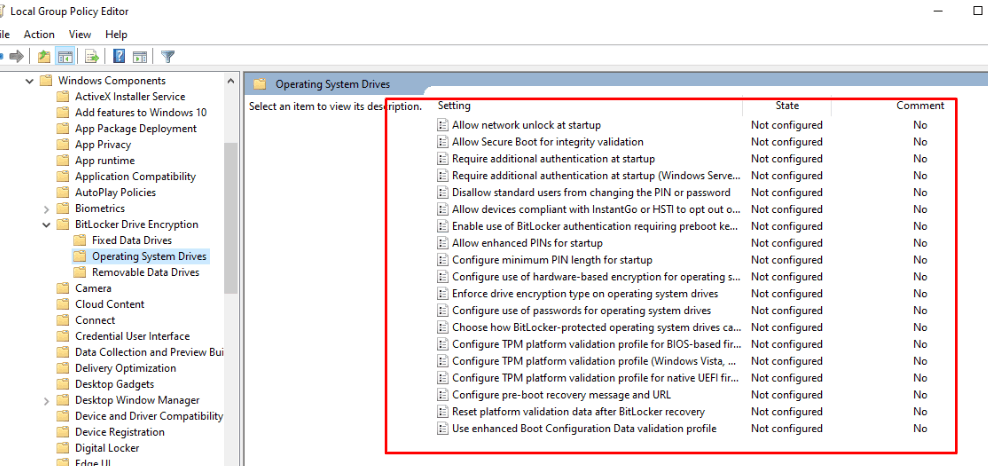
I went through the device local GP settings and all settings are as they should be per below:
in review event logs I get the following:
summarize
Event ID: 834 BitLocker determined that the TCG log is invalid for use of Secure Boot. The filtered TCG log for PCR[7] is included in this event.
Event ID: 778 The BitLocker volume C: was reverted to an unprotected state.
Event ID: 851 Failed to enable Silent Encryption. Error: The Group Policy settings for BitLocker startup options are in conflict and cannot be applied. Contact your system administrator for more information..
Event ID: 835 BitLocker cannot use Secure Boot for integrity because the expected TCG Log entry for the OS Loader Authority has invalid structure. The event is expected to be an EV_EFI_VARIABLE_AUTHORITY event. The event data must be formatted as an EFI_VARIABLE_DATA structure with VariableName set to EFI_IMAGE_SECURITY_DATABASEGUID and UnicodeName set to 'db'.
Event ID: 851 Failed to enable Silent Encryption. Error: BitLocker Drive Encryption is already performing an operation on this drive. Please complete all operations before continuing..
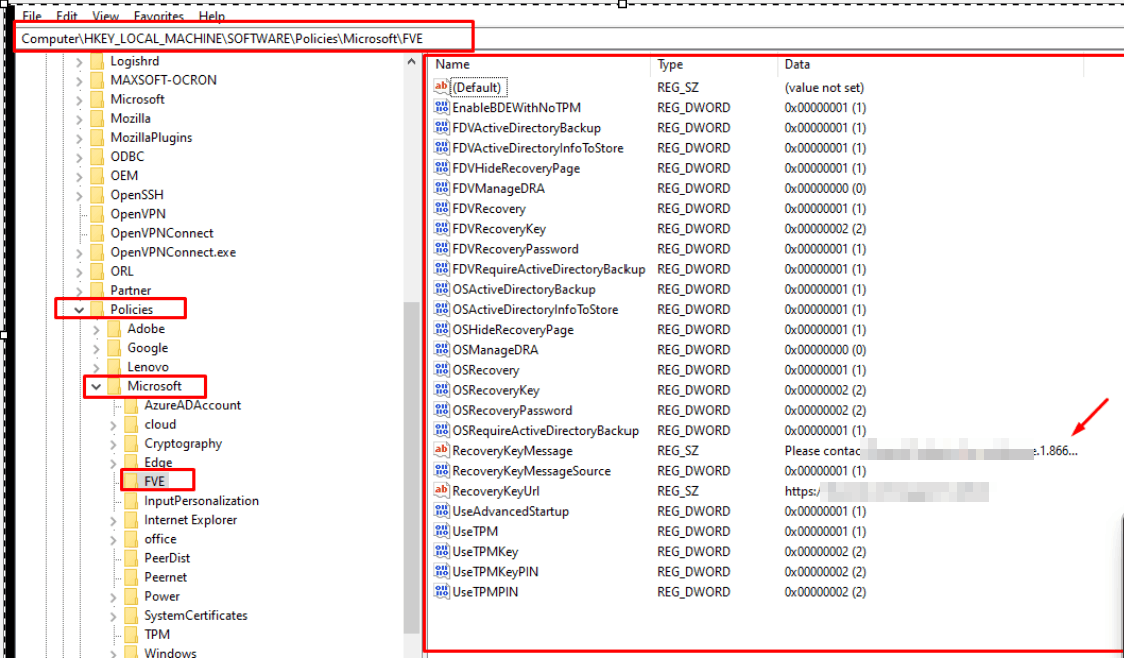
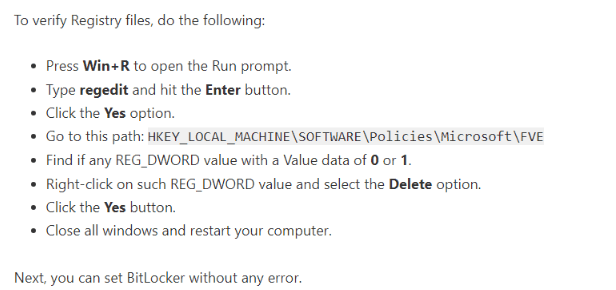
I have seen one online documentation advising to go into RegEdit and change any value data of 0 or 1 and delete these entries. Is this really the only fix or could it break the policies. What about any value with 2?
' cx='32' cy='32' r='32' /%3E%3Ctext x='50%25' y='55%25' dominant-baseline='middle' text-anchor='middle' fill='%23FFF' %3EA%3C/text%3E%3C/svg%3E)

' cx='32' cy='32' r='32' /%3E%3Ctext x='50%25' y='55%25' dominant-baseline='middle' text-anchor='middle' fill='%23FFF' %3EP%3C/text%3E%3C/svg%3E)