How to set default keyboard language to be different than default Windows language

Anonymous
2024-03-14T07:38:47+00:00

This was no problem with Windows 10, but I cannot seem to figure out how to do it in Windows 11. I want my Windows 11 language to be completely in English as default. But I need my keyboard by default to be Danish. However, I also need to have the English keyboard installed as a second keyboard language, which I can then switch to as needed using the <shift><alt> hot key or the language element on the taskbar. The problem is that I see I need to set the preferred language order in Settings so that English is at the top of the list, so that my Windows menus, etc are in English. I have Danish installed as an additional language for the keyboard. But I do not see how it is possible to specify that Danish should be the preferred (default on startup) keyboard while English is the preferred language for Windows. I hope this is still possible to do. Thanks for any help!

Windows for home | Windows 11 | Settings

Locked Question. This question was migrated from the Microsoft Support Community. You can vote on whether it's helpful, but you can't add comments or replies or follow the question.

0 comments No comments
{count} votes

16 answers

Sort by: Most helpful
  1. Anonymous
    2024-03-15T10:18:14+00:00

    Hi Steven Isaacs,

    Welcome to Microsoft Community.

    We performed tests in a clean install of Windows 11 23H2 as well as Windows 11 24H2 with reference to the idea you provided.

    The idea is completely feasible, by simply adjusting the order of the languages, the keyboard layout used at device startup will use the keyboard layout that matches the corresponding language, and the display language of the start menu is unaffected by the first language of the preferred language.

    The problem you are experiencing may be related to other factors, such as potential account Profile exceptions or system component anomalies.

    Is the situation the same when you observe it under a new local account?

    If I misunderstand your situation, feel free to correct me and share the information.

    Best Regards,

    Kyo - MSFT | Microsoft Community Technical Support

    0 comments No comments
  2. Anonymous
    2024-03-15T11:39:48+00:00

    Hello,

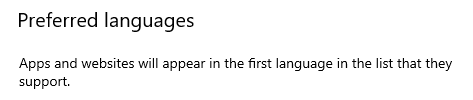
    thank you for the reply. I am skeptical about this being a solution for me. It is what I tried before. I had placed Danish as the first language in the list, followed by English. What happened then, is that I found I had the Danish language all over my PC. According to the text which also can be seen in the image, it states "Preferred language" Microsoft store apps will appear in the first language in this list". And this is what I do not want to have. I do not want to read Danish when I use apps on my computer. It is not my mother tongue, and most of us anyway are quite aware of what software and IT terms are called in English. And seeing something translated to Danish or having to search for it with a Danish instead of English word is very inconvenient. What I do want is the preferred keyboard layout language, the one that appears by default if not otherwise modified by me, to be the one that I select to be this default keyboard language (in my case, Danish), while everything else having to do with the operating system and installed apps use the English language. This was totally possible with Windows 10, but it seems that the keyboard and apps language have been coupled together in Windows 11.

    Why is this a usability issue? I have been living and working in Denmark over 30 years, and since all work places are set up using the Danish keyboard, I have become accustomed to this keyboard, for example where the special symbols and punctuation keys are located. Also, we do have a need for the special Danish letters not found on an English layout. On the other hand, English is my working language, and I am really quite lost when I need to find a Windows menu or component or an installed app menu or component if it has become translated to Danish. Therefore, there should be a decoupling of the default keyboard layout from the preferred Windows and apps language.

    14 people found this answer helpful.
    0 comments No comments
  3. Anonymous
    2024-03-15T13:41:04+00:00

    Hi Steven Isaacs,

    Thank you for getting back to us.

    We recreated a Windows 11 virtual machine (Windows 11 23H2 OS Build 22635.2915) and performed the test, and got the same results as you originally described.

    Windows 10 also seems to have an option similar to "Microsoft store apps will appear in the first language in this list".
    Image

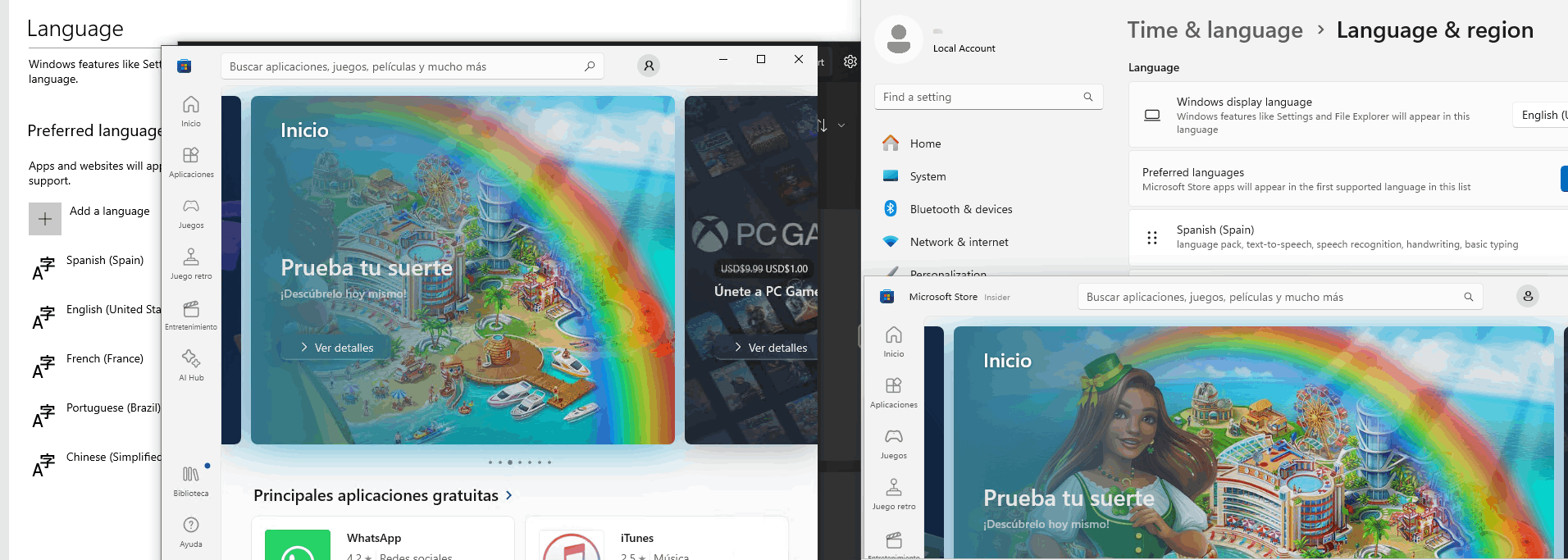
    In Windows 10 and Windows 11, when using different language preferences, the Microsoft Store apps themselves are indeed affected by the language preference.

    Other apps available through the Microsoft Store, such as Photos, have different results.

    Although language preference is not fully implemented in Windows 10, the Photos app itself is actually affected by the language preference configuration.
    Image

    Image

    As far as the results are concerned, in terms of design logic, the language preference logic of Windows 11 and Windows 10 should be the same.

    But perhaps due to the different depth of research and development invested in the product, language preference does not play its due role in Windows 10.

    Separating the display language from the application language is really an option that should exist.

    This relies on customer feedback and surveys by the product team.

    Your ideas and suggestions are essential to improve Microsoft products, but this forum is primarily a technical communication platform and the Microsoft development team will not be active in this forum. 

    If it is convenient for you, you can submit your ideas and suggestions through the Feedback Hub, and the development team will regularly review submissions for ideas or fixes.

    After sending your feedback, feel free to share the feedback link in this forum, so that other users with similar issues, including me, can vote for your feedback, the more votes the more likely to get the attention of the development team.

    Thanks for your patience and cooperation.

    Best Regards,

    Kyo - MSFT | Microsoft Community Technical Support

    2 people found this answer helpful.
    0 comments No comments
  4. Anonymous
    2024-03-19T09:25:57+00:00

    Hi Steven Isaacs,

    Is this what you want?

    If there is anything unclear, please let me know.

    Best Regards,

    Nice - MSFT | Microsoft Community Technical Support

    2 people found this answer helpful.
    0 comments No comments
  5. Anonymous
    2024-03-19T09:49:42+00:00

    Hi. I cannot use the setup that is being shown in the posted image. In the image, the Danish is listed as the first preferred language. If I do this, then many of the installed apps will have their texts translated to Danish. That is for me an unbearable situation, as I only understand all the terminology related to Windows, computers, and apps in English. What I instead do is push the English up to the top of this list, to ensure that the apps' texts appear in English. But in Windows 11, this tells the system that I probably also want to have English as my default keyboard layout. This is, however, not the case. In Windows 10, I could somehow (do not remember exactly) specify that Danish should be the default keyboard layout but I had all texts of Windows and apps appear in English. It seems that Windows 11 has made a tighter coupling between the preferred language for the apps and the preferred language for the keyboard layout.

    It is not a big deal, however. I wrote this post because I was curious whether I could set it up in Windows 11 like I had it in Windows 10. Now I just have to remember that the first thing I must do when starting up my PC is to hit <Shift><Alt> to change the keyboard layout to Danish.

    5 people found this answer helpful.
    0 comments No comments
