How to set default keyboard language to be different than default Windows language

Anonymous
2024-03-14T07:38:47+00:00

This was no problem with Windows 10, but I cannot seem to figure out how to do it in Windows 11. I want my Windows 11 language to be completely in English as default. But I need my keyboard by default to be Danish. However, I also need to have the English keyboard installed as a second keyboard language, which I can then switch to as needed using the <shift><alt> hot key or the language element on the taskbar. The problem is that I see I need to set the preferred language order in Settings so that English is at the top of the list, so that my Windows menus, etc are in English. I have Danish installed as an additional language for the keyboard. But I do not see how it is possible to specify that Danish should be the preferred (default on startup) keyboard while English is the preferred language for Windows. I hope this is still possible to do. Thanks for any help!

Windows for home | Windows 11 | Settings

Locked Question. This question was migrated from the Microsoft Support Community. You can vote on whether it's helpful, but you can't add comments or replies or follow the question.

0 comments No comments
{count} votes

16 answers

Sort by: Most helpful
  1. Anonymous
    2024-03-20T13:30:51+00:00

    According to the results of further testing and observation, adding additional keyboard layouts in a single language cannot completely replace the input method itself.

    This alternative idea may be more suitable in more cases as a supplementary means of typing certain special symbols.

    For example, the Japanese layout in the English language cannot replace the Japanese IME itself.

    2 people found this answer helpful.
    0 comments No comments
  2. Anonymous
    2024-03-27T11:46:00+00:00

    Steve Issacs,

    Thanks for this excellent work around. I too have been looking for a solution to a similar problem with my laptop (OS: English language. Keyboard: Swedish). It would always set the keyboard at boot up to the default language (not what I wanted), or when coming back to the locked workstation and then having to change the keyboard yet again.

    You have earned yourself a well deserved cuppa.

    Thanks from Göteborg.

    Neil

    2 people found this answer helpful.
    0 comments No comments
  3. Anonymous
    2024-03-27T13:23:30+00:00

    Wow, I am really happy that my experience has helped another (and maybe others). But I would not say it is a work around. It seems, when you think about it, how the system works, setting up one or more keyboard layouts for each "installed" language. It is just very difficult to find this, and I was lucky enough to do so. :)

    6 people found this answer helpful.
    0 comments No comments
  4. Anonymous
    2024-09-27T09:01:05+00:00

    Thank you so much, this was accactly what i needed.

    I was going crazy.

    thanks a million

    Claudia

    3 people found this answer helpful.
    0 comments No comments
  5. Anonymous
    2024-11-06T08:10:28+00:00

    Hi KYO,
    In addition to Steven Isaacs description, I took the time to take screenshots of the issue.
    I wish that even this workaround he found, was that obvious, but...
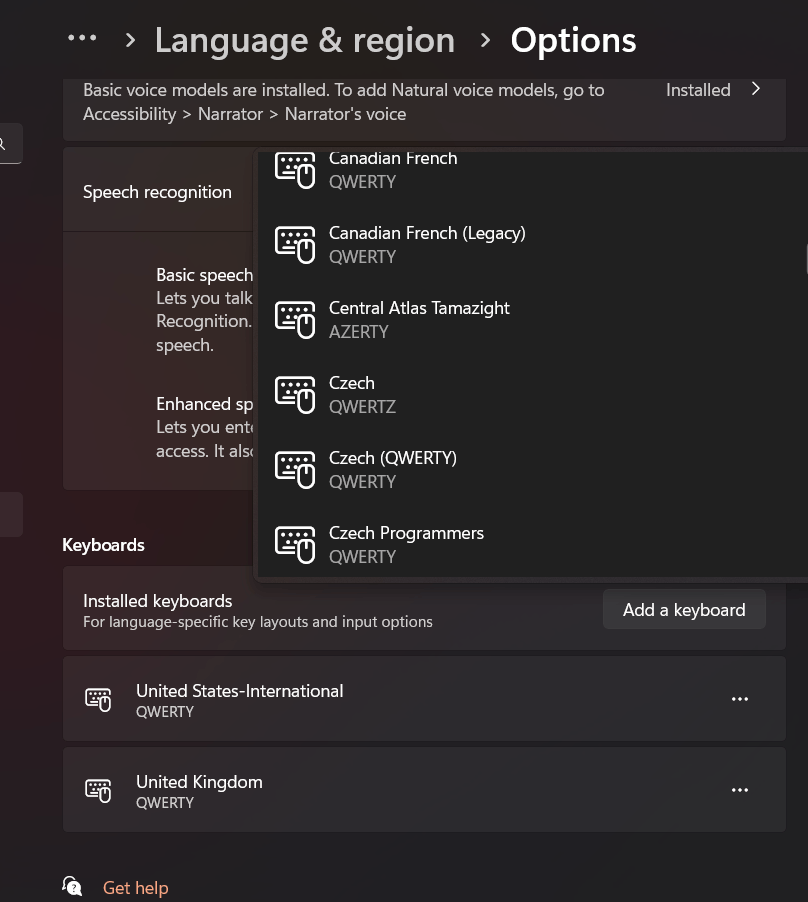
    In my case, there is no option to add Croatian Keyboard in the language options for the English keyboard! see below.
    I simply want to have Croatian keyboard as default for writing, but I want my OS and apps to be default in English, as it was always up to Win10. NOT not in Croatian as it is now in Win 11.
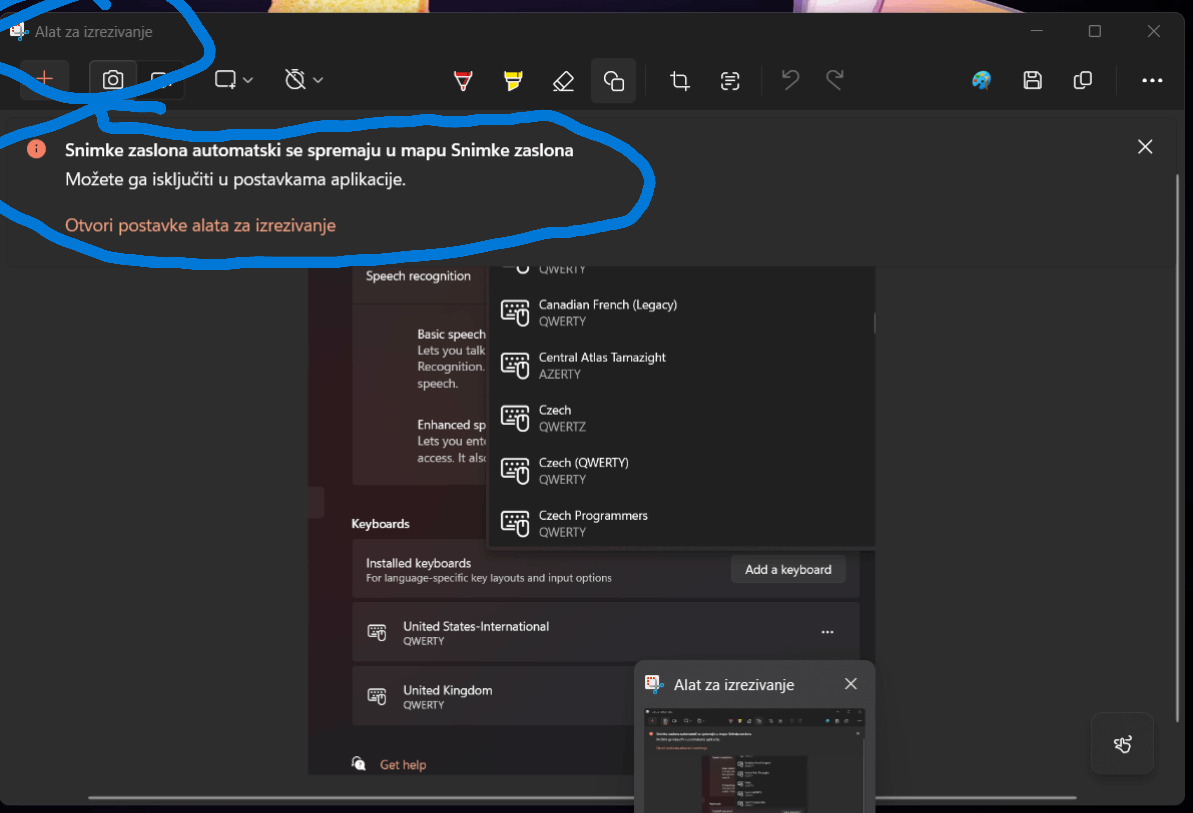
    I want apps and their menus like Snipping tool to be in English and not in Croatian (Alat za izrezivanje),
    For some apps like Teams, I could change the language back to English, but most don't have that option.
    Image

    Image

    Image

    Funny thing is that this too is not consistent. When I take a snip with the Snipping tool, the screenshot name is saved in Croatian (red), and when i do a FN+PrtSc, the file is saved in English (blue):
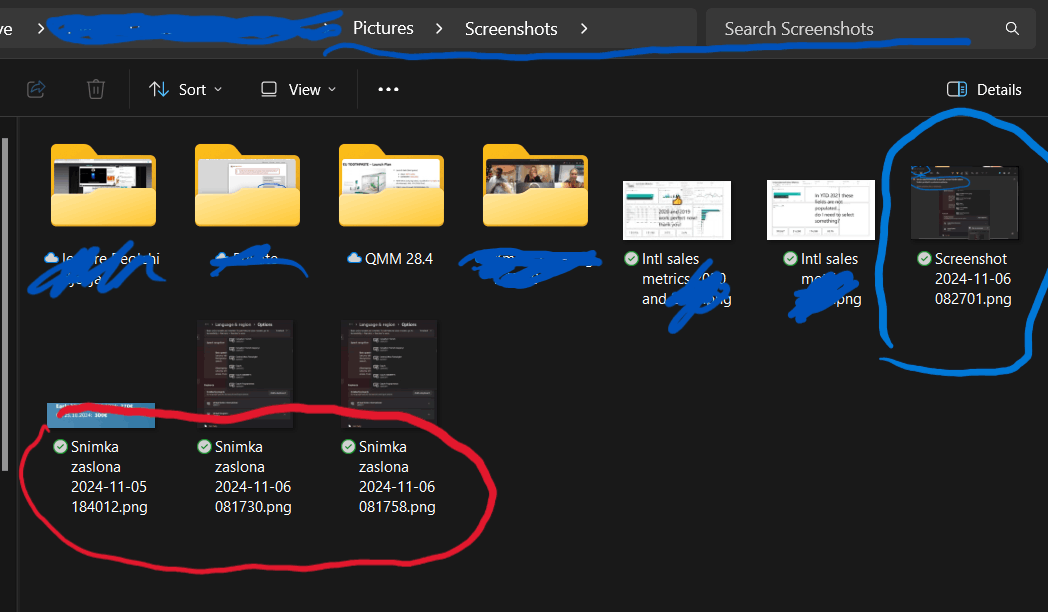
    So I hope it is clear from this, what I would like to have. Just a simple setting that I can choose just local keyboard, but leave everything else in English as it used to be for the past 30 years.
    This is not too much to ask for...

    3 people found this answer helpful.
    0 comments No comments
