Hi all,
I noticed today that the Windows Security app was showing me an issue to look at, which turned out to be that the "Kernel-Mode Hardware-enforced Stack Protection" was off. In the Windows Security app settings I am however not able to enale this feature. It shows a yellow message "This setting is managed by your administrator.":
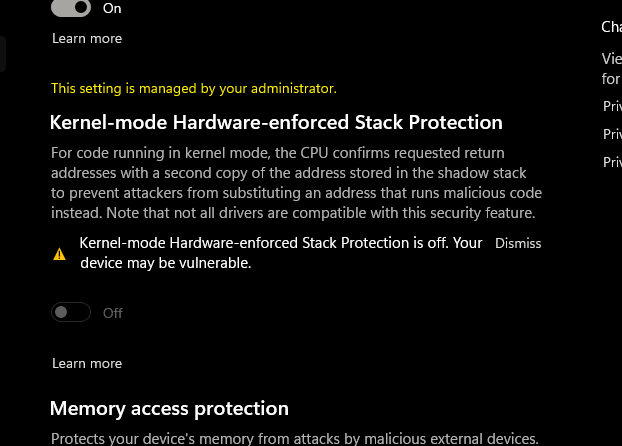
How would I go about resolving this?
Some information that may be relevant:
- The machine is a very recently bought new model Zen 3 laptop, so it should support the feature. I have also enabled the relevant (and to be certain pretty much all) security settings in the BIOS.
- I am using a local administrator account on the machine
- My machine is not managed by any organisation (no connections under "Accounts > Access work or school")
- I took a look at the group policy editor to check whether something has been set there, but everything in the administrative template tree shows as "not configured"
- I have tried resetting the Windows Security app, no change
' cx='32' cy='32' r='32' /%3E%3Ctext x='50%25' y='55%25' dominant-baseline='middle' text-anchor='middle' fill='%23FFF' %3EA%3C/text%3E%3C/svg%3E)
