Hello all,
I would like to ask you for help. I have been using Python 3.8 for almost 2 years and I decided to update to 3.11 (installed with admin rights). Initially everything was correct. But at some point Windows shows me that Python is being reinstalled (I don't have a message print screen ..), but from that time I cannot run Python at all on my PC.
So I tried to reinstall it several times with no success. All the time I receive this "The system cannot find the file C:\Users...\AppData\Local\Programs\Python\Python311\python.exe.”
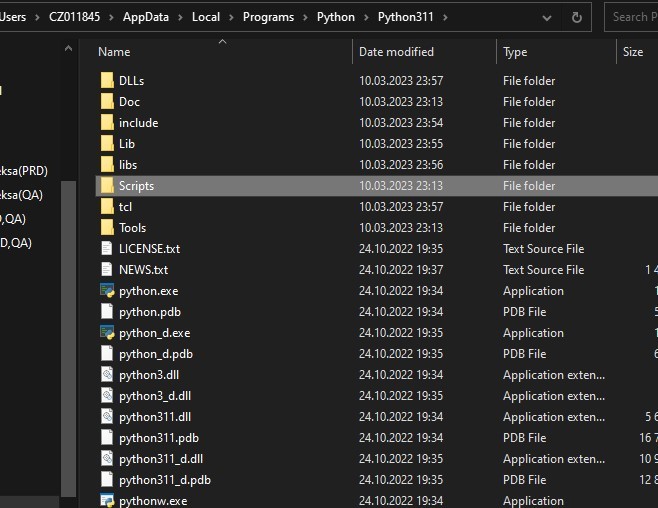
But files are there:
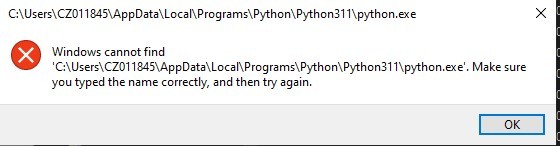
Even when I try to run "python.exe" directly I receive this error:
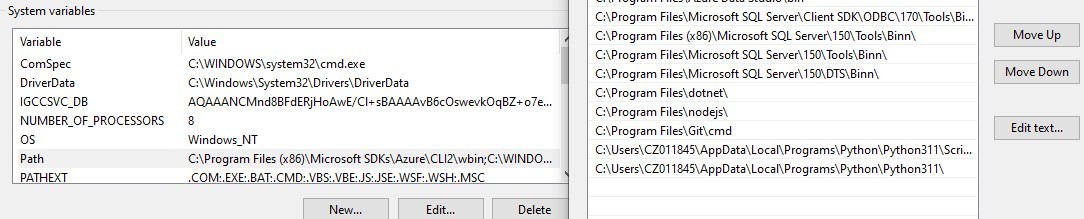
System Variables are right (added it to both PATH):
- User Variables:

- System Variables
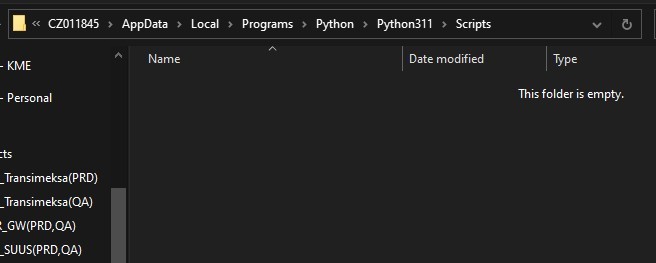
Strange thing is that after RE-Installing Python the "pip.exe" is missing in subfolder "Python/Scripts/" (it is simply empty – not installed but I mark pip to be installed):
I tried also Repair - no success.
Details:
System: Windows 10 (21H2)
Python: 3.11.0 (full 64bit installer from python.org)
cmd:
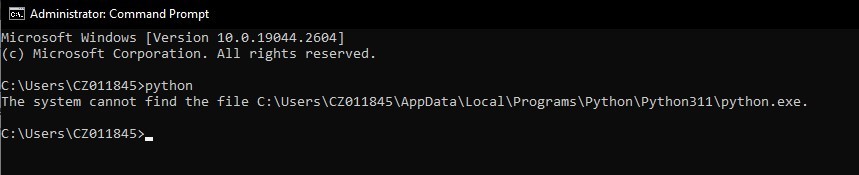
This is resulting that I cannot use interpreter in VS Code and continue development. Any one Any Idea? Thank you
Seems that there is something wrong in Windows.
S pozdravem
Jan Vaško
' cx='32' cy='32' r='32' /%3E%3Ctext x='50%25' y='55%25' dominant-baseline='middle' text-anchor='middle' fill='%23FFF' %3EA%3C/text%3E%3C/svg%3E)


' cx='32' cy='32' r='32' /%3E%3Ctext x='50%25' y='55%25' dominant-baseline='middle' text-anchor='middle' fill='%23FFF' %3EIL%3C/text%3E%3C/svg%3E)