Many persistent errors in Event Viewer after Windows 11 build 22598.ni_release.220408-1503: "Autopilot.dll wil error was reported"

Anonymous
2022-04-28T20:22:08+00:00

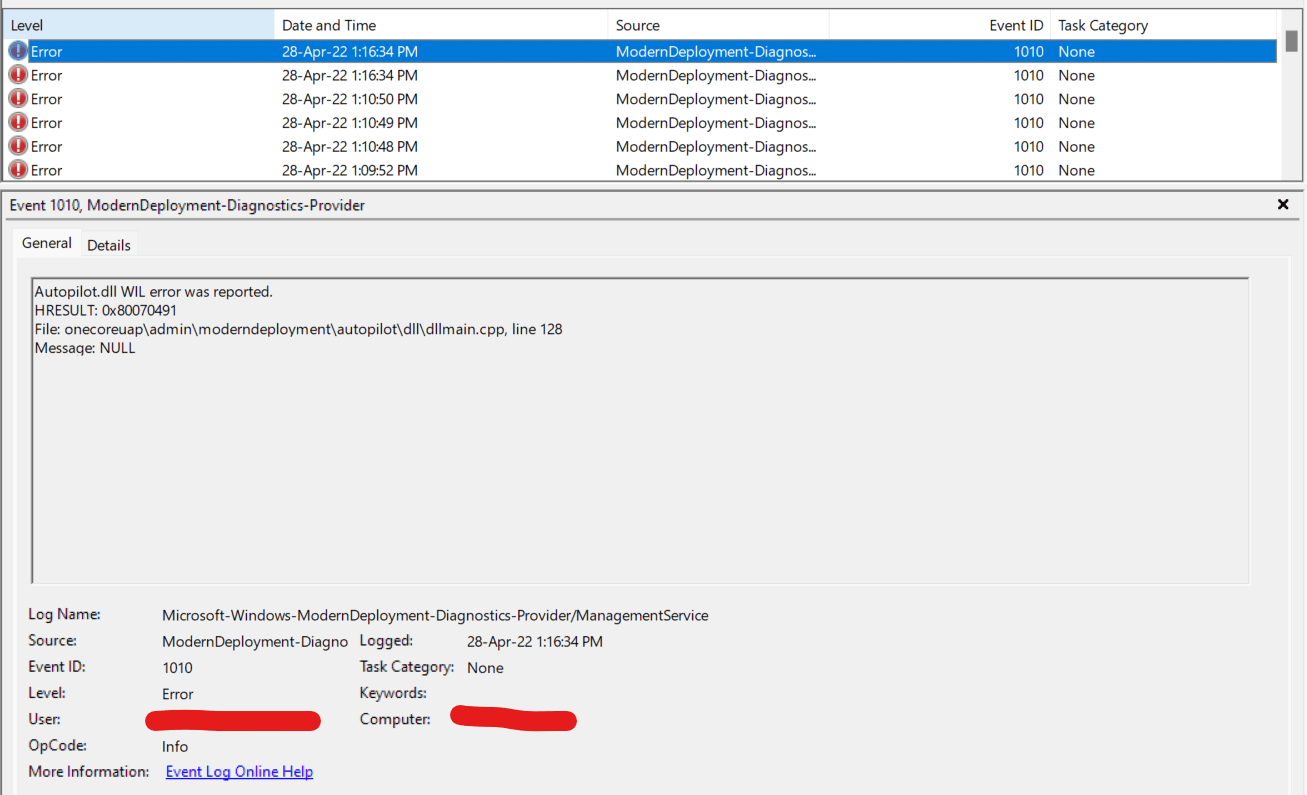
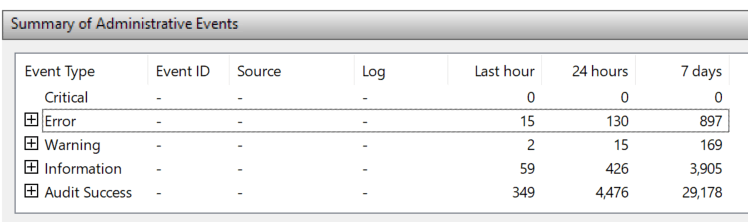
I used to be part of the the Windows 11 Insider Beta channel. After updating to build 22598.ni_release.220408-1503 I began to see the same error in Event Viewer extremely frequently:

The errors are all the same and read as follows:

Autopilot.dll WIL error was reported.

HRESULT: 0x80070491

File: onecoreuap\admin\moderndeployment\autopilot\dll\dllmain.cpp, line 128

Message: NULL

I have never used any program called Autopilot or Modern Deployment. After seeing this problem I immediately left the insider program and am now queued for enrollment. However no new Windows update has happened and these errors persist. How do I prevent these errors?

Windows for home | Windows 11 | Performance and system failures

Locked Question. This question was migrated from the Microsoft Support Community. You can vote on whether it's helpful, but you can't add comments or replies or follow the question.

0 comments No comments
{count} votes

338 answers

Sort by: Most helpful
  1. Anonymous
    2022-12-06T10:59:39+00:00

    That registry key looks to be controlling the Event Log collection of the error message itself, which would prevent you from seeing the error in Event Viewer, but unfortunately doesn't address the actual issue or cause. Just letting you know if you didn't already.

    0 comments No comments
  2. Anonymous
    2022-12-09T23:09:26+00:00

    I have found similar information before and agree that this appears to be set up for corporate IT use primarily.

    What I have not been able to track down is what does Line 128 information mean or give anyone. I would appreciate any ideas or guesses. Regards Don

    0 comments No comments
  3. Anonymous
    2022-12-09T23:37:49+00:00

    I have found similar information before and agree that this appears to be set up for corporate IT use primarily.

    What I have not been able to track down is what does Line 128 information mean or give anyone. I would appreciate any ideas or guesses. Regards Don

    You know any ideas or guesses that you may receive would be just that an idea or guess. You can bet that MS knows exactly what is causing this but the main issue is why they will not address this to users and if they are even going to fix it or just ignore it and have us live with it. Maybe just maybe it may be fixed with the next upgrade for Win10 and Win11. I have an HP OMEN Desktop that I use for photo editing and graphics and not gaming and have yet to see these errors on my machine. I got tired of dealing with it on my wife's HP Envy Laptop so I just turned off the Event Viewer section where the errors are being logged. If MS fixes the error then they do or they don't either way but I am not going to waste any more of my time jumping in and out of rabbit holes trying to track down the reason for the errors.

    Respectfully,

    0 comments No comments
  4. Anonymous
    2022-12-10T08:19:48+00:00

    This problem has history - when it first raised it head, a web search going back 3- 4 the same issue was doing the rounds. Last year, there were issues with with WaasMedic, that as well had a previous history. Are MS running out of ideas in that they keep releasing old disruptive problems for us users - WHY?

    These are intentional releases from MS, they know the cause (of their making) they also know how to resolve it - MS DO IT KNOW - you know of this thread - just have the decency to RESPOND.

    0 comments No comments
  5. Anonymous
    2022-12-10T11:51:18+00:00

    I had an hour long troubleshooting chat with MS support on this issue. mostly they had me conduct standard troubleshooting through an admin command prompt - all tools I had tried many times before. In the end the agent recommended an inplace upgrade. Curious if anyone has tried it? I have another newer machine with the same build of 11 and it does not have the problem at all - so I wonder if the problem stems from updates on updates on updates such that a cleaned up installation would address the problem. I am not ready to reset that is for sure.

    0 comments No comments