Dear Fotjana Newton,
Thank you for reaching out to Microsoft Q&A forum. We are happy to assist you.
At this time, Project for the Web does not offer a built-in feature to create an archive folder for tasks or projects. However, a helpful workaround is to use the Labels feature to mark tasks or projects as "Archived." This allows you to easily filter and manage archived items. Here's how you can do it:
Open the plan that contains the task or project you want to archive.
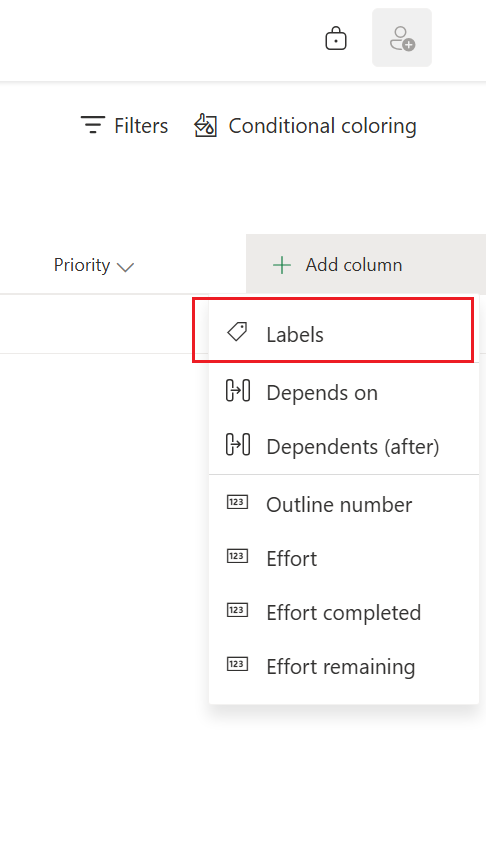
Switch to Grid view, then scroll to the right and click + Add column > Labels.
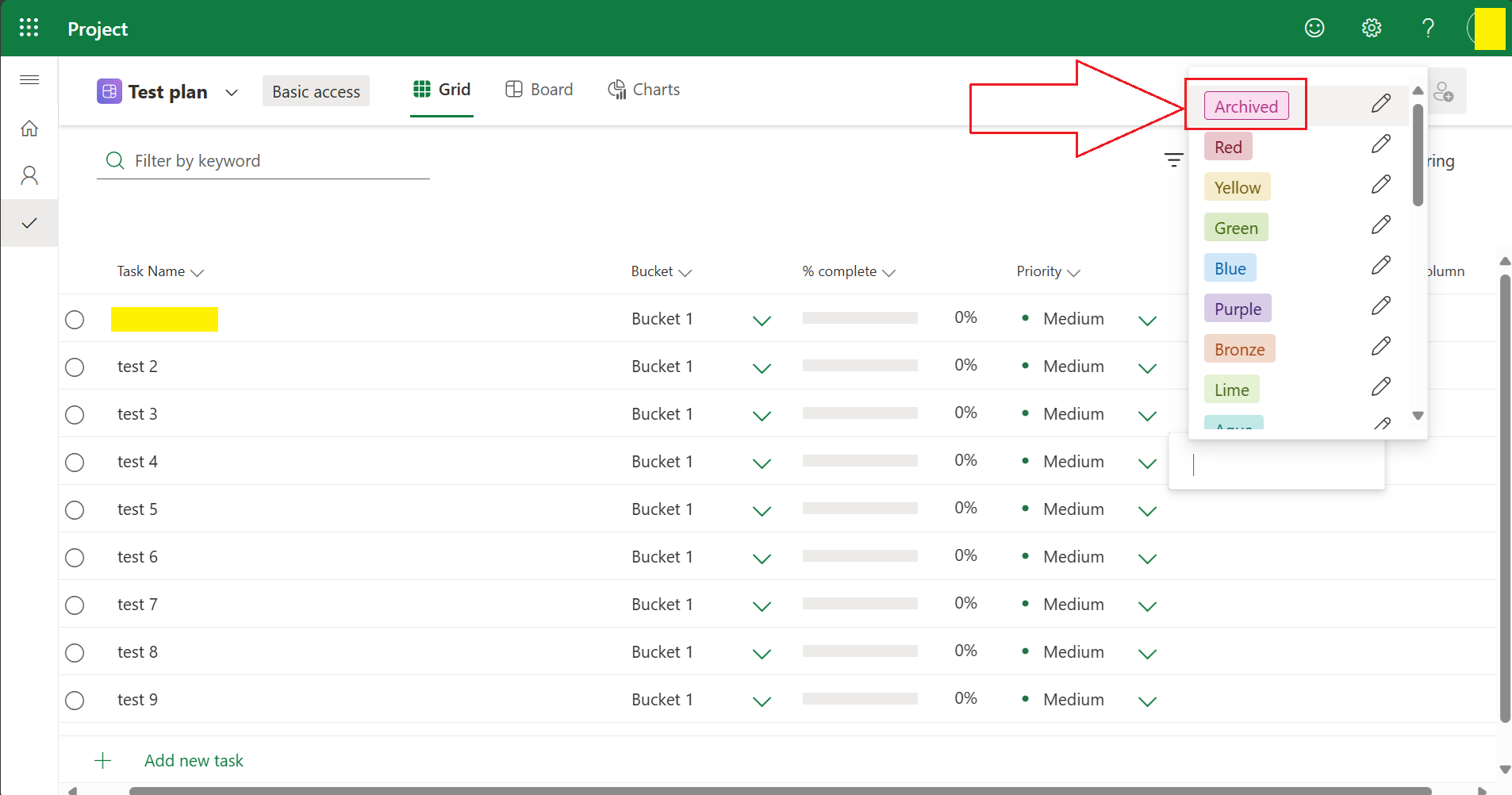
A new column called Labels will appear. For the task you want to archive, click the empty box under this column.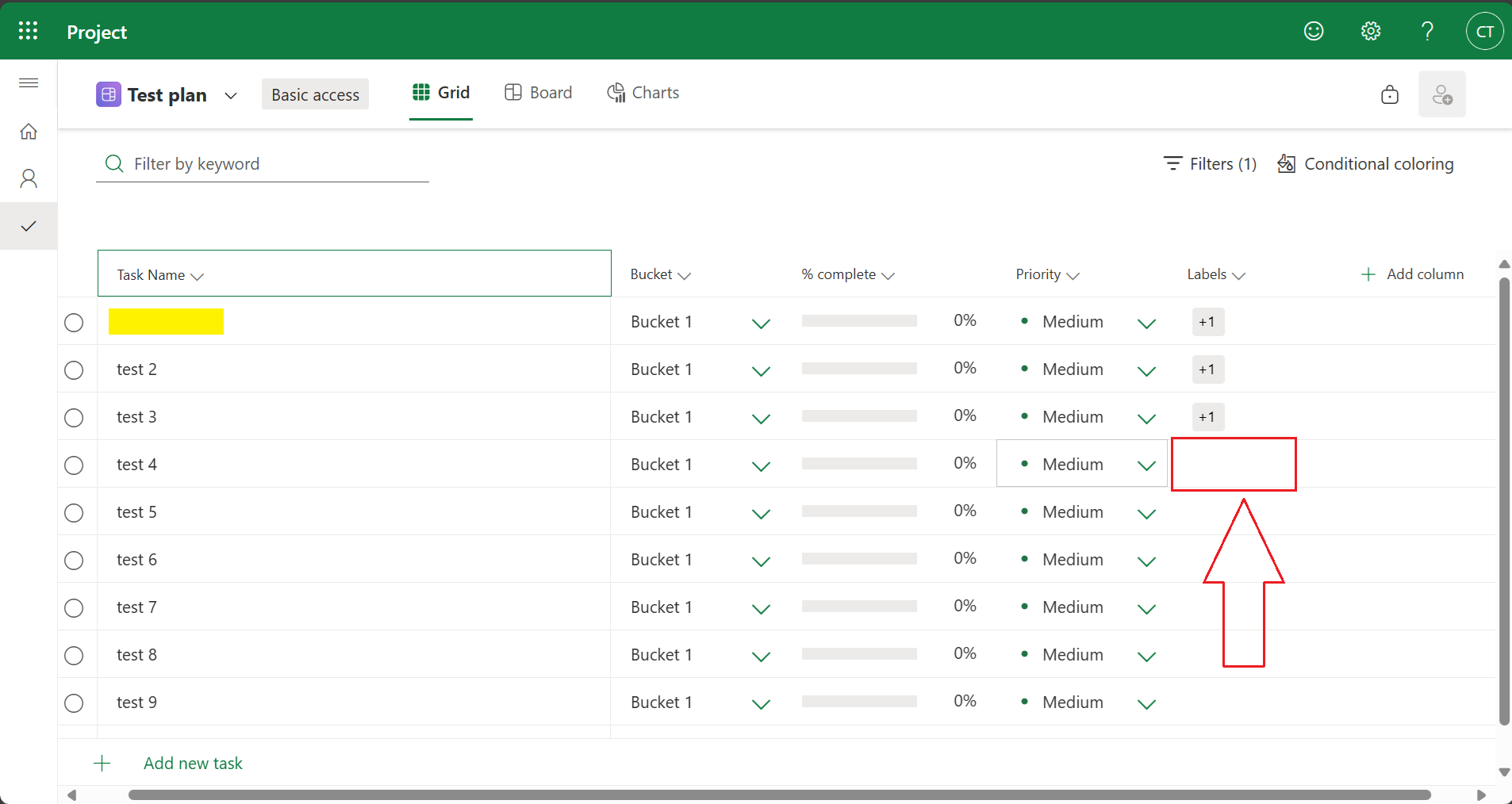 You'll see default label options like "Pink" or "Red." Click the pencil icon next to one of them, rename it to Archived, and press Enter.
Click the newly renamed Archived label to assign it to the task.
To view archived items more easily, you can use the Filter option at the top of the plan: Go to Filter > Label > select Archived.
This approach helps you visually organize and retrieve archived tasks or projects without removing them from your plan.
If you need any further assistance or clarification, feel free to reach out. We're here to help. Thank you very much for your understanding and your cooperation.
If the answer is helpful, please click "Accept Answer" and kindly upvote it. If you have extra questions about this answer, please click "Comment".
Note: Please follow the steps in our documentation to enable e-mail notifications if you want to receive the related email notification for this thread.
' cx='32' cy='32' r='32' /%3E%3Ctext x='50%25' y='55%25' dominant-baseline='middle' text-anchor='middle' fill='%23FFF' %3EFN%3C/text%3E%3C/svg%3E)

' cx='32' cy='32' r='32' /%3E%3Ctext x='50%25' y='55%25' dominant-baseline='middle' text-anchor='middle' fill='%23FFF' %3EVA%3C/text%3E%3C/svg%3E)