Azure Logic Apps
An Azure service that automates the access and use of data across clouds without writing code.
This browser is no longer supported.
Upgrade to Microsoft Edge to take advantage of the latest features, security updates, and technical support.
' cx='32' cy='32' r='32' /%3E%3Ctext x='50%25' y='55%25' dominant-baseline='middle' text-anchor='middle' fill='%23FFF' %3EMH%3C/text%3E%3C/svg%3E)
We want to enable exception handling in azure logic apps for sftp-ssh(ISE) connection for file copying from one VM to another VM.
For error handling, we have tried config run after ..still we are not able to see the errors in run history.
Refer the attached files(4) for the same
.


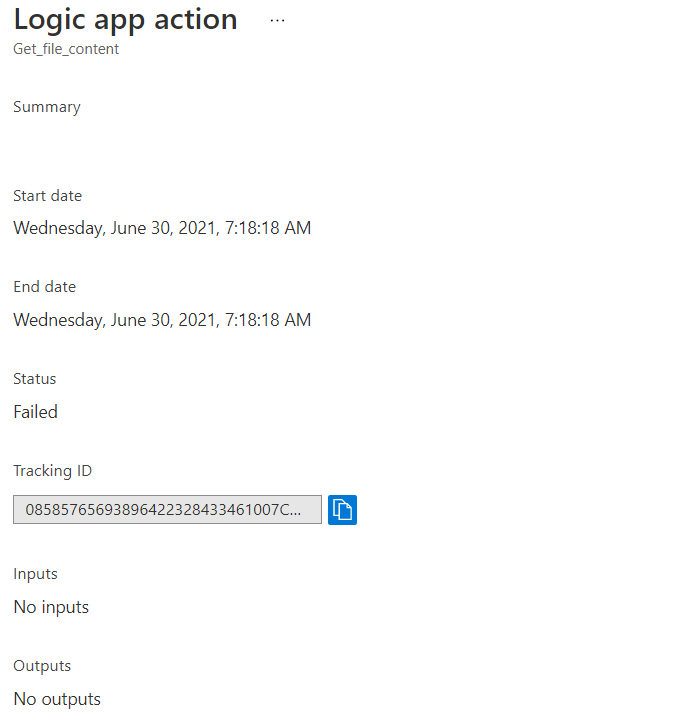

@Madala, Hanumantharao Looks like your logic app does work. I believe you have set it up such if Get File Content fails, it should run Create File. This is the expected behavior.
Could you elaborate on your expectations?
Hi Pramod,
Thank you for your reply.
Objective: I want to implement exception handling during the file transfer process.
Flow:
Source : SFTP-SSH (ISE) (DMZ zone) > VM Folder path: C:\Source_Input
Destination: SFTP-SSH (ISE) (Trusted/Internal zone) > VM Folder path: C:\Destination_Input
Assumptions: Installed the open SSH software on both VM's and generated the priv/pub key for standard SFTP user(sftuser)
We are using private key to connect VM's from logic apps using sftp-ssh (ISE) API connection and transfer the files from source folder path to destination folder.
Requirement: How to implement exception handling during the file transfer from source to destination.
@Madala, Hanumantharao Based on your requirements, I believe you just looking for conditional statements in your logic apps.
- Incase there are no files in source path, no need to proceed further.
For this, you could just check if the returned array from the List files in folder action is empty. You can use the empty function in a condition and if true, call the terminate action.
- If files are present in source folder, but not complete files(part files).. how to handle these files with exception handling?
Here you can filter out the list of files based on something like the filename (assuming the filename is different for part files in your case).
- If correct files are present in source folder, during connection to destination folder failed. How to catch this exception and send an email?
This is where you would use run after. For this, you would need a parallel branch that only runs when the previous failed.